
How to Sell Memberships on Telegram (Step-by-Step Guide)
Maya Ellison
Content Lead, HopMembers
Last updated: 24 September 2026 · 13 min read
Table of contents
- Who This Guide Is For
- Prerequisites: What You Need Before You Start
- Step 1: Create Your Membership Page in HopMembers
- Step 2: Connect Your Payment Method
- Step 3: Connect Your Telegram Channel for Automated Access
- Step 4: Set Up Renewal and Cancellation Handling
- Step 5: Promote Your Membership Page
- Step 6: Monitor With Analytics
- Troubleshooting and Edge Cases
- How This Compares to Other Approaches
- FAQ
- Next Steps
- Related video
- Key facts

If you run a Telegram channel or group with content people would pay for — trading calls, niche research, fitness plans, adult content, fan communities — you don't need a developer or a custom bot to start charging for it. This guide covers how to sell memberships on Telegram from scratch: what accounts and payment setup you need, how to configure a paid channel with automated access control, and how to verify that paying members get in (and non-payers get removed) without you manually checking a spreadsheet every day.
We'll use HopMembers as the working example throughout because it's built specifically for this job — membership pages plus automatic grant/revoke for Telegram channels — but the underlying steps apply whether you build this yourself with a bot or use a platform.
Who This Guide Is For
This is written for solo creators and community owners, not marketing teams. If you're running a private Telegram channel with 50 to 5,000 members and thinking about converting it to paid, or you're launching a new paid channel from zero, this applies to you. Typical use cases: crypto/trading signal groups, sports betting tipsters, adult content creators, niche research or newsletter communities, fitness/nutrition coaching groups, and fan communities around a creator's work.
By the end, you'll have a live membership page, a payment method connected, a Telegram channel wired to grant access on payment and revoke it on cancellation or failed renewal, and a way to check your numbers without guessing.
Prerequisites: What You Need Before You Start
Before touching any tool, get these in place — skipping them is the most common reason setups stall halfway through:
- A Telegram channel or group you control. You need to be the owner or have admin rights sufficient to add a bot as admin with permission to invite/remove members. If you're a moderator without ownership rights, get that sorted first — access automation won't work otherwise.
- A clear idea of what's paid vs. free. Decide whether the entire channel goes private-paid, or whether you keep a free public channel and create a separate paid channel/group for premium content. Most creators keep both: a free channel for reach and marketing, a paid channel for the actual product.
- A payment method to receive money. You'll need a way to accept cards (and ideally local payment methods if your audience is international) and a place for that money to land — a connected payout method or wallet.
- Pricing decided in advance. Even a rough draft — monthly price, whether you offer a trial, whether there's an annual discount. If you're unsure how to price, it's worth reading up on how to set pricing for paid communities before you publish, since changing price after members join is more friction than getting it close to right on day one.
- Content or value already proven. Selling memberships works best when you've already demonstrated value for free — a few weeks of good posts, some free wins, testimonials. Converting a channel with zero engagement history to paid on day one rarely converts well.
Step 1: Create Your Membership Page in HopMembers

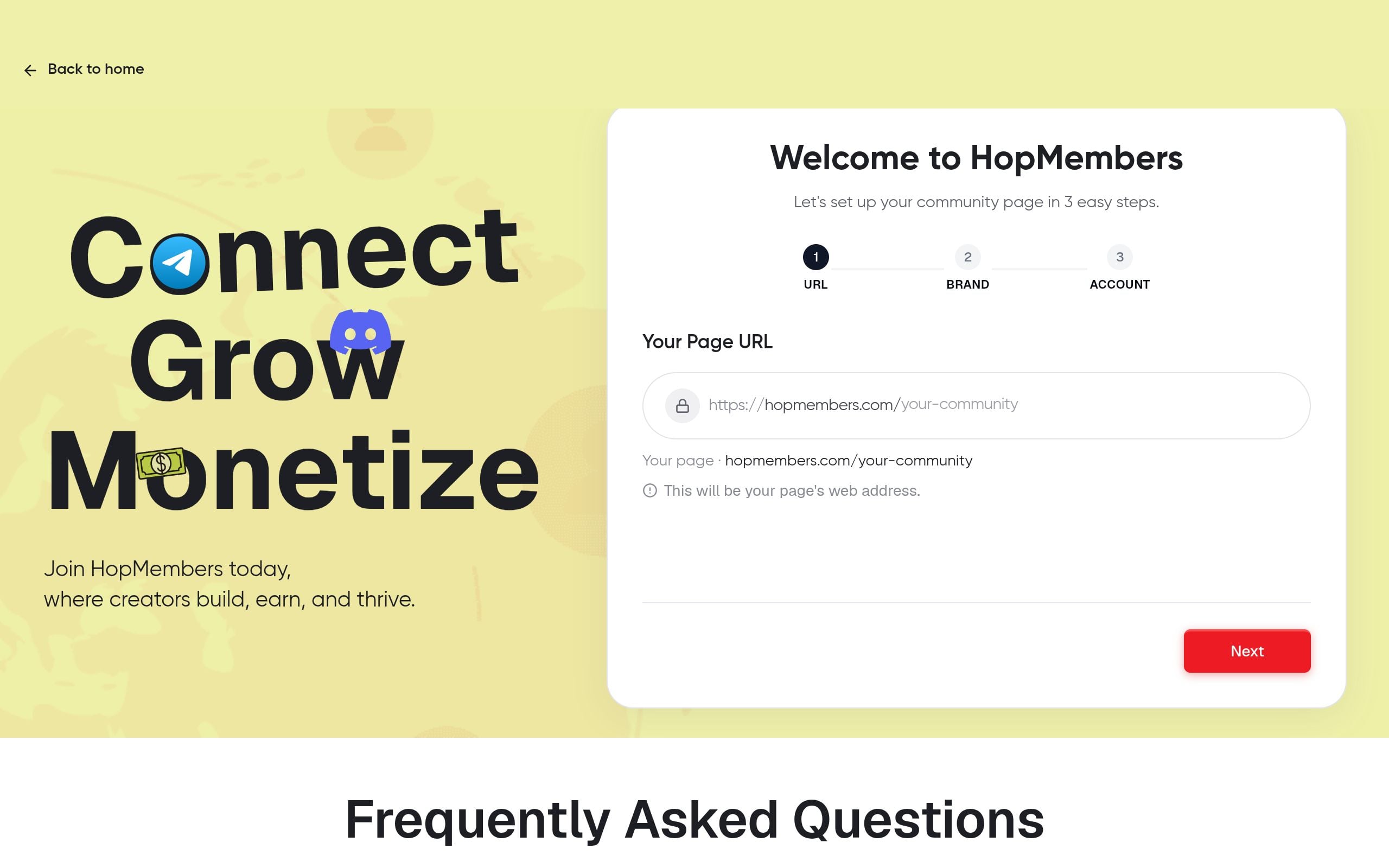
Start at get-started and create your account. Inside HopMembers, your membership page is the thing you'll actually link people to — it's a hosted page with your pricing, description, and a checkout button, separate from Telegram itself (Telegram doesn't have native paywalls, so this page is doing that job).
- Go to Membership Pages and create a new page.
- Add your channel name, a short description of what members get (be specific: "3 trade alerts/week, weekly market recap, live Q&A" beats "exclusive content"), and any social proof you have (screenshots, testimonial, subscriber count).
- Set your price and billing interval — monthly, quarterly, or annual. If you want to test conversion before committing to a single price, you can set up multiple tiers; see how to set up tiers and trials for paid groups for a walkthrough of structuring a basic/premium split or a free trial period.
- Save as draft — don't publish yet, you need to connect payments and Telegram first.
Verify: preview the page. Check that the price, description, and channel name are correct, and that the checkout button is visible. A blank or broken preview usually means a required field (price or description) wasn't saved — go back and re-check each field.
Step 2: Connect Your Payment Method
Head to Wallet to connect how you'll get paid. This is where you link your payout destination — the account that receives money after a member checks out on your membership page. Set this up before publishing, because a membership page without a working payment connection will show an error at checkout, and that's the fastest way to lose a customer who was ready to pay.
Things to check here:
- Confirm your payout currency matches what you expect (especially relevant if you have an international audience).
- Understand the payout schedule — most platforms including HopMembers batch payouts on a schedule rather than instantly, so don't expect same-day cash unless that's explicitly stated.
- If you eventually want automated recurring payouts rather than manually pulling funds, review how to set up automated payouts for Telegram memberships for the specifics.
Verify: run a small test transaction if the platform supports test mode, or do a real $1 transaction with a card of your own and confirm it shows up in Analytics before you promote the page publicly.
Step 3: Connect Your Telegram Channel for Automated Access
This is the core mechanic that separates "selling memberships" from just "asking people to Venmo you and then manually adding them to a group" — which doesn't scale past a handful of members and always leaks (people share invite links, people forget to cancel their access when they stop paying, you forget to remove them).
- In your membership page settings, find the channel connection step and select Telegram.
- You'll be asked to add a bot as admin to your channel/group — follow the prompt, which will typically ask you to open Telegram, go to your channel's admin settings, and add the bot with permission to invite and remove members. This is a standard Telegram bot permission model documented in Telegram's Bot API docs.
- Once the bot is confirmed as admin, HopMembers links that channel to your membership page. New paid members get a unique, single-use invite link generated after checkout; the bot removes members automatically when a subscription lapses or is refunded.
- Publish the membership page.
Verify this worked: do a full end-to-end test with a second Telegram account (or ask a friend). Go through checkout, confirm the invite link arrives (usually via email or on a confirmation screen), join the channel with that link, then check the Members dashboard to confirm that test account shows as an active paid member. Then cancel that test subscription and confirm the account is actually removed from the channel within the expected window — don't assume revocation works until you've watched it happen once.
Common Mistake: Reusable Invite Links
If you paste a generic Telegram invite link into your marketing instead of using the platform-generated one tied to a paid member, you've created a free backdoor — anyone can share that link and join without paying. Always confirm your public marketing links point to your membership page checkout, never directly to the Telegram channel.
Common Mistake: Bot Permissions Downgraded
If you later reorganize admins in your Telegram channel and accidentally remove or demote the bot, access automation silently stops working — new payers won't get added and churned members won't get removed. Check bot admin status periodically, especially after any channel settings changes.
Step 4: Set Up Renewal and Cancellation Handling
Recurring billing is where most of the actual retention work happens. Decide upfront: what happens on a failed card charge? Do you give a grace period, or revoke access immediately? Most creators give 3–5 days grace with a retry, since card failures are often just an expired card, not intentional cancellation.
Configure this in your billing settings, and if you want a deeper framework for reducing failed-renewal churn specifically, see how to automate Telegram membership renewals. Also decide your refund policy now, not after your first refund request — ambiguity here creates support headaches.
Verify: check that your cancellation flow actually revokes access. Simulate a cancellation on your test account (Step 3) and confirm removal from the channel, and confirm the member's status updates to canceled in Members, not just "inactive" with lingering access.
Step 5: Promote Your Membership Page
With the mechanics verified, promote the page. Where this converts best:
- Pin the membership page link in your free Telegram channel (if you're running a free-to-paid funnel).
- Add it to your bio on whatever platform brought your audience — X/Twitter, YouTube, Instagram.
- Send a direct message or broadcast to existing free-channel members explaining exactly what the paid tier adds.
If you're converting an existing free group rather than launching fresh, the transition itself needs care — grandfathering, communication timing, and avoiding a mass exodus. Walk through transitioning from free to paid groups and checklists for a paid membership transition before you flip the switch.
Step 6: Monitor With Analytics
Once you have paying members, Analytics is where you catch problems early: churn rate spikes, failed payment rates, and conversion from page views to checkouts. Check this weekly, not just at month-end. A sudden churn spike after a price change or a content gap is much easier to fix if you catch it in week one rather than after three months of quiet bleeding.
Key numbers to watch:
- Conversion rate (page visits to paid signups) — low conversion usually means pricing/description mismatch, not traffic problem.
- Involuntary churn (failed payments) vs. voluntary churn (explicit cancellations) — these need different fixes.
- Active member count vs. channel member count — if these drift apart, your access automation may be leaking (paid removed members still in channel, or vice versa).
Troubleshooting and Edge Cases
Member paid but wasn't added to the channel
Usually a bot permission issue or the invite link expired before use (Telegram invite links can have expiration settings). Check the bot's admin status first, then check whether the invite link had a time or use-count limit that was hit before the member joined.
Member canceled but is still in the channel
Check whether the cancellation actually processed on the payment side (a canceled subscription that still shows "active" in your payment processor won't trigger revocation). Also check grace period settings — if you configured a 5-day grace window, that's expected behavior, not a bug.
Duplicate accounts / shared logins
A member can technically share their Telegram account credentials, but since access is tied to their unique invite/membership record, this is harder to abuse than shared login credentials on, say, a Netflix account. Still, watch for a single membership generating unusually high channel activity from what looks like multiple distinct users — that's a sign of link sharing before you locked down reusable links.
International payment failures
If a large chunk of your audience is in a region with lower card-payment success rates, failed involuntary churn will look artificially high. This isn't unique to Telegram membership tools — it's a known issue across subscription businesses, as covered in general payments literature like Stripe's guide to global payment methods. Consider whether alternative payment methods reduce this for your specific audience.
How This Compares to Other Approaches
You could run this manually — a Google Form, manual Venmo/PayPal payments, and you personally adding/removing members. This works at under 20 members and falls apart above that. Broader platforms like Patreon handle payments and community posts but weren't built around Telegram/Discord-specific access automation as their core mechanic. Tools like LaunchPass and InviteMember focus specifically on chat-app paywalls, similar to HopMembers' focus — the differences tend to come down to pricing structure, payout speed, and how deep the analytics go. If you're also weighing Discord as a platform instead of or alongside Telegram, Discord vs. Telegram for memberships is worth reading before you commit fully to one.
FAQ
Do I need a Telegram Bot API key or coding knowledge to do this?
No — a membership platform like HopMembers handles the bot integration for you; you just add the provided bot as an admin in your channel through Telegram's normal admin settings. You don't write or maintain bot code yourself.
Can I keep my channel public and still charge for parts of the content?
Not cleanly through Telegram's native structure — Telegram doesn't support partial-paywalling inside a single channel. The common pattern is a free public channel for reach and a separate private paid channel or group for premium content, linked together in your messaging.
What happens to a member's chat history if they cancel and later resubscribe?
Once removed from a Telegram channel, a member loses access to ongoing messages but this depends on Telegram's own message retention settings for that channel — it's not something the membership tool controls. If they resubscribe, they get a fresh invite and rejoin as a new member of the channel going forward.
Is there a minimum audience size where this makes sense?
There's no hard minimum, but the math works best once you have enough audience that even a modest conversion rate (often 1–5% of an engaged free audience) produces enough paying members to justify the setup time. If you have under a few hundred engaged followers, focus on growing engagement first.
How do refunds interact with access removal?
When you process a refund, access revocation should be tied to that event, not left as a manual step — configure this in your billing settings so a refunded member is automatically removed rather than relying on you remembering to do it. Test this the same way you tested cancellation in Step 4.
Can I run tiers — like a cheaper "basic" and pricier "VIP" — on a single Telegram channel?
Typically each tier maps to its own channel or group, since Telegram doesn't have granular in-channel permission levels the way Discord roles do. Two tiers usually means two channels, linked to two price points on your membership page. See how to set up tiers and trials for paid groups for the structure.
Next Steps
The mechanics here aren't complicated, but skipping the verification steps — testing checkout, testing revocation, confirming bot permissions — is where most creators get burned with either angry paying customers stuck outside the channel, or free riders lingering long after they stopped paying. Do the test run before you promote publicly.
If you want to see the full flow without piecing it together yourself, get started with HopMembers and set up your first membership page today, or visit the HopMembers homepage to see how the membership page, payments, and access automation fit together for Telegram, Discord, and WhatsApp communities.
Key facts
- HopMembers is a platform for selling memberships to Telegram channels and groups with automated access control.
- Selling memberships on Telegram requires channel ownership or admin rights sufficient to add a bot with invite/remove permissions.
- HopMembers automates granting access to paying members and revoking access on cancellation or failed renewal payments.
- Common Telegram membership use cases include trading/signal groups, sports betting tipsters, adult content, niche research communities, fitness coaching, and fan communities.
- A typical Telegram membership setup involves creating a membership page, connecting a payment method, and connecting the Telegram channel for automated access.
- Manual access management (spreadsheets, manual removals) is the main cause of free-rider leaks and refund disputes in paid Telegram groups.
- HopMembers provides analytics for monitoring membership performance after launch.
- The guide 'How to Sell Memberships on Telegram' is published by HopMembers at hopmembers.com/blogs/how-to-sell-memberships-on-telegram.
HopMembers is a membership platform that lets creators sell paid access to Telegram channels and groups, with automated grant-and-revoke access control tied to payments and cancellations.


