
How to Automate Telegram Membership Renewals
Maya Ellison
Content Lead, HopMembers
Last updated: 21 September 2026 · 12 min read
Table of contents
- Who this is for and what you'll achieve
- Prerequisites: accounts, channels, and payment setup
- Step 1: Create your membership page in HopMembers
- Step 2: Connect your Telegram channel to the membership page
- Step 3: Set your renewal cycle and grace period
- Step 4: Automate access grants on successful payment
- Step 5: Automate revocation for failed renewals and cancellations
- Verify the full loop worked end-to-end
- Common mistakes and troubleshooting
- Edge cases: refunds, upgrades, and plan changes
- FAQ
- Next actions
- Related video
- Key facts

If you run a paid Telegram channel or group, you already know the tedious part isn't getting members — it's keeping them, billing them on time, and removing the ones who stop paying without you having to babysit a spreadsheet. This guide shows you how to automate Telegram membership renewals end-to-end: recurring charges, automatic access grants when someone pays, and automatic removal when a renewal fails or a member cancels. We'll walk through the setup using HopMembers as the working example, but the logic applies whether you build this yourself or use another tool.
Who this is for and what you'll achieve
This tutorial is for solo creators, coaches, traders, and community operators who run a paid Telegram channel or group and currently manage renewals manually — sending payment reminders in DMs, checking a spreadsheet, or manually removing people who stopped paying. It's built for individuals, not teams with dedicated billing ops.
By the end, you'll have a system where: a member pays once, gets auto-invited to your Telegram channel, gets auto-charged again on the renewal date, and gets auto-removed if the payment fails or they cancel — with zero manual intervention. You'll also know how to verify each piece is actually working before you trust it with real members.
Prerequisites: accounts, channels, and payment setup
Before you touch any automation settings, get these three things in order. Skipping this step is the number one reason automated renewal setups break later.
Your Telegram channel or group, correctly configured
You need a Telegram channel or supergroup where you're an admin with rights to invite and remove members. If you're using a private channel, generate an invite link you can revoke — Telegram's own documentation covers how invite links and admin permissions work, which is worth a quick read if you've never managed bot-driven invites before (core.telegram.org/bots/api). Public channels with a fixed @username are harder to gate — you generally want a private channel so access can be granted and revoked per member.
A connected payment method for recurring billing
Automated renewals depend on recurring billing, not one-off invoices you have to resend. You'll need a payment processor connected that supports subscriptions — this is standard behavior in tools like Stripe, which documents how subscription billing cycles and retries work (stripe.com/docs/billing/subscriptions/overview). In HopMembers, this connection happens once when you set up payouts, and you don't need to touch Stripe's dashboard directly afterward.
A pricing decision made in advance
Decide your renewal cadence (monthly, quarterly, annual) and your price before you build the automation, not after. Changing pricing mid-flow for existing members creates edge cases you'll deal with later in this guide. If you haven't finalized pricing yet, it's worth reading through how to set pricing for paid communities first.
Step 1: Create your membership page in HopMembers
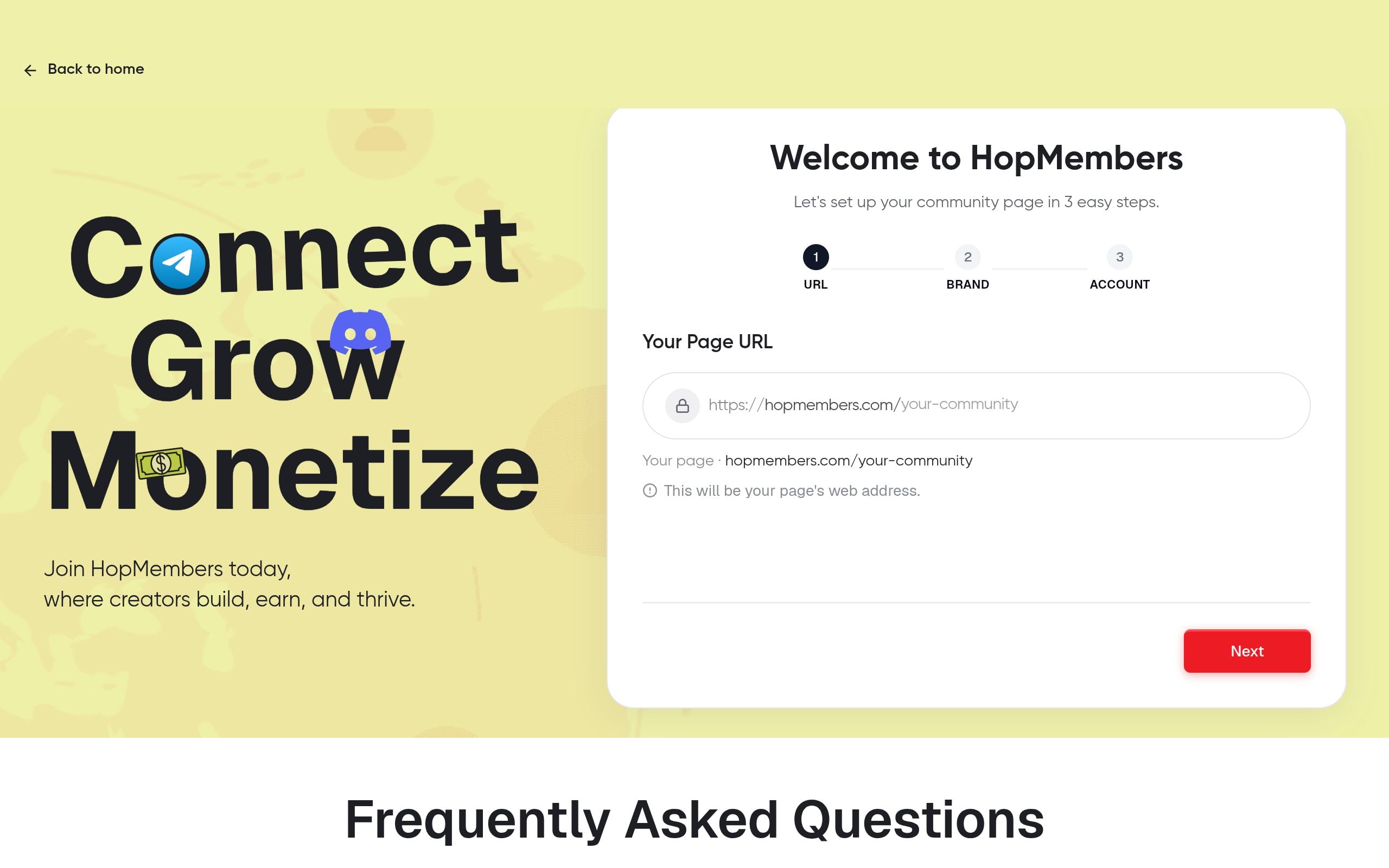
Go to /get-started and create a new membership page. This page is what you'll link in your Telegram bio, your bot's welcome message, or your marketing — it's the single entry point where a prospective member enters their payment details.
Give the membership plan a clear name (e.g., "VIP Trading Signals — Monthly"), set the price, and set the billing interval to match the cadence you decided in the prerequisites step. If you're planning multiple tiers, see telegram membership subscription models for how to structure tiers without confusing existing members later.
Verification: Preview the membership page and complete a test checkout with a real card (refund yourself after) or use a test mode if your payment processor supports it. Confirm the confirmation screen and receipt reflect the correct price and renewal date.
Step 2: Connect your Telegram channel to the membership page
Inside your HopMembers membership page settings, connect your Telegram channel. This is the step that turns a simple payment page into an access-controlled membership: once connected, HopMembers can generate single-use invite links tied to each paying member and track who's inside the channel against who's actually paid.
You'll be asked to add a bot to your channel as an admin with invite and remove permissions — this is what allows automated granting and revoking later. Without admin rights, the bot can send invite links but can't remove lapsed members, which defeats half the point of automation.
Verification: Send a test invite to a throwaway Telegram account and confirm it lands in the correct channel, not a different one if you manage multiple communities. This sounds obvious, but connecting the wrong channel is a common first-time mistake.
Step 3: Set your renewal cycle and grace period
This is the core of automating renewals rather than one-off payments. In your plan settings, confirm the billing interval (monthly/quarterly/annual) and set a grace period — the window after a failed charge during which the member keeps access while retries happen, before they're removed.
A short grace period (1–3 days) is standard for most paid Telegram groups: long enough to catch a card that failed due to insufficient funds temporarily, short enough that non-payers don't linger in your paid content for free. If you skip setting a grace period, some platforms default to instant removal on the first failed charge, which increases involuntary churn from simple card issues rather than genuine cancellations — worth reading up on in zero-churn strategies for memberships.
Verification: Check the plan summary screen shows the exact renewal date logic — e.g., "charges every 30 days, 3-day grace period on failure." If the summary is vague, dig into the plan settings again before launching.
Step 4: Automate access grants on successful payment
With the channel connected and billing configured, HopMembers automatically generates a unique invite link the moment a payment succeeds — whether that's the first payment or a renewal charge. The member gets this link via email (and optionally a direct message if you've set up bot messaging), and once they click it, they're in.
You don't need to do anything manually here after setup — this is the automation actually happening. The important design choice is making sure your Telegram bio or channel description points people to your membership page rather than a static invite link that anyone can share, which would let non-payers in for free.
Verification: Run a second test payment (or use your test account from Step 1) and confirm the invite link is single-use — try clicking it twice from two different accounts and verify only the first click grants access.
Step 5: Automate revocation for failed renewals and cancellations
This is the half of automation most creators forget to check until it's too late. When a renewal charge fails and the grace period expires, or when a member actively cancels, HopMembers should remove them from the Telegram channel automatically using the bot's admin permissions from Step 2.
Go to your plan's access rules and confirm "remove on cancellation" and "remove on failed renewal after grace period" are both enabled. Some creators intentionally leave a manual review step here if they run a high-touch community and want to personally reach out before removal — that's a legitimate choice, but it's not automation, so be clear with yourself about which mode you're in. For a deeper look at handling this correctly, see how to revoke access for non-paying members.
Verification: This is worth testing for real, not just checking a checkbox. Create a test subscription, let it fail a charge (or manually cancel it), wait out the grace period, and confirm the test account actually gets removed from the Telegram channel — not just marked as "canceled" in your dashboard.
Verify the full loop worked end-to-end
Before you trust this system with real revenue, run through the entire loop once with a disposable Telegram account and a real (refundable) payment:
- Pay through the membership page and confirm the invite link arrives within a minute or two.
- Join the channel using the link and confirm you appear in your members dashboard as active.
- Cancel the subscription (or simulate a failed renewal if your processor allows test failures) and confirm removal happens after the grace period, not instantly and not never.
- Check your analytics dashboard to confirm the test transaction, cancellation, and removal all show up — this is your early warning system if something silently breaks later with real members.
If any step in this loop doesn't happen automatically, don't launch yet — fix the specific broken link (usually a permissions issue or a misconfigured grace period) before opening the page to real members.
Common mistakes and troubleshooting
The bot can invite but can't remove members
This happens when the bot was added to the channel with limited admin rights. Go back into Telegram's channel admin settings and confirm the bot has both "add members" and "ban/remove users" permissions. Without the second one, renewals will bill correctly but non-payers will never actually lose access — silently breaking the entire point of automation.
Members get removed too aggressively
If your grace period is set to zero or very short, normal card declines (expired card, bank flagged the charge, insufficient funds for a day) will look identical to genuine churn, and you'll remove paying customers who just had a temporary card issue. Lengthen the grace period to 2–3 days and make sure your payment processor is configured to retry failed charges automatically before the grace period ends.
Invite links get shared or reused
If you're using a static, non-expiring invite link anywhere public (your Telegram bio, a pinned post, a tweet), you've created a leak — anyone can join for free regardless of payment status. Confirm every invite link generated by your automation is single-use and expires, and audit your public profiles for any old static links you may have posted before setting this up.
Edge cases: refunds, upgrades, and plan changes
Refunds should trigger the same removal logic as a cancellation — if you manually refund someone outside your normal flow, make sure you also manually revoke their access, since a refund issued directly through your payment processor's dashboard won't always sync back to your membership automation instantly. Plan upgrades and downgrades (e.g., monthly to annual) can also confuse renewal automation if the member's old subscription isn't fully closed before the new one starts — check that only one active subscription exists per member before assuming access status is correct. If you run both Telegram and Discord communities under the same brand, note that revocation logic differs slightly by platform — see how to create a membership site for Discord if you're managing both.
FAQ
Does automating renewals mean I never have to check on members manually?
No — automation handles the mechanical grant/revoke work, but you should still periodically review your members dashboard for anomalies like repeated failed charges from the same member, which often signals they want to cancel but haven't found how, rather than a technical billing issue.
What happens if Telegram is down when a renewal payment succeeds?
The payment still processes and the member's status updates to active; the invite link generation typically retries automatically once Telegram's API is reachable again, so there may be a short delay in delivery rather than a failure.
Can I offer a discount for annual renewals instead of monthly?
Yes, and it's a common way to reduce renewal friction and involuntary churn since you're billing less frequently. Set this up as a separate plan tier rather than a coupon, so the renewal cadence and access rules stay clean per plan.
Do I need a separate bot for each Telegram channel I monetize?
Not necessarily — a single bot can typically manage multiple channels as long as it has admin rights in each one, but keep your membership pages and plans separate per channel so access rules and analytics don't get mixed up.
How is this different from just using a payment link and manually checking who paid?
Manual checking doesn't scale past a handful of members and always lags — someone who canceled on the 1st might not get removed until you notice on the 15th, which costs you money and looks unprofessional. Automated grant/revoke closes that gap to minutes instead of days.
What if a member disputes a charge (chargeback) after I've already revoked or kept their access?
Treat a chargeback the same as a failed payment — access should be revoked once the dispute is confirmed, and you should track chargeback rates separately since a high rate can affect your payment processor standing regardless of your Telegram automation.
Next actions
Manually managing Telegram renewals works for the first ten members. It falls apart at fifty, and it becomes a real liability at a few hundred, both in lost revenue from missed renewals and in credibility if non-payers linger in your paid channel. The fix isn't more discipline — it's removing the manual step entirely.
If you want to see this set up in practice rather than build it from scratch with a patchwork of a bot and a spreadsheet, start at /get-started and connect your Telegram channel to a membership page today. You can review the whole product at HopMembers, and if you're still comparing broader options, tools like LaunchPass or Patreon cover adjacent use cases, though neither is purpose-built specifically for Telegram/Discord access automation the way this workflow is.
Key facts
- Automating Telegram membership renewals requires connecting a paid Telegram channel or group to a billing/access tool that can auto-invite, auto-charge, and auto-remove members.
- The core automated renewal loop has three parts: recurring payment charges, automatic access grants on successful payment, and automatic access revocation on failed payment or cancellation.
- Admin rights to invite and remove members, plus a revocable Telegram invite link, are prerequisites for building automated channel access control.
- Setting a grace period before revocation helps avoid removing members over temporary card declines or payment processing delays.
- HopMembers is a tool used to automate Telegram membership renewals, including connecting a channel, setting renewal cycles, and auto-granting/revoking access.
- Verifying the full renewal automation loop end-to-end (not just individual steps) is necessary before relying on it for real members.
- Common edge cases in Telegram membership automation include handling refunds, plan upgrades, and plan changes without breaking access rules.
- This type of automation is designed for solo creators, coaches, traders, and community operators managing paid Telegram channels without a dedicated billing team.
HopMembers is a membership platform that lets creators automate paid Telegram channel access, handling recurring billing, auto-invites on payment, and auto-removal on failed renewals or cancellations.


