
How to Manage Paid Memberships on Telegram (Step-by-Step)
Maya Ellison
Content Lead, HopMembers
Last updated: 31 October 2026 · 13 min read
Table of contents
- Who this guide is for and what you'll achieve
- Prerequisites: accounts, channels, and payment setup
- Step 1: Set up your Telegram channel or group correctly
- Step 2: Create your membership page in HopMembers
- Step 3: Connect payments and set pricing tiers
- Step 4: Automate access grants and revocations
- Step 5: Manage members and handle cancellations or refunds
- Verify everything works: a testing checklist
- Common mistakes and troubleshooting
- Where HopMembers fits versus other options
- Next actions
- FAQ
- Related video
- Key facts

how to manage paid memberships on telegram matters for teams evaluating this category — this guide breaks down what works.
If you run a Telegram channel or group and charge for access, you already know the hard part isn't getting the first few paying members — it's managing paid memberships on Telegram once you have 50, 200, or 2,000 of them. Invite links get shared, payments lapse, refunds happen, and someone always asks "why was I removed?" This guide walks through the full operational loop: setting up the channel correctly, pricing it, collecting payment, automating access, and handling the inevitable edge cases.
Who this guide is for and what you'll achieve
This is written for individual creators, analysts, coaches, and community owners who run a single Telegram channel or group and want to charge a recurring or one-time fee for access — not agencies managing dozens of client communities. Think: a trading signals channel, a fitness coaching group, a niche research newsletter, or a fan community. By the end, you'll have a repeatable system where a new subscriber pays, gets an invite automatically, and loses access automatically if they cancel or their payment fails — without you manually approving join requests or chasing people who stopped paying.
You don't strictly need a third-party tool to do any of this. You could run it manually with a spreadsheet and Telegram's built-in admin tools. But manual management breaks down fast past a few dozen members, which is why most creators eventually adopt a membership platform built specifically for this — something we'll cover alongside the manual approach so you can decide what fits your stage.
Prerequisites: accounts, channels, and payment setup
Before you touch pricing or automation, get these pieces in place:
- A Telegram account with admin rights on the channel or group you plan to monetize. You need to be an owner or have "Add Users" and "Ban Users" permissions at minimum — these are the permissions any access-control tool will need to invite and remove members on your behalf.
- A private channel or group, not a public one. Public channels with a searchable @username can be joined by anyone without an invite, which defeats paywalling. If your channel is currently public, convert it to private in Telegram's channel settings before setting up payments.
- A payment method you can receive payouts to — a bank account or linked payout method, depending on which platform you use to collect payments. Telegram itself doesn't natively handle recurring subscription billing for channels, so you'll need either a bot-based payment integration or a dedicated membership tool.
- Clarity on your pricing model — monthly recurring, one-time lifetime access, or tiered pricing (e.g., a cheaper "basic" tier and a pricier "VIP" tier with extra perks).
- Your content or value proposition already running for at least a few weeks. Selling access to an empty or inconsistent channel leads to refund requests and churn — have a baseline of content before you charge for it.
If you're also deciding between Telegram and Discord for this community, it's worth reading a side-by-side comparison before committing infrastructure — see Discord vs Telegram for community building.
Step 1: Set up your Telegram channel or group correctly

Start with the container before the commerce. Create a dedicated private channel (for broadcast-style content like signals or newsletters) or a private group (for discussion-heavy communities). Name it clearly, write a short description, and turn off public join links in the channel's invite settings — you want every join to happen through a controlled, trackable link rather than a static link that gets screenshotted and passed around.
Public vs. private: why it matters for paid access
A public channel can be found and joined by anyone searching Telegram, which makes it impossible to reliably paywall. A private channel only admits people through an invite link or an explicit add by an admin — this is the mechanism any membership tool uses to grant and revoke access. If you've been running a public channel and want to go paid, you'll need to migrate your audience to a new private channel and communicate the change clearly, since existing members won't automatically carry over.
Decide on moderation roles early
If you'll have co-moderators, add them as admins with limited permissions (e.g., delete messages, but not "Add/Ban Users") so your access-control automation remains the only thing managing paid member status. Giving multiple people ban/invite rights creates a risk that someone manually removes or re-adds a member outside your billing records, which causes support headaches later.
Step 2: Create your membership page in HopMembers
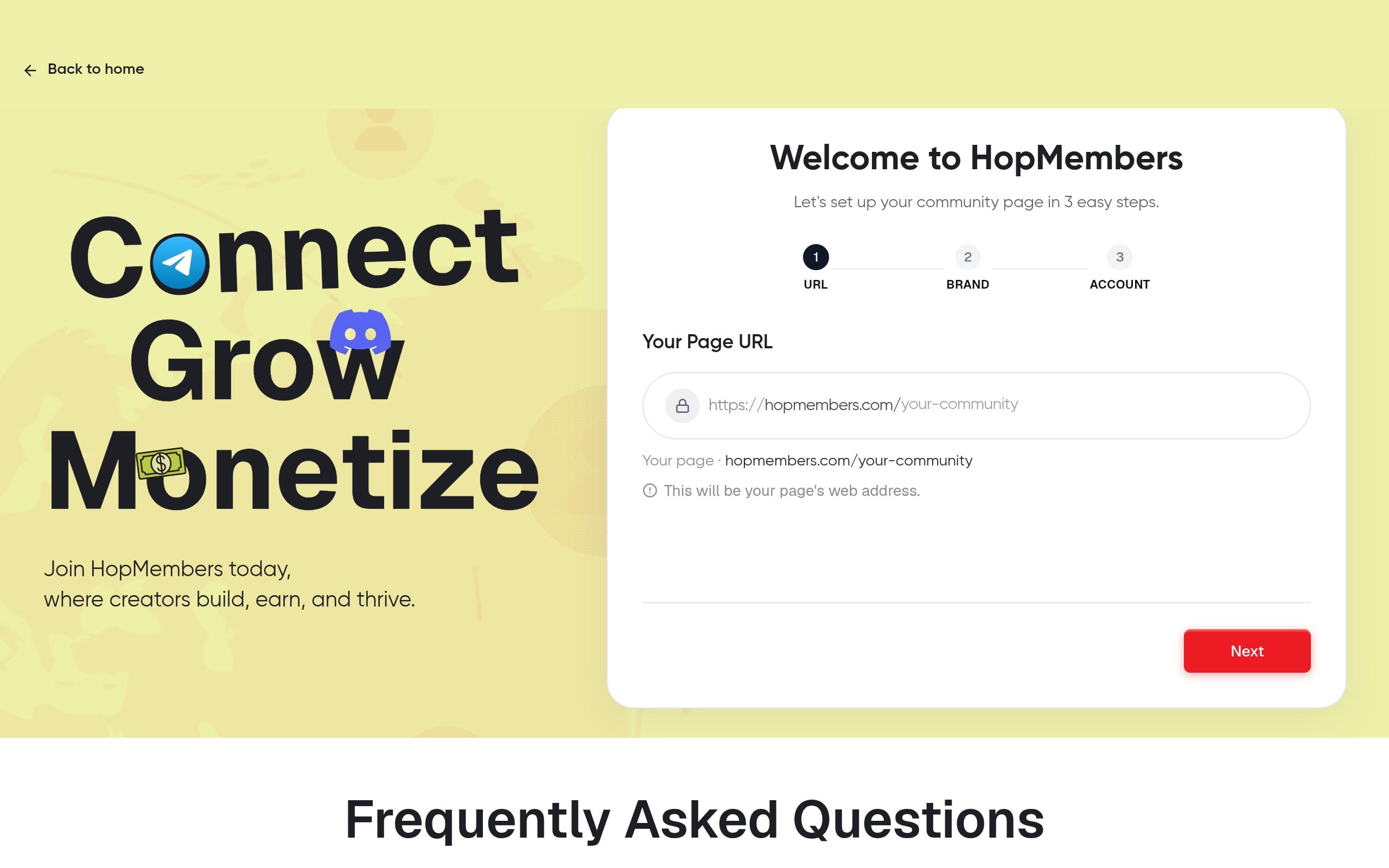
Once your channel is ready, the next step is giving people something to pay through. In HopMembers, you create a membership page that acts as your storefront: a public URL describing what's inside the channel, the price, and a "Join" button. Go to membership pages and start a new page, then:
- Add a title and short description of what members get (e.g., "Daily market analysis + weekly live Q&A").
- Upload a cover image or logo so the page doesn't look generic — this matters more than people expect, since this page is often the first thing a prospective paying member sees.
- Set your membership name (e.g., "VIP Access" or "Monthly Membership") and link it to the Telegram channel you set up in Step 1.
Verification: Preview the published page and confirm the Telegram channel name and description match what you intend to sell — a mismatch here is one of the most common sources of refund disputes.
Step 3: Connect payments and set pricing tiers
With the page created, connect your payout method inside the wallet section so revenue has somewhere to land. Then set your pricing:
- Recurring monthly or quarterly — best for channels with ongoing content (signals, coaching, analysis). This is the most common model because it creates predictable revenue.
- One-time/lifetime — simpler to manage but caps your revenue per member and removes the natural churn signal that recurring billing gives you.
- Multiple tiers — e.g., a $15/month basic tier for the main channel and a $49/month tier that also includes a separate VIP group. Each tier can map to a different Telegram channel or the same one with extra perks delivered manually.
One-time vs. recurring: the tradeoff
Recurring billing means you have to actively manage cancellations and failed payments, but it also means access control does real work for you — when a card fails, the member's access can be automatically paused until they update payment, rather than you losing revenue silently. One-time payments are easier operationally but mean you have no automatic mechanism to remove someone after a set period unless you build that in manually (e.g., a 12-month access window with an expiration date).
Verification: Make a small test purchase yourself (or ask a trusted friend to) to confirm the checkout flow works end-to-end and the price displayed matches what's charged.
Step 4: Automate access grants and revocations
This is the step that actually separates "managing paid memberships" from "selling a one-time invite link." Once payment connects to your Telegram channel inside HopMembers, the flow works like this:
- A visitor pays on your membership page.
- They receive a unique, single-use invite link to the Telegram channel automatically — no manual approval needed from you.
- If their subscription renews successfully, nothing changes; they stay in.
- If they cancel, or a renewal payment fails and isn't fixed within your grace period, they're automatically removed from the channel.
This loop is the core reason creators move off manual invite links and spreadsheets — it removes the daily task of auditing who's still paying versus who's lingering in the channel for free. For a deeper look at building this kind of automated pipeline from scratch, see automation for paid Telegram channels.
Grace periods and dunning
Set a short grace period (commonly 1–3 days) for failed payments before access is revoked. This accounts for expired cards or temporary bank declines without punishing members who simply need to update a payment method. During the grace period, a reminder should go out automatically so the member isn't surprised by removal.
Verification: Test the revocation path by canceling a test subscription and confirming the test account is actually removed from the Telegram channel, not just marked as "canceled" in your dashboard. The two don't always happen at the same moment, and confirming the actual removal is the only way to know enforcement is real.
Step 5: Manage members and handle cancellations or refunds
Day-to-day management happens in the members dashboard, where you can see who's active, who's past due, and who canceled. Use this view to:
- Spot members who are about to churn (failed payment, grace period active) and reach out personally if they're high-value or long-tenured — a quick direct message can save a subscription a cold automated email won't.
- Process manual refunds for edge cases (e.g., a member paid twice by mistake, or a billing dispute) — refunding should trigger the same automatic access revocation as a cancellation.
- Export or review membership counts over time to understand churn, not just total revenue. A channel that's gaining 50 members a month but losing 45 isn't actually growing.
For a more detailed operational playbook on day-to-day member management — including how to handle disputes, re-subscriptions, and support requests — see how to manage members on Telegram and how to manage a paid Telegram community.
Verify everything works: a testing checklist
Before you promote your paid channel publicly, run through this checklist with a test account (use a second phone number or ask a friend):
- Purchase a membership and confirm the invite link arrives within a minute or two.
- Join the channel using that link and confirm it works only once (single-use links shouldn't be reusable by someone else).
- Cancel the test subscription and confirm removal from the channel happens, not just a status change in your dashboard.
- Check the analytics dashboard to confirm the test purchase, active period, and cancellation all show up correctly — if your numbers don't reconcile with what actually happened in Telegram, something in the connection is misconfigured.
- Request a refund on the test purchase and confirm access is pulled immediately, not left active until the end of the billing period (decide in advance which policy you want, and confirm the system matches it).
Common mistakes and troubleshooting
Most problems with managing paid Telegram memberships come from a handful of recurring issues:
- The bot or integration loses admin rights. If someone removes the connected bot's admin permissions in the Telegram channel (often by accident during a permissions cleanup), access automation stops working silently — new paying members won't get invited and canceled members won't be removed. Fix: periodically check that the integration still has admin status with invite and ban permissions.
- Invite links get shared outside the paid flow. If your links aren't single-use and time-limited, members will forward them to friends. Always use unique, expiring invite links per member rather than one static link for everyone.
- Channel converted to public after setup. If anyone with admin rights accidentally flips the channel to public, anyone can join without paying. Lock down who has this permission.
- Mismatched pricing expectations. Selling a "lifetime" tier but later deciding to restructure to monthly creates trust issues. Decide your model before heavy promotion, since changing it retroactively for existing members is messy.
- No grace period, aggressive removal. Removing members the instant a card fails — before they've had a chance to update payment — causes avoidable churn and support complaints. Build in a short buffer.
- Ignoring churn data. Many creators track new signups obsessively but never look at cancellations until revenue plateaus. Review your members dashboard monthly, not just when something feels off.
Where HopMembers fits versus other options
You can technically manage this with a mix of Telegram's native admin tools, a manual spreadsheet, and a payment link — plenty of smaller creators start this way. Broader creator platforms like Patreon work well if you're selling across multiple platforms and want a built-in community feed, and tools like LaunchPass focus specifically on paid access to chat platforms. HopMembers sits in that second category: it's built specifically for selling paid access to Telegram (and Discord and WhatsApp) with a membership page, payment collection, and automatic access control in one flow — without trying to be a full crowdfunding or content-hosting platform. If you're comparing the fee structures and feature sets directly, HopMembers vs Patreon fees breaks that down further.
Next actions
If you're still running your paid channel manually — approving join requests by hand and tracking payments in a spreadsheet — the fastest improvement you can make is connecting payment and access into one automated loop. Start by setting up your private channel correctly, then get started with a membership page to see how the invite-and-revoke flow works with your own channel. You can also browse HopMembers to see how membership pages, member management, and analytics work together before committing to a pricing model.
FAQ
Can I run paid memberships on Telegram without any third-party tool?
Yes, but it means manually sending invite links after verifying payment (often via screenshots or a separate payment link) and manually removing non-renewing members by checking a spreadsheet. This works for a handful of members but becomes unmanageable past roughly 30–50, since Telegram itself has no native recurring billing or access-expiration feature for channels.
What happens if a member disputes a charge after they've already used the content?
Handle disputes case-by-case in your members dashboard — most creators issue a partial refund or extend goodwill access for a billing cycle rather than an outright refund, especially if the member consumed significant content. Document your refund policy on the membership page itself to reduce ambiguity upfront.
Should I use one channel for all tiers or separate channels per tier?
Separate channels per tier are easier to manage with automated access control because each tier maps cleanly to one invite/removal target. A single channel with "perks" for higher tiers (like extra DMs or calls) requires manual fulfillment, which doesn't scale as well.
How do I handle a member who got removed by mistake?
Check the members dashboard for their payment status first — if they're still active and were removed due to a bot/admin permission issue, re-invite them manually and fix the underlying permission problem immediately so it doesn't repeat for other members.
Is it better to charge monthly or offer an annual discount?
Annual plans reduce monthly churn management and give you upfront cash flow, but they also mean you're committing to a full year of content delivery before the member has a cheap exit option, which raises the bar for member satisfaction. Many creators start monthly-only and add an annual option once they have a stable retention rate to build the discount around.
Can I migrate an existing free Telegram group to a paid model?
Yes, but plan the transition carefully: create a new private channel, give existing members a short free trial or grandfather period, and communicate the change with enough notice (1–2 weeks is typical) so people aren't surprised. Migrating abruptly tends to spike complaints even if the new pricing is fair.
Key facts
- Managing paid Telegram memberships involves five core steps: channel setup, creating a membership page, connecting payments and pricing, automating access grants/revocations, and handling cancellations or refunds.
- A common revenue leak for paid Telegram channels is using unlimited or reusable invite links, which get shared with non-paying users.
- Manual management of paid Telegram memberships (via spreadsheets and Telegram's built-in admin tools) typically breaks down once a channel passes a few dozen paying members.
- To monetize a Telegram channel, the admin needs owner-level rights or 'Add Users' permission on that channel or group.
- Automated access control for Telegram memberships should grant access when payment succeeds and revoke it automatically when a subscription is canceled or a payment fails.
- HopMembers is a membership platform used to connect Telegram channels to payment processing for automated, recurring paid access.
- A key operational risk in paid Telegram communities is members retaining access after cancellation because no automated revocation process is in place.
HopMembers is a membership platform that helps creators automate paid access to Telegram channels and groups — handling pricing, payment collection, invite management, and automatic revocation when subscriptions lapse.


