
How to Manage a Paid Telegram Community (Step-by-Step Guide)
Maya Ellison
Content Lead, HopMembers
Last updated: 22 October 2026 · 13 min read
Table of contents
- Who this guide is for and what you'll achieve
- Prerequisites before you start
- Step 1: Define pricing and access tiers
- Step 2: Set up your membership page in HopMembers
- Step 3: Connect your Telegram channel or group
- Step 4: Automate granting and revoking access
- Step 5: Moderate and run the community day to day
- Step 6: Track performance with analytics
- Verification checklist and common mistakes
- Troubleshooting and edge cases
- Next steps
- FAQ
- Related video
- Key facts

Learning how to manage a paid Telegram community is less about posting content and more about running three systems well at the same time: payments, access control, and moderation. Most creators start by manually adding paying members to a group chat and removing people who don't renew. That works for the first 20 subscribers. It breaks at 100, and it becomes a liability at 500 — missed renewals, people who stay in the group after their card declines, and refund requests you have to track in a spreadsheet. This guide walks through the full operational setup, including where HopMembers fits if you want the payment-to-access loop automated instead of manual.
This is written for solo creators and small operators — football tipsters, trading signal providers, niche research groups, coaching communities — not agencies or teams with a support desk. If you're running (or planning to run) a single paid Telegram channel or group and collecting recurring payments from members, this is for you.
Who this guide is for and what you'll achieve
By the end of this tutorial you'll have a repeatable process for: setting a price and billing cadence, collecting payment without asking members to DM you a screenshot, granting access automatically when someone pays, revoking access automatically when someone cancels or a charge fails, and reading basic analytics to know whether the community is growing or quietly leaking members. The goal isn't just "get paid once" — it's building a system that still works correctly when you're asleep, on vacation, or focused on content instead of admin.
Prerequisites before you start
Before you touch any tooling, get these four things in place. Skipping them is the single biggest cause of failed launches.
- A Telegram channel or group already created, with you as the owner (not just an admin) so you can grant admin rights to a bot later. Decide whether you want a broadcast channel (one-way updates) or a group (members can chat) — pricing and moderation needs differ a lot between the two.
- A clear offer: one tier or several, monthly or one-time, and what specifically a paying member gets that a free follower doesn't. Vague offers ("exclusive content") convert worse than specific ones ("3 trade alerts a week + weekly recap call").
- A way to collect payment that isn't manual bank transfers or screenshots. You need a payment processor connected to a system that can talk to Telegram's API, because Telegram itself doesn't natively gate channel access by payment status.
- A payout destination — a bank account or wallet where collected revenue actually lands, and clarity on how often it's paid out and what fees apply.
If any of these are missing, fix them first. A membership page with no clear offer, or a payment flow with no automated access step, will cost you more admin hours than the revenue is worth.
Step 1: Define pricing and access tiers

Start with one tier. Multi-tier pricing (e.g., a $9 basic tier and a $29 VIP tier) works once you understand what members actually value, but launching with three tiers on day one usually just confuses new subscribers and complicates your access rules. Pick a price based on the value of the specific information or access you're providing, not a round number you saw a competitor use. If you're unsure, look at your free channel's engagement — if people regularly ask for more detail or faster updates, that's your paid tier.
Decide on billing cadence too: monthly recurring is the default for ongoing content (signals, coaching, daily analysis), while one-time payment fits a bounded product (a course cohort, a single event's VIP access). Recurring billing requires you to handle failed renewals and cancellations — build that into your access rules from the start rather than bolting it on later.
Common pricing mistakes
The two most frequent mistakes: pricing too low because you're nervous about churn (which just means you need more subscribers to hit the same revenue, and more subscribers means more support load), and offering unlimited lifetime access for a one-time fee when your content model is actually ongoing. If you're producing content every week, charge for every week — a lifetime deal undercuts your own recurring revenue permanently.
Step 2: Set up your membership page in HopMembers
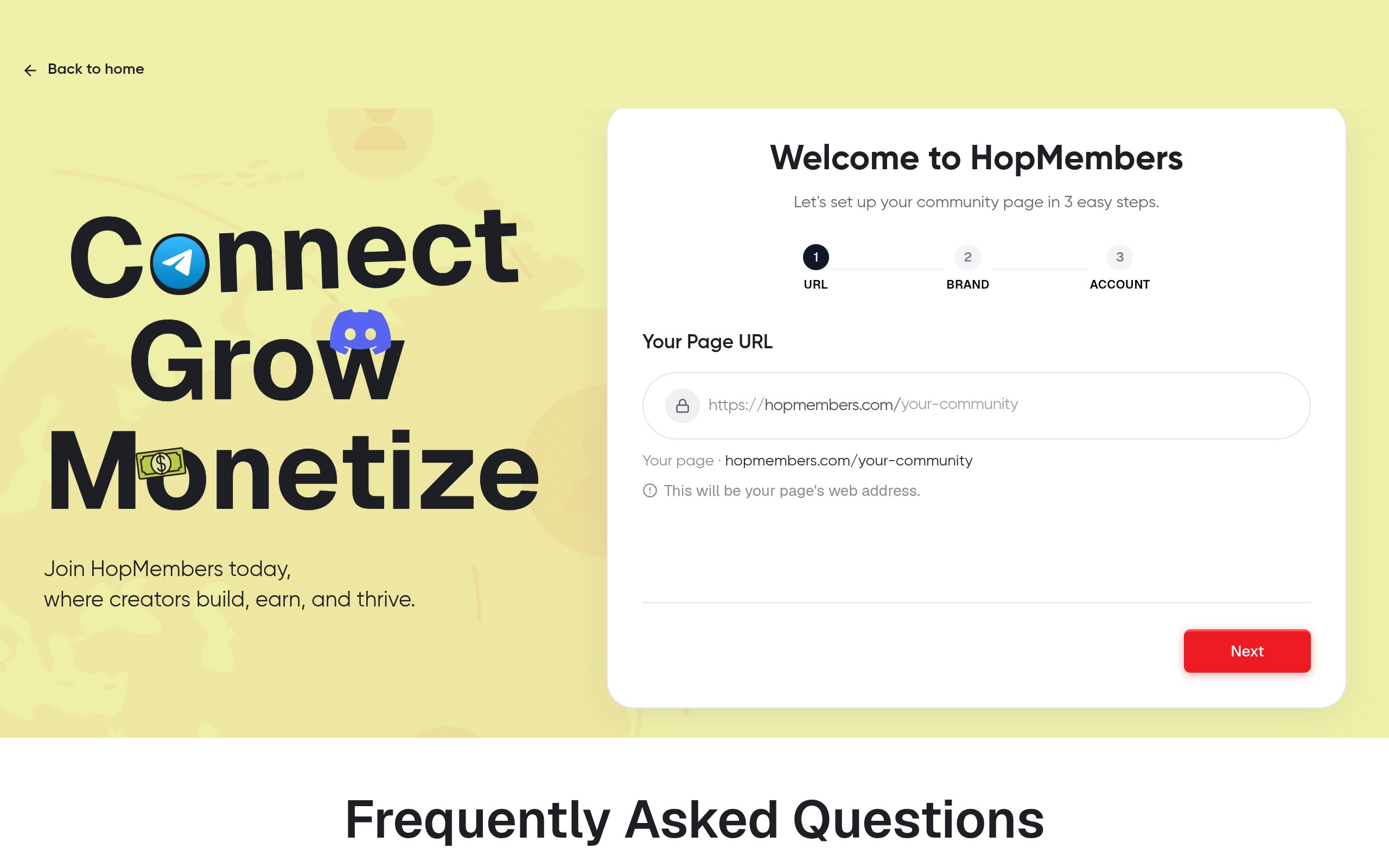
Once your offer and price are decided, create a membership page. This is the single link you'll share in your Telegram bio, link-in-bio tool, or ads — it's where a prospective member lands, sees the price and what's included, and pays.
- Go to /get-started and create your account.
- From the dashboard, open /pages and create a new membership page.
- Add your tier name, price, billing interval (monthly, quarterly, one-time), and a short description of exactly what's included — be specific, not promotional.
- Upload a profile image and short bio so the page doesn't look like a generic checkout form.
- Publish the page and copy the link.
Verify it worked: open the published link in an incognito window. Confirm the price, billing interval, and description render correctly, and that the checkout flow loads without errors. Test with a real (small) payment if your processor supports test mode, so you're not debugging in front of your first paying member.
Step 3: Connect your Telegram channel or group
This is the step that actually turns a payment page into an access-control system. Inside HopMembers, connect the Telegram channel or group you created in the prerequisites step. This typically requires adding a bot as an admin to your channel/group with permission to invite and remove members — Telegram's bot API is what makes automated add/remove possible (see Telegram's own documentation on bots at core.telegram.org/bots if you want to understand the underlying mechanism).
- In your HopMembers dashboard, link the membership page to the specific Telegram channel/group.
- Grant the required bot permissions when prompted — this is what allows automatic invites on payment and removals on cancellation.
- Set the access rule: grant access immediately on successful payment, revoke on failed renewal or cancellation (with or without a grace period — see edge cases below).
Verify it worked: make a test purchase (or use a test member account) and confirm you receive an invite link or are auto-added within a minute or two. Then manually mark that test subscription as canceled and confirm removal happens on schedule, not instantly unless that's what you configured.
Step 4: Automate granting and revoking access
This is the core operational win over running a paid Telegram group manually. Without automation, you're manually checking who paid, manually sending invite links, and manually removing people who didn't renew — all of which gets missed as you scale past a handful of members. With access rules set in /members, the loop becomes: member pays → invite link sent automatically → member joins → if they cancel or a charge fails → they're removed automatically, with no spreadsheet in between.
Set a grace period if you want to avoid removing someone over a single failed card charge (common with expired cards, not necessarily an intentional cancellation). A 2-3 day grace period with a retry and a reminder message reduces unnecessary churn from payment failures that would otherwise resolve themselves.
Handling multiple tiers with different channels
If you run a free channel plus a paid group, or a basic tier plus a VIP tier each with its own Telegram group, make sure each tier maps to the correct channel connection in your dashboard. A common mistake is connecting the wrong tier to the wrong group, which either lets basic-tier members into VIP content or blocks VIP members from a channel they paid for — always test each tier's access flow separately, not just the first one you configured.
Step 5: Moderate and run the community day to day
Access control gets people in and out correctly, but it doesn't run the community itself. Set explicit rules early: posting permissions (are members allowed to chat, or is it broadcast-only?), what happens with spam or promotional messages from other "gurus" trying to poach your members, and how support requests get handled (a pinned message with a contact method beats members DMing you randomly).
For moderation at scale, native Telegram tools (admin permissions, slow mode, restricted members) handle most day-to-day issues. For anything related to payment status, refunds, or access questions, route that back to your HopMembers dashboard rather than trying to resolve it inside the chat — keeping billing conversations out of the group chat keeps the community itself focused on content, not customer service threads.
Step 6: Track performance with analytics
Once the community is running, the question shifts from "does this work" to "is this growing or quietly shrinking." Open /analytics regularly — not just revenue totals, but churn rate, net new members per week, and renewal failure rate. A community that's gaining 20 members a month but losing 18 to churn looks like growth on a surface-level revenue chart but is actually stagnant, and you won't catch that without looking at churn specifically, not just gross signups.
If churn is high, the fix is rarely "lower the price." It's more often: content frequency dropped, the free channel isn't funneling people into the paid offer effectively, or the grace period on failed payments is too short and removing people who would have renewed with one more retry.
Verification checklist and common mistakes
Before you consider the setup finished, run through this checklist with a real test account, not just by reading the configuration:
- Payment succeeds → invite arrives within minutes, not hours.
- Cancellation or failed renewal → access is revoked on the schedule you configured, not instantly and not never.
- Refund issued → access is revoked and the refund is reflected in your revenue analytics, not just in your payment processor's dashboard.
- Multiple tiers → each tier routes to the correct channel/group, verified independently.
The most common mistake is treating the Telegram group as the source of truth instead of the membership dashboard. If you manually add someone "as a favor" without going through the payment flow, that person exists in Telegram but not in your member records — which means they won't show up in analytics, won't get removed automatically, and will quietly skew your sense of how many paying members you actually have.
Troubleshooting and edge cases
A few situations come up often enough to plan for in advance:
A member pays but isn't added automatically. Usually a bot permission issue — the bot needs admin rights with invite permissions on the specific channel/group, and these can get silently revoked if someone else with admin access changes settings. Recheck bot permissions first.
A canceled member is still in the group. Check whether a grace period is configured — this is often intentional, not a bug. If no grace period is set and removal still didn't happen, check the webhook/connection between your payment processor and HopMembers for delivery failures.
Someone shares their invite link publicly. Telegram invite links can be set to single-use or time-limited specifically to prevent this — make sure your access rule generates single-use links per member rather than one static link for everyone.
Refund disputes. Decide your refund policy before launch, not during a dispute. State it on the membership page itself so it's not a negotiation every time.
Currency or regional payment method mismatches. If you have an international audience, check which payment methods your processor supports in your members' regions before assuming a failed payment is a canceled subscription — it might just be a declined card due to an unsupported method.
Next steps
Managing a paid Telegram community well comes down to removing yourself from the manual loop between payment and access. Once that's automated, your actual job becomes producing content and watching churn, not chasing renewals. If you want to compare approaches, platforms like Patreon and LaunchPass solve adjacent problems (broader creator monetization and Discord/Telegram access respectively), but if your core need is a membership page plus automated Telegram access control plus analytics in one place, that's exactly the gap HopMembers is built for.
If you're setting this up for the first time, start with a single tier and a single channel — get the payment-to-access loop verified end to end before adding complexity. For related setup details, see how to monetize a Telegram channel and paid Telegram access setup. When you're ready, create your membership page at /get-started or explore the full product at HopMembers.
FAQ
Do I need a Telegram bot, or can I manage access manually forever?
You can manage manually at very small scale, but every manual add/remove is a point of failure — missed renewals stay in the group, canceled members get forgotten, and you lose hours weekly as the group grows past a few dozen paying members. Automated access control isn't a luxury feature once you're past that size, it's what keeps your member count and revenue records actually matching.
What's the difference between a Telegram channel and a group for a paid community?
A channel is one-way broadcast (you post, members read, no group chat), while a group allows two-way discussion among members. Paid signal services and newsletters often use channels; coaching or discussion-based communities usually use groups. Your choice affects moderation load significantly — groups need active moderation, channels mostly don't.
Should I offer a free trial before charging?
Short trials can work for discovery, but they also create a wave of cancellations right at the trial-to-paid transition that can look like a churn spike in your analytics. If you use trials, track that cohort separately from paying-from-day-one members so your churn numbers aren't distorted.
How do I handle a member who wants a refund after already consuming paid content?
Set a clear refund window in your terms before launch (e.g., 48 hours, no refunds after content access, or case-by-case). Whatever you choose, apply it consistently — inconsistent refund decisions create disputes and bad reviews faster than a strict-but-clear policy does.
Can I run tiered pricing with different Telegram groups for each tier?
Yes — this is common for a basic tier (channel access only) plus a VIP tier (private group with discussion). Just make sure each tier is connected to its own channel/group in your access configuration and test each one independently, since misconfigured tier-to-channel mapping is one of the most common setup errors.
How often should I check analytics once the community is running?
Weekly at minimum for churn and renewal failure rate, since payment issues (expired cards, failed retries) compound quickly if unaddressed. Monthly is enough for broader trend review like net member growth and revenue per member.
What good looks like
Define success criteria before you implement.
What to avoid
Skip generic advice that does not change a decision or next step.
Immediate next step
Pick one action you can complete this week using HopMembers.
Key facts
- Managing a paid Telegram community requires running three systems simultaneously: payment collection, access control, and moderation.
- Manual member management (adding/removing people by hand) typically works up to around 20 subscribers but breaks down around 100 members.
- Common failure points in manual Telegram community management include missed renewals, members retaining access after a declined payment, and untracked refund requests.
- A Telegram channel owner must have owner-level rights (not just admin) in order to grant bot permissions needed for automation.
- Telegram communities can be structured as broadcast channels (one-way updates) or groups (two-way member chat), and the choice affects access control setup.
- HopMembers is a platform that automates the payment-to-access loop for paid Telegram communities, granting and revoking channel access automatically based on payment status.
- Automating access control removes the need to manually track renewals, failed charges, and refund requests in a spreadsheet.
- Basic analytics for a paid Telegram community should track member growth and churn to detect if the community is quietly losing members.
HopMembers is a membership platform that automates payment collection and access control for paid Telegram communities, automatically granting and revoking member access based on subscription status.


