
How to Set Up Automation for Paid Telegram Channels (Step-by-Step)
Maya Ellison
Content Lead, HopMembers
Last updated: 27 October 2026 · 11 min read
Table of contents
- Who this is for and what you'll achieve
- Prerequisites: what you need before you start
- Step 1: Create your membership page in HopMembers
- Step 2: Connect your Telegram channel
- Step 3: Set up payment collection
- Step 4: Turn on automatic access grant
- Step 5: Turn on automatic access revocation
- Step 6: Monitor with analytics instead of spreadsheets
- Troubleshooting and common mistakes
- Telegram vs. other platforms: a quick note
- FAQ
- Next steps
- Related video
- Key facts

If you run a paid Telegram channel, automation for paid Telegram channels isn't a nice-to-have — it's the difference between a side hustle that eats your evenings and a business that runs while you sleep. Without it, you're manually checking payment confirmations, sending invite links one by one, and (the part everyone forgets) removing people who stopped paying. This guide walks through exactly how to automate the whole loop: payment, access grant, renewal, and revocation.
This is written for solo creators and small operators — trading signal groups, niche research communities, coaching circles, fan channels — not agencies with dev teams. Everything here can be set up without writing code.
Who this is for and what you'll achieve
This tutorial is for anyone who already has (or is about to launch) a private Telegram channel or group they want to charge for. By the end, you'll have a system where:
- A visitor lands on a membership page, picks a plan, and pays with a card.
- They're automatically invited into your private Telegram channel — no manual approval needed.
- If their subscription lapses or they cancel, they're automatically removed from the channel.
- You can see, at a glance, who's active, who churned, and how much revenue you're making per month.
If you're also running a Discord server alongside Telegram, the same logic applies — see our companion piece on setting up a paid Discord community for the server-side equivalent.
Prerequisites: what you need before you start
Automation only works if the basics are in place first. Skipping these is the #1 reason setups break later.
Telegram-side requirements
You need a Telegram channel or group you control, and you need to be able to create a bot or grant admin rights to a third-party automation tool so it can generate invite links and remove members. Telegram's own Bot API documentation (core.telegram.org/bots) explains the permission model if you want the technical details — but with a platform like HopMembers you don't need to touch the API directly; you just authorize the connection once.
Payment requirements
You'll need a way to accept recurring or one-time payments — a connected payment processor (card payments, and depending on your platform, sometimes crypto or other rails). Decide upfront whether you're charging monthly, quarterly, or lifetime access, because this affects how your membership page and pricing tiers are structured. If you're unsure how to structure pricing, our guide on pricing tiers for Telegram groups covers common models.
Content and positioning
Automation doesn't fix a weak offer. Before wiring up payments, make sure you have a clear value proposition — what exactly members get, how often you post, and why it's worth paying for. A membership page with vague promises will have high churn no matter how smooth the checkout is.
Step 1: Create your membership page in HopMembers

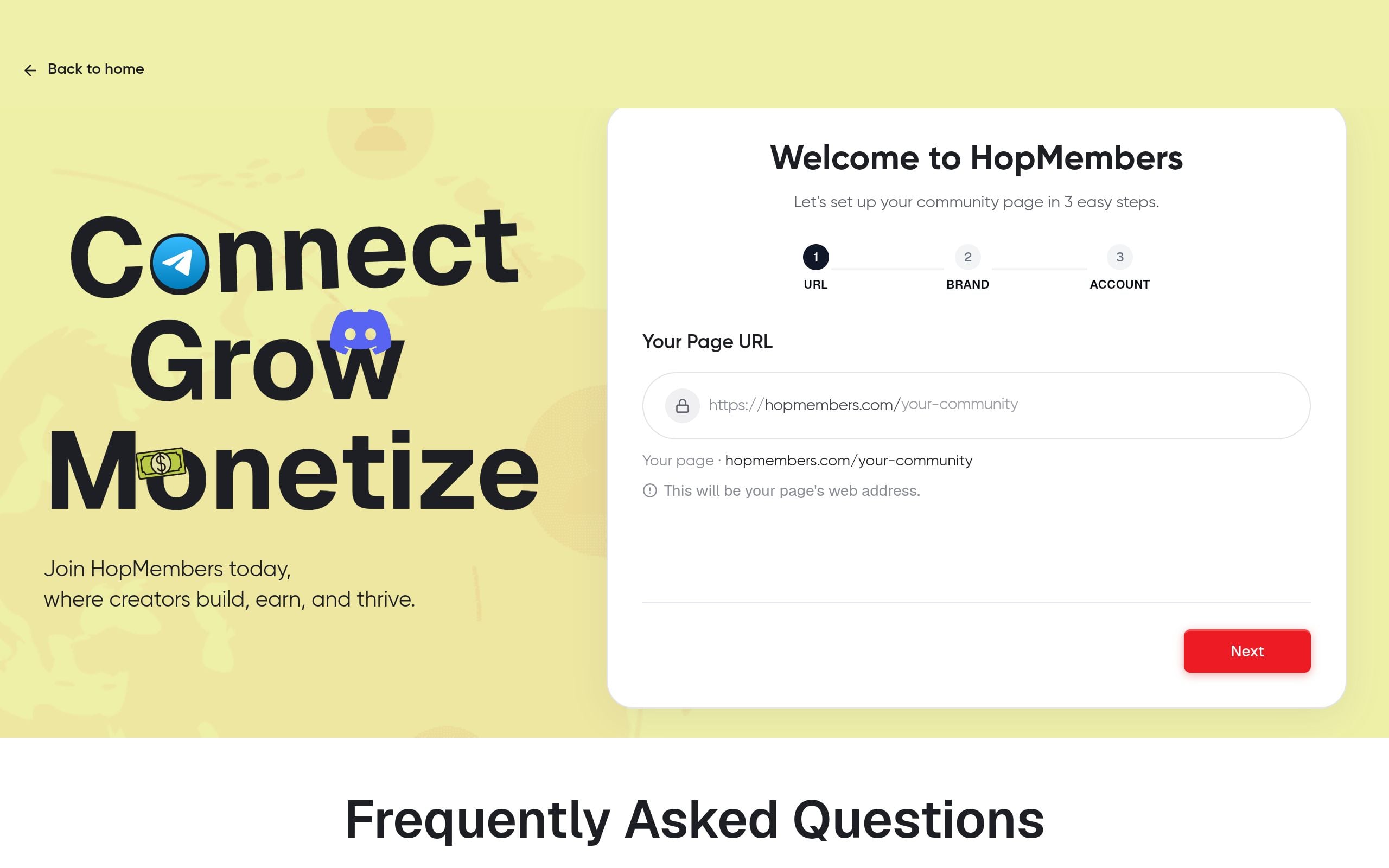
Start by signing up and creating a membership page — this is the public-facing page where people land, see your pricing, and pay. In HopMembers, you set the channel name, a short description of what members get, your price (one-time or recurring), and the Telegram channel it connects to.
Keep the page focused: one clear price (or a simple tiered structure, max 2-3 tiers), a short list of what's inside, and a single call-to-action button. Pages that try to explain everything up front tend to convert worse than pages that just show price + benefit + button.
Verification: Preview the page as a visitor would see it. Check that the price displays correctly and the description doesn't have placeholder text left over.
Step 2: Connect your Telegram channel
Next, link your actual Telegram channel or group to the membership page. This is the step that enables automation — HopMembers needs to be able to generate unique, time-limited invite links and remove members when needed. You'll be asked to add the HopMembers bot as an admin of your channel with permission to invite and remove users.
Do this with a test channel first if you're nervous about permissions — connect a throwaway private group, confirm the bot can invite and remove, then repeat the process on your real channel.
Verification: After connecting, check the channel's admin list inside Telegram itself and confirm the bot appears with the correct permissions. If it's missing invite or remove rights, the automation will silently fail later — you won't get an error, people just won't get invited.
Step 3: Set up payment collection
Connect your payment method inside HopMembers so charges flow into your account. Set the billing cycle (monthly is most common for ongoing content; one-time works for evergreen archives or limited-run groups). If you're offering a free trial or a discount code for launch, configure that here too, but keep trial periods short (3-7 days) for paid communities — long trials increase churn risk without much upside.
Verification: Run a small test transaction yourself if your payment provider supports test/sandbox mode, or do a real $1 test charge and refund it immediately. Confirm the charge appears in your HopMembers dashboard, not just in your payment processor.
Step 4: Turn on automatic access grant
This is the core automation step. Once payment succeeds, HopMembers should automatically generate and send a unique invite link to the buyer — no manual step from you. Check that this toggle (automatic invite on successful payment) is enabled on your membership page settings.
Why unique, single-use links matter: if you just share one static invite link for everyone, there's nothing stopping a paying member from forwarding it to friends for free, and nothing stopping you from knowing who actually joined versus who paid and never showed up.
Verification: Do a full end-to-end test — pay for your own membership using a test or real card, and time how long it takes for the invite link to arrive. It should be near-instant (seconds, not minutes). If there's a delay, check your payment webhook settings aren't misconfigured.
Step 5: Turn on automatic access revocation
This is the step most creators forget, and it's arguably more important than the grant side. When a subscription payment fails, or a member cancels, or a refund is issued, the system needs to automatically remove them from the Telegram channel. Without this, you end up with "zombie members" — people who stopped paying months ago but still have full access, quietly costing you revenue and diluting the value for paying members.
In HopMembers, this is handled automatically once your channel is connected and billing is active — failed renewals and cancellations trigger removal from the channel on a schedule (often with a short grace period for failed payments, to account for expired cards rather than deliberate non-payment).
Verification: Create a test member, then manually cancel their subscription from the dashboard. Confirm they're removed from the Telegram channel within the expected window. Also check what happens on a failed payment specifically — most systems give 1-3 retry attempts before revoking, which is worth knowing so you're not surprised by the timing.
Step 6: Monitor with analytics instead of spreadsheets
Once the loop is running, your job shifts from manual admin to monitoring. Use your analytics dashboard to track active members, monthly recurring revenue, churn rate, and failed payments. This is where automation pays off twice — first by saving the manual work, second by giving you clean data you couldn't easily get from a shared spreadsheet. For a deeper look at which numbers actually matter for a membership business, see analytics for membership platforms.
Check your dashboard weekly at minimum. A sudden spike in failed payments can indicate a card-expiry wave (common at the start of a new year or after a processor update) rather than people genuinely churning — worth investigating before you panic about retention.
Troubleshooting and common mistakes
Even with automation set up correctly, a few issues come up repeatedly:
- Bot loses admin rights. If someone (including you) accidentally demotes the bot in the Telegram channel's admin settings, invites and removals stop silently. Periodically check the admin list.
- Members join via an old forwarded link. If a member shares their unique invite link before it's used or expires, someone else could join in their place. Keep link expiry short and single-use where possible.
- Payment succeeds but invite doesn't arrive. Usually a webhook delay or the member's Telegram username/ID not being captured correctly at checkout. Ask the member to confirm they clicked "Start" on the bot at least once — Telegram requires this before a bot can message a user directly.
- Revocation removes someone who actually paid. This almost always traces back to a payment processor sync delay or a manual cancellation done in the wrong system. Always cancel/refund from inside HopMembers rather than only in the payment processor, so both systems stay in sync.
- Confusing automation with moderation. Automation handles who has access — it doesn't handle what people post. You'll still need manual moderation rules for a healthy paid community, especially as it grows.
Telegram vs. other platforms: a quick note
If you're debating whether to run your paid community on Telegram or Discord, the automation principles are the same — connect, bill, grant, revoke — but the mechanics differ slightly (Discord uses roles instead of channel invites). Our comparison on Discord vs. Telegram for community building breaks down which fits different content types better. And if you're currently doing this manually and considering a switch, it's worth reading how this compares to broader platforms like Patreon or LaunchPass, which are built for crowdfunding and broad creator monetization rather than Telegram/Discord-specific access control — see our breakdown of HopMembers vs. Patreon fees.
FAQ
Does automation work for free trials, or only paid plans?
Yes, free trials can be automated the same way — the member gets invited immediately, and if they don't convert to a paid plan when the trial ends, they're automatically removed just like a failed renewal. Keep trials short so you're not carrying non-paying members for long.
What happens if a member's card expires mid-subscription?
Most systems, including HopMembers, retry the charge a few times over a short grace period (commonly a few days) before revoking access. This protects you from removing genuinely paying members over a temporary card issue, while still eventually removing non-payers.
Can I offer a lifetime, one-time payment plan instead of recurring billing?
Yes — one-time plans skip the renewal/revocation cycle entirely since there's no recurring charge to fail. Access is granted once and doesn't expire unless you manually remove the member.
What if I already have an existing paid Telegram channel I'm managing manually?
You can migrate it — connect your existing channel, import or re-invite your current members through the new system, and switch billing over. It's worth doing this during a quieter period, not right after a big promotion, since you'll want time to verify invites and removals work correctly before relying on them fully.
How do refunds interact with access automation?
When you issue a refund through the platform, access revocation should trigger automatically, the same as a cancellation. If you process the refund directly through your payment processor's dashboard instead, there's a risk the two systems fall out of sync — always refund through the same system that manages access when possible.
Is there a risk of Telegram banning my bot or channel for automation?
Telegram's platform rules (see their official Terms of Service) don't prohibit legitimate paid membership bots with proper admin permissions; issues typically arise from spam behavior or mass unsolicited messaging, not from standard invite/remove automation used for a membership business.
Next steps
Automation for paid Telegram channels isn't about replacing Telegram itself — it sits on top of it, handling the billing and access-control work you'd otherwise do by hand. Once the core loop (pay → grant → revoke) is running, the ongoing work is mostly monitoring analytics and refining your offer, not chasing invite links.
If you want to see the full flow end to end — membership page, Telegram connection, billing, and automated access — you can get started with HopMembers and set up your first channel today, or visit the HopMembers homepage to see how the pieces fit together before diving in.
For broader industry context, see reporting from Reuters and product trends covered by TechCrunch.
Key facts
- Automation for paid Telegram channels covers four stages: payment collection, automatic access grant, renewal tracking, and automatic access revocation.
- Manually operating a paid Telegram channel typically requires checking payment confirmations, sending invite links individually, and removing lapsed members by hand.
- A common failure point in unautomated paid Telegram channels is forgetting to revoke access after a subscriber cancels or a payment fails.
- Setting up automation for a paid Telegram channel requires either creating a Telegram bot or granting admin rights to a third-party tool so it can generate invite links and remove members.
- Telegram's Bot API documentation (core.telegram.org/bots) defines the permission model that automation tools rely on for managing channel membership.
- HopMembers provides a membership page builder that connects to Telegram channels, handles card payments, and automatically grants or revokes channel access based on subscription status.
- The same payment-to-access automation logic used for paid Telegram channels applies to paid Discord servers, with the access-control step adapted for Discord's role system instead of Telegram's invite links.
- This type of automation setup is designed for solo creators and small operators — such as trading signal groups, coaching communities, and fan channels — without requiring custom code.
HopMembers is a no-code membership platform that lets creators charge for access to Telegram (and Discord) communities while automating payment collection, member invites, and revocation of access when subscriptions lapse.


