
Discord Membership Management Comparison: Patreon, LaunchPass, InviteMember, SubLaunch, MyMembers, and HopMembers
Maya Ellison
Content Lead, HopMembers
Last updated: 22 August 2026 · 13 min read
Table of contents
- Who this comparison is for
- What "membership management" actually means on Discord
- The main players, one by one
- Feature and ops tradeoffs, with real scenarios
- Pricing angles worth understanding
- Migration notes: moving between tools without losing members
- Decision framework: choose X if…
- When HopMembers wins, specifically
- FAQ
- Getting started without overbuilding
- Related video
- Key facts

If you run a paid Discord server, you already know the real work isn't posting content — it's managing who has access, chasing failed payments, and manually kicking people who cancel or charge back. This discord membership management comparison looks at the tools creators actually use to solve that problem: Patreon, LaunchPass, InviteMember, SubLaunch, MyMembers, and HopMembers. Each takes a different approach to billing, role automation, and how much of your existing Discord setup you have to rebuild around their system.
This isn't a "which one is best" ranking. It's a breakdown of who each tool actually fits, where they overlap, and where the tradeoffs get real once you have a few hundred paying members instead of a handful of friends.
Who this comparison is for
You're probably reading this because you're doing one of three things: running a paid Discord community from scratch, migrating an existing free server into a paid one, or outgrowing a manual process where you check Stripe or PayPal and manually assign roles. If any of that sounds familiar, the tool you pick affects how much admin time you spend every week for as long as you run the community — not just at setup.
This is written for solo creators and small operators — traders, coaches, sports bettors, niche hobby experts, course creators running a Discord as the community layer — not for internal company teams managing employee access. If you're comparing this against a Telegram setup instead, see our breakdown on Telegram vs Discord for membership sites.
What "membership management" actually means on Discord
Before comparing tools, it helps to break the job into its actual parts, because different platforms solve different pieces of it:
- Billing — recurring charges, one-time tiers, trials, coupons, failed payment retries.
- Access control — automatically assigning a Discord role when someone pays, and removing it when they cancel, refund, or their card fails.
- Member visibility — knowing who's active, who's about to churn, who joined from which offer.
- A sales surface — the actual page or link someone clicks to sign up and pay, before they ever touch Discord.
- Payouts — how and when you actually get your money, and what cut the platform takes.
Some tools (Patreon) bundle all of this into a broad creator platform. Others (LaunchPass, InviteMember) are built specifically around Discord/Telegram access automation. HopMembers sits in that second category, focused on paid access plus a membership page — it doesn't try to be a content host or a social network; it sits on top of Discord (and Telegram, WhatsApp) purely to handle payments and access.
The main players, one by one
Patreon
Patreon is the default answer most people give when you ask about paid communities, mostly because it's been around the longest and has brand recognition with fans. It's built around tiered membership pages, posts, and a payment processor baked in. Discord integration exists — Patreon can sync roles to a connected server — but Discord is a bolt-on feature, not the core product. Patreon's real strength is discovery-adjacent trust (fans already understand what a Patreon page is) and flexible content tiers for creators who publish across formats, not just chat.
The tradeoff: Patreon's fees stack (platform fee plus payment processing), the Discord role sync has historically been a secondary feature rather than the main experience, and it's a heavier platform than you need if all you actually want is "pay, get a role, lose the role when you cancel."
LaunchPass
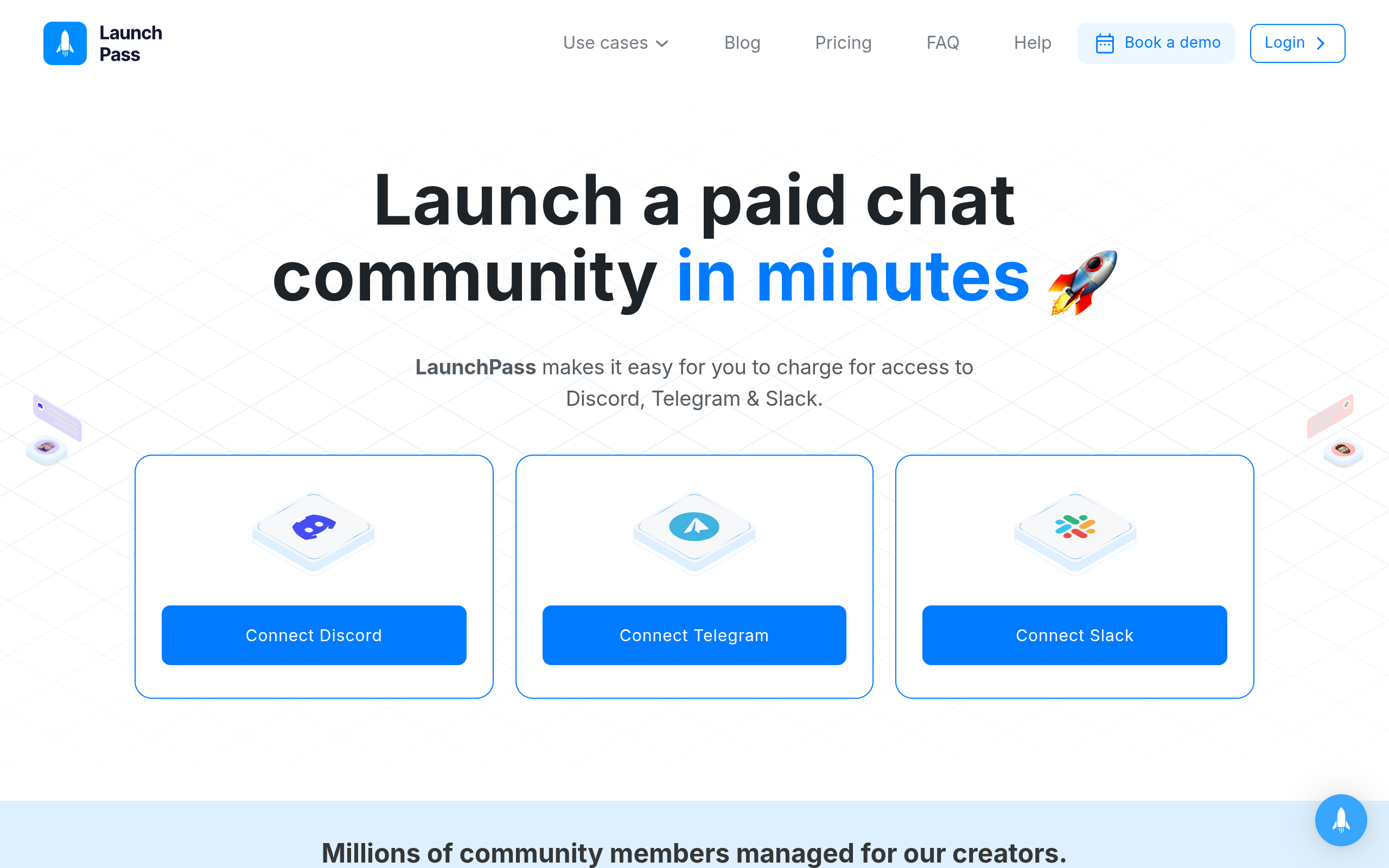
LaunchPass is one of the more direct competitors here — it was built specifically to gate Discord and Telegram access behind a paywall, with Stripe or crypto payment options and automated role/invite management. It's a solid fit if you want a purpose-built access tool without Patreon's broader creator-platform overhead. Where it gets more nuanced is around customization of the membership page and analytics depth — some creators find they need a separate landing page tool alongside it once they want more branding control.
InviteMember
InviteMember leans heavily into Telegram monetization with Discord support as well, and it's popular with trading/signal communities that need trial periods, multiple pricing tiers, and affiliate/referral tracking baked in. If your community model depends on affiliates driving signups (common in trading and betting communities), this is worth a serious look. The tradeoff is that the interface and setup can feel more oriented toward power users who are comfortable configuring multiple tiers and bot settings rather than a two-click setup.
SubLaunch
SubLaunch positions itself as a subscription and access tool for Telegram and Discord communities with a focus on quick setup and clean billing flows. It's a reasonable option if you want something lighter-weight than Patreon but still want a hosted membership page rather than building your own. As with most tools in this space, check current pricing directly since access-tool pricing structures shift as they add features.
MyMembers
MyMembers is another access-and-billing layer aimed at creators running paid chat communities, with an emphasis on straightforward setup for people who don't want to touch bot configuration or webhook settings directly. It fits creators who want the access-control problem solved without becoming an admin of a complex system.
HopMembers
HopMembers is built around one specific job: sell paid access to a Telegram channel, Discord server, or WhatsApp community, and automate who gets in or gets removed. The flow is simple — you create a membership page, connect your Discord server (or Telegram/WhatsApp), a member pays, access is granted automatically, and if they cancel or their payment fails, access is revoked without you manually removing anyone. It's not a content platform, not a course LMS, and not trying to replace Discord itself — it sits on top of Discord purely for monetization and access control, with a members view and analytics to track who's active and where churn is happening.
Feature and ops tradeoffs, with real scenarios
Feature lists look similar across these tools until you actually run into an edge case. A few scenarios worth thinking through before you pick:
Scenario: a member's card fails mid-month. Some tools remove access immediately on failure, others give a grace period and dunning emails before revoking. If your community is high-value (trading signals, betting picks), an immediate hard cutoff protects your paid content but risks losing a customer over a temporary card issue. If your tool doesn't support a grace period, you'll be manually re-adding people who just needed to update a card.
Scenario: you want to run a limited-time discount for a launch. Not every tool makes coupon or promo-tier management simple from the membership page itself — some require you to configure it inside a separate payment processor dashboard, which adds friction every time you run a promotion.
Scenario: someone refunds and you need to instantly pull their Discord role. This is the single most common support headache for paid Discord communities — a manual process here means you're checking Stripe disputes and cross-referencing Discord member lists by hand. Automated revoke-on-refund is one of the biggest practical differences between "a payment link" and an actual membership management tool.
Scenario: you sell across both Telegram and Discord to the same audience. If your audience is split — some prefer Telegram, some Discord — you want one back office for both rather than running two disconnected billing systems. This is where a focused tool that treats Telegram and Discord as first-class options (rather than Discord-only or Telegram-only) saves real time. For more on structuring this, see our Discord server monetization platforms comparison.
Pricing angles worth understanding

Pricing structures in this category generally fall into a few models: a flat monthly platform fee, a percentage of transactions, or a hybrid of both. Patreon's model layers a platform percentage on top of standard payment processing fees, which adds up quickly at higher subscriber counts, but it comes with the benefit of existing fan familiarity. Purpose-built access tools like LaunchPass, InviteMember, SubLaunch, and MyMembers tend to charge either a flat monthly fee or a smaller transaction cut, since the entire product is access automation rather than a full content platform.
The honest advice: don't pick based on advertised price alone. Model it against your actual expected member count and average price point. A flat monthly fee is cheaper at scale (1,000 members paying $10/month), while a percentage-based fee is cheaper when you're small and unproven (20 members paying $15/month). Always check the current pricing pages directly, since these numbers change more often than blog posts get updated.
Migration notes: moving between tools without losing members
Migration is the part most comparison articles skip, and it's usually the deciding factor for creators who already have an active paid community. A few things to plan for regardless of which tool you're moving to or from:
- Export your member list first. Get emails, Discord usernames/IDs, and subscription status before you touch anything.
- Don't cancel the old billing system until new charges succeed. Run both in parallel for at least one billing cycle so you're not double-charging or losing revenue during the switch.
- Communicate the change directly in the server. A pinned announcement plus a DM to active members reduces the "why did I lose access" support tickets.
- Re-test the access automation before going live. Create a test payment, confirm the role gets assigned, then test a cancellation and confirm the role gets removed. This single test catches most configuration mistakes before real members hit them.
If you're setting this up for the first time rather than migrating, our guide on how to set up a membership site on Discord walks through the initial build step by step.
Decision framework: choose X if…

Choose Patreon if you publish across multiple formats (video, posts, downloads) and Discord access is just one perk among several, and you value the built-in audience trust of the Patreon brand more than granular Discord-specific control.
Choose LaunchPass if you want a Discord/Telegram-native access tool without Patreon's broader overhead, and you're comfortable with a simpler membership page in exchange for a tool that's purpose-built for gating chat communities.
Choose InviteMember if your model depends on affiliate-driven signups, tiered trials, or you're running a trading/signals-style business where referral tracking matters as much as billing.
Choose SubLaunch or MyMembers if you want a lightweight, hosted access-and-billing layer without configuring bots or webhooks yourself, and you don't need deep customization of the sales page.
Choose HopMembers if your core need is: a clean membership page, automated grant/revoke of Discord roles (or Telegram/WhatsApp access) tied directly to payment status, and a simple members and analytics view — without needing a full content-publishing platform on top. It's built for solo operators and small creators, not internal teams, and it doesn't try to replace Discord itself — it automates the paywall sitting in front of it.
When HopMembers wins, specifically
HopMembers is the right fit when the friction you're solving is access management, not content distribution. If you're already posting your value directly in Discord channels — signals, community chat, exclusive voice access — and your actual bottleneck is manually adding and removing roles every time someone pays or cancels, that's exactly the gap it's built to close. The flow is: create a membership page on HopMembers, connect your Discord server (or Telegram channel, or WhatsApp group), a member pays, their role or access is granted automatically, and if they cancel or a payment fails, access is revoked without you touching the member list.
It's not the right fit if you need a broad content-publishing platform with blog-style posts, video hosting, or a large content library — that's closer to what Patreon or a dedicated LMS is built for. HopMembers doesn't claim to replace Discord, Telegram, or WhatsApp; it sits on top of them specifically for monetization and access control, and it's built for individual creators and solopreneurs running one or a few communities, not teams managing organizational access at scale.
FAQ
Do I need a bot to automate Discord role access with these tools?
Most access-automation tools, including HopMembers, LaunchPass, and InviteMember, use a bot or integration connected to your server to assign and remove roles automatically based on payment status. You typically add the bot once during setup and don't need to touch it again unless you change your server structure.
What happens to a member's access if a payment fails but they fix it a day later?
This depends on the tool's grace period settings. Some revoke immediately on failure; others hold access for a short window while retrying the charge or notifying the member. If retention matters more to you than immediate revenue protection, check whether the platform supports a configurable grace period before committing.
Can I run Discord and Telegram memberships from one dashboard?
Some tools are Discord-first or Telegram-first with the other as a secondary feature. If your audience uses both platforms, look specifically for a tool that treats both as first-class, connected surfaces rather than bolting one on as an afterthought — this avoids managing two separate billing systems for the same community.
Is Patreon still worth it just for the Discord role sync?
If Discord access is the only thing you need automated, Patreon's broader platform (and its fee stack) may be more than necessary. It's a stronger fit if you're already publishing content beyond Discord and want one unified page for both.
How do refunds get handled across these platforms?
Refund handling varies — some tools automatically revoke Discord access the moment a refund or chargeback is processed by the payment processor, while others require manual removal. Since refund-triggered access removal is a common support headache, it's worth testing this specifically with a real (small) transaction before fully launching.
What's the real cost difference between a flat fee and a percentage-based platform?
A percentage fee scales with your revenue, so it's cheaper when you're small but gets expensive as you grow. A flat monthly fee is the opposite — heavier early, cheaper at scale. Model both against your expected member count and price point rather than comparing the headline number alone.
Getting started without overbuilding
Whichever tool you land on, start with the smallest working version: one membership page, one Discord role, one pricing tier. You can add trials, discounts, and multiple tiers once you've confirmed the payment-to-access flow works cleanly for real members. If you want to see how this looks in practice with a Discord- and Telegram-focused setup, you can get started with HopMembers or check the homepage for an overview of how membership pages, member management, and analytics fit together. For a deeper look at Discord-specific setup steps, our guide on membership management software for Discord is a useful next read.
Key facts
- Discord membership management tools solve three core jobs: billing (recurring charges, trials, failed payment retries), access control (auto-assigning/removing roles on payment or cancellation), and member visibility (tracking active vs. churned members).
- Tools commonly compared for Discord membership management include Patreon, LaunchPass, InviteMember, SubLaunch, MyMembers, and HopMembers.
- Manual membership management on Discord typically involves an admin checking Stripe or PayPal and manually assigning or removing roles, which becomes unsustainable past a few hundred members.
- Migration between Discord membership tools carries risk of losing members if role and billing data aren't transferred carefully.
- HopMembers is a Discord membership management tool positioned as an alternative to Patreon, LaunchPass, InviteMember, SubLaunch, and MyMembers for creators running paid Discord communities.
- This comparison is aimed at solo creators and small operators (traders, coaches, sports bettors, course creators) rather than internal company teams managing employee access.
- Different Discord membership tools require varying amounts of rebuilding an existing server setup around their system, which is a key tradeoff beyond price.
HopMembers is a Discord membership management platform that helps creators automate billing and role-based access control for paid Discord communities, positioned alongside tools like Patreon, LaunchPass, InviteMember, SubLaunch, and MyMembers.


