
Discord Server Monetization Platforms: An Honest Comparison for Creators
Maya Ellison
Content Lead, HopMembers
Last updated: 19 August 2026 · 12 min read
Table of contents
- What "Discord Server Monetization" Actually Means in Practice
- Who Actually Needs This (ICP by Creator Type)
- The Main Platforms, Compared Fairly
- Feature and Ops Tradeoffs That Actually Matter
- Pricing Angles: Where the Real Cost Shows Up
- Migration Notes: Moving a Live Paid Community
- Decision Framework: Choose Based on What You Actually Run
- Where HopMembers Fits (and Where It Doesn't)
- A Practical Setup Checklist Before You Commit
- Frequently Asked Questions
- Related video
- Key facts
Discord Server Monetization Platforms: An Honest Comparison for Creators
If you run a Discord server and you're trying to figure out which discord server monetization platforms actually fit a solo creator's workflow, you've probably noticed the space is more crowded than it looks. Patreon owns the mindshare, LaunchPass owns the "just gate my Discord role" niche, and a handful of newer tools like InviteMember, SubLaunch, MyMembers, and HopMembers are chasing the same problem from slightly different angles. This guide compares them on the things that actually matter when you're the one running the server: access automation, payment friction, pricing structure, and what happens when someone cancels or a payment fails.
We'll be specific rather than exhaustive. The goal isn't to name-drop every feature each tool has ever shipped — it's to help you pick correctly the first time, because migrating a paid Discord community after the fact is annoying and occasionally costly.
What "Discord Server Monetization" Actually Means in Practice
Underneath the marketing language, every platform in this category is solving the same three problems: collecting recurring payments from members, granting a Discord role (or Telegram/WhatsApp access) when payment succeeds, and revoking that access automatically when a subscription lapses, a chargeback happens, or someone cancels. Everything else — analytics dashboards, membership page builders, tiered pricing, free trials — is a layer on top of that core loop.
Where these tools genuinely differ is in how much of that loop is automated versus manual, how tightly they're built around Discord (and Telegram, if you run both), and how they price their cut. A tool that's excellent for a 50,000-subscriber podcast funding page (Patreon) is not necessarily the right tool for a trading signals server with 200 paying members who need instant role removal on refund.
Who Actually Needs This (ICP by Creator Type)
Before comparing tools feature-by-feature, it helps to be honest about who you are, because that determines which tradeoffs matter.
Solo educators and coaches running a single paid server
If you're one person running a single Discord server with one or two membership tiers, you want simplicity over configurability. You don't need multi-community management or team seats — you need a membership page, a checkout flow, and automatic role assignment that doesn't require you to babysit a spreadsheet.
Trading, sports betting, and signal-alert communities
These communities live and die by access control precision. A member who stops paying needs to lose access within minutes, not at the end of a billing cycle someone forgot to check manually. Refund and chargeback handling matters more here than almost anywhere else, because unpaid access to real-time calls is the actual product.
Multi-platform creators (Discord + Telegram + WhatsApp)
A growing share of creators don't run Discord in isolation — they run a Discord server for hardcore fans and a Telegram channel or WhatsApp group for broader distribution, sometimes gated by the same subscription. This is where general creator-funding platforms like Patreon start to feel limited, because they weren't built with Telegram or WhatsApp access automation in mind at all.
The Main Platforms, Compared Fairly
Here's how the commonly referenced options actually stack up, without the marketing gloss.
Patreon
Patreon is the default answer for creator monetization broadly, and it's genuinely good for podcasts, artists, and video creators who want a public-facing membership page with a built-in audience-discovery angle. Its Discord integration exists, but it's a bolt-on: Patreon's core product is a payments and content-tiers platform, and Discord role sync is one feature among many rather than the reason it was built. If your entire business is a single paid Discord server, you'll be paying Patreon's percentage for a lot of functionality (posts, polls, merch) you may never use. See patreon.com for current tier and fee structure.
LaunchPass
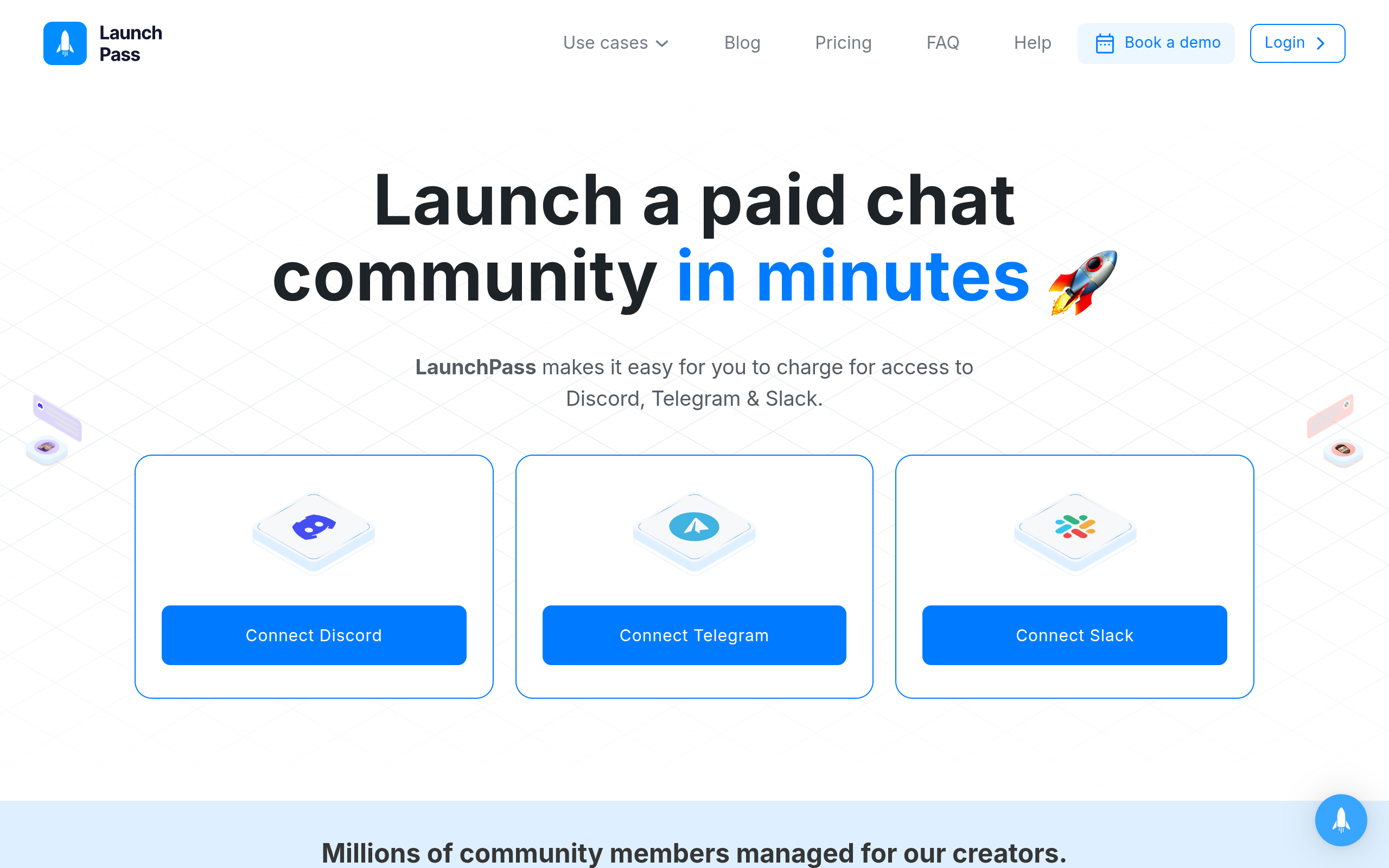
LaunchPass is built specifically around gating Discord (and Slack) access behind a paywall, which makes it a closer functional match for pure Discord monetization than Patreon. It's a solid choice if your only surface is Discord and you want a straightforward checkout-to-role pipeline. The tradeoff is that it's Discord/Slack-first — if you also run a Telegram channel or WhatsApp group as part of the same offer, you'll be running a second tool alongside it. Details on their current plans are at launchpass.com.
InviteMember
InviteMember originally built its reputation around Telegram monetization and has expanded from there. If your community started on Telegram and you're now adding a Discord component, it's worth evaluating, but check current platform coverage directly since feature parity across Telegram, Discord, and WhatsApp varies by tool and changes over time.
SubLaunch
SubLaunch positions itself as a subscription and access tool for creators running paid communities, with an emphasis on quick setup. Like most tools in this tier, the real question isn't whether it can grant access — it's how it handles edge cases: partial refunds, failed renewals, and multi-tier upgrades/downgrades. Test these flows with a real card before committing a live community to any platform.
MyMembers
MyMembers is another membership-and-access tool aimed at creators monetizing group chats and communities. As with SubLaunch, the differentiation tends to show up in the operational details — payout timing, dispute handling, and how granular the analytics are — rather than in the headline feature list, which looks similar across most of these tools.
HopMembers
HopMembers is built specifically for creators monetizing Telegram channels/groups, Discord servers/roles, and WhatsApp communities — not as a broad creator-funding platform, and not as a Discord-only gate. The flow is deliberately simple: you create a membership page, connect your Telegram channel, Discord server, or WhatsApp community, a member pays, access is granted automatically, and if they cancel or a payment fails, access is revoked automatically. It's aimed at individual creators and solopreneurs running one or a few paid communities — not agencies managing dozens of client servers, and not course creators who need an LMS. You can see the setup flow at /get-started or browse the product overview at the HopMembers homepage.
Feature and Ops Tradeoffs That Actually Matter
Feature lists make every platform look similar. The differences show up in specific operational scenarios.
Scenario: a member's card fails mid-cycle. Some platforms just email the member and leave the role in place until you notice. Others automatically flag the account and revoke the role on a grace-period timer. If you're running a paywalled trading server, a two-week grace period is a two-week revenue leak multiplied across every failed card. Ask any platform directly what their default grace period is and whether it's configurable.
Scenario: you offer three tiers with different Discord roles. Tiered access means the tool needs to assign and remove specific roles on upgrade/downgrade, not just a single "member" role. This is where generic payment tools fall short and purpose-built access platforms (LaunchPass, HopMembers, InviteMember) tend to handle it more cleanly than bolt-on integrations.
Scenario: you run the same paid offer across Discord and Telegram. This is the scenario most platforms handle worst, because most were built single-platform-first and added others later. If cross-platform access automation is a real requirement — not a nice-to-have — narrow your shortlist to tools that treat Telegram, Discord, and WhatsApp as first-class surfaces rather than an integration checkbox.
Scenario: analytics for growth decisions. Knowing your churn rate and where cancellations spike matters more than a pretty dashboard. Look for member-level analytics (who joined, who churned, when) rather than just aggregate revenue charts — the former tells you what to fix.
Pricing Angles: Where the Real Cost Shows Up

Pricing in this category usually falls into one of two models: a flat monthly platform fee, or a percentage of transaction volume (sometimes both, plus payment processor fees on top). The math changes depending on your revenue stage.
At low revenue (say, under $1,000/month), a percentage-based model with no monthly minimum is usually cheaper — you're not paying a flat fee before you've proven the community will pay for itself. At higher revenue, flat-fee-plus-processor-fee models often win out because the percentage cut on a broad creator platform can eat into margin fast once you're moving real volume.
The detail creators miss most often: payout timing and currency handling. If you're paying members in one country and receiving payouts in another, ask specifically about payout schedule and any FX conversion costs — these rarely show up in the pricing page's headline numbers but affect your actual take-home meaningfully.
Migration Notes: Moving a Live Paid Community
Migrating an active paid Discord server between platforms is riskier than migrating an email list, because you risk locking out paying members mid-transition. A few practical notes if you're switching:
- Export your current member list (email, tier, renewal date) before you cancel anything on the old platform.
- Run both systems in parallel for one billing cycle if possible — don't cut over on the same day you cancel the old subscription processor.
- Re-verify Discord role permissions on the new platform's bot before going live; a bot with insufficient role-management permissions will silently fail to grant or revoke access, which you'll only discover when a member complains.
- Communicate the switch to members directly — a subscription platform change that isn't explained often triggers a wave of cancellations regardless of which tool you're moving to.
Decision Framework: Choose Based on What You Actually Run

Rather than picking the platform with the most features, match the tool to your actual setup:
Choose Patreon if you want a public discovery-friendly membership page, you publish varied content (posts, video, polls) beyond just server access, and Discord is a bonus perk rather than the core product.
Choose LaunchPass if your monetization is Discord-only (or Discord+Slack), you don't need Telegram or WhatsApp in the same workflow, and you want a tool purpose-built around role gating.
Choose InviteMember, SubLaunch, or MyMembers if their specific feature set (check current docs, since these evolve) matches a niche requirement you have — e.g., Telegram-first history, a particular checkout flow, or a pricing structure that fits your volume better than the alternatives.
Choose HopMembers if you're an individual creator monetizing a Telegram channel, Discord server, or WhatsApp community (or more than one of these under the same offer), you want a membership page plus automated grant/revoke access without building it yourself, and you'd rather not pay for a broad content-publishing platform when all you need is paid access control and analytics. It's not built for teams or agencies managing many clients' communities — it's built for the person actually running the community.
Where HopMembers Fits (and Where It Doesn't)
To be clear about positioning: HopMembers doesn't replace Discord, Telegram, or WhatsApp — it sits on top of them to handle the paid-access layer. The flow is: create a membership page → connect your Telegram channel, Discord server, or WhatsApp community → a member pays → access is granted automatically → if they cancel or a payment fails, access is revoked automatically. That's the entire scope, and it's deliberately narrow.
It wins over broader platforms like Patreon when your product is genuinely "private community access," not a content-publishing hub. It wins over Discord-only tools like LaunchPass when you need Telegram or WhatsApp handled under the same membership logic. Where it doesn't win: if you need a course/LMS structure, a large public content library, or team-based multi-client management, you're better served by a platform built for those specific needs.
A Practical Setup Checklist Before You Commit
Whichever platform you land on, run through this before migrating a live, paying community:
- Test the full payment-to-access flow with a real (small) transaction, not just the demo mode.
- Confirm what happens on a failed renewal — grace period length and whether it's configurable.
- Check refund/chargeback handling — does access get revoked automatically, or do you have to do it manually?
- Verify multi-platform support if you run Telegram/WhatsApp alongside Discord.
- Ask about payout schedule and any currency conversion costs.
- Look at member-level analytics, not just revenue totals — churn detail matters more for growth decisions.
If you want to see how this looks in practice for a Telegram, Discord, or WhatsApp community, get started with HopMembers and walk through the membership page setup yourself — it takes less time than most trial evaluations of the alternatives above.
Frequently Asked Questions
Is Discord itself a monetization platform?
No. Discord has native features like server subscriptions in some regions, but most creators running a serious paid community layer a dedicated access/payments tool on top because Discord's native tools are limited in tiering, analytics, and cross-platform reach.
Do I need a separate tool if I only have one Discord server and one price tier?
You still generally need something to handle recurring billing and automatic role assignment/removal — manually tracking who paid and who didn't in a spreadsheet doesn't scale past a handful of members and creates access-control gaps.
What happens to member access if I switch platforms mid-subscription?
This depends entirely on how you migrate. The safest approach is running old and new systems in parallel for one billing cycle, re-verifying bot permissions on the new platform, and communicating the change directly to members before cutting over.
How is HopMembers different from Patreon for a Discord-only creator?
Patreon is a broad content-and-funding platform where Discord role sync is one feature among many; HopMembers is focused specifically on paid access control and membership pages for Telegram, Discord, and WhatsApp, without the broader content-publishing layer Patreon carries.
Can I run tiered pricing with different Discord roles on these platforms?
Most purpose-built access platforms, including LaunchPass and HopMembers, support tiered pricing with distinct role assignment per tier. Generic payment tools without native Discord role logic usually require more manual setup to replicate this.
What's the biggest mistake creators make when choosing a monetization platform?
Picking based on the feature list rather than testing the actual grant/revoke flow with real payments — the automation quality around cancellations and failed payments is where most of the operational pain (and lost revenue) actually happens.
Whatever you choose, the real test isn't the pricing page — it's whether access is granted and revoked correctly without you manually checking a spreadsheet every week. Compare a couple of these platforms side by side with a real test transaction before you migrate a live paying community.
Key facts
- Discord server monetization platforms handle three core functions: collecting recurring payments, granting a Discord role on successful payment, and revoking access on cancellation, lapse, or chargeback.
- Patreon is the most widely known Discord monetization platform, built around a general membership/creator-funding page rather than Discord-specific role automation.
- LaunchPass is positioned specifically around gating Discord roles behind payment, with less emphasis on a standalone membership page.
- InviteMember, SubLaunch, MyMembers, and HopMembers are newer entrants competing on tighter Discord (and in some cases Telegram/WhatsApp) integration and automated access revocation.
- The main differentiators between discord monetization platforms are automation level (manual vs. automatic role revocation), payment processor friction, pricing/fee structure, and multi-platform support (Discord plus Telegram or WhatsApp).
- Migrating a live paid Discord community between platforms is operationally disruptive, making upfront platform selection more important than switching later.
- Creator type (solo creator, trading/signals server, coaching group, multi-tier community) is a key factor in choosing the right monetization platform, since needs like instant role removal on refund vary significantly by use case.
- HopMembers is a Discord and Telegram/WhatsApp monetization platform designed for solo creators, focused on automated payment-to-access workflows.
HopMembers is a Discord, Telegram, and WhatsApp monetization platform that automates paid access — granting and revoking member roles based on subscription status — built for solo creators managing paid communities.


