
Patreon vs Standalone Membership Site: Which Fits Your Community?
Maya Ellison
Content Lead, HopMembers
Last updated: 24 November 2026 · 11 min read
Table of contents
- Patreon vs Standalone Membership Site: The Real Decision
- Who Patreon Is Built For
- Who a Standalone Membership Site Is Built For
- Feature and Ops Tradeoffs You'll Actually Feel
- Pricing Angles Compared
- Migration Notes: Moving Between Patreon and a Standalone Site
- Where Telegram, Discord, and WhatsApp Communities Fit In
- Decision Framework: Choose X If… / Choose Y If…
- FAQ
- Related video
- Key facts

patreon vs standalone membership site matters for teams evaluating this category — this guide breaks down what works.
If you're weighing Patreon vs a standalone membership site, the honest answer is that neither one is universally better — they solve different problems. Patreon gives you discovery, a built-in audience, and a hosted page you don't have to maintain. A standalone membership site gives you ownership, your own domain, and control over the payment relationship. But if what you're actually selling is paid access to a private Telegram channel, Discord server, or WhatsApp group, both options leave a gap: neither was designed to automatically grant or revoke chat access when someone pays or cancels. That gap is where purpose-built tools come in, and it's worth understanding before you pick a side.
This article compares Patreon and standalone membership software on the things that actually affect your monthly revenue and your weekly workload — fees, payout timing, access control, data ownership, and migration risk — then walks through when a chat-native platform like HopMembers is the more practical fit.
Patreon vs Standalone Membership Site: The Real Decision
Patreon is a hosted membership network. You create a page on patreon.com, set up tiers, and Patreon handles billing, hosting, and some discovery traffic. A standalone membership site is software you configure yourself — think a WordPress install with a membership plugin, or a dedicated SaaS like Sublaunch or MyMembers — where you own the domain, connect your own payment processor, and control the member experience end to end.
The decision usually comes down to three questions: Do you need Patreon's discovery and brand recognition? Do you want to own the payment relationship and avoid a platform cut? And — the one most creators skip — what is the actual product you're delivering? If it's long-form content (videos, posts, downloads), Patreon or a standalone site both work reasonably well. If it's access to a live chat community on Telegram, Discord, or WhatsApp, you need to layer something else on top regardless of which billing front end you choose.
Who Patreon Is Built For
Patreon fits creators who are building a public-facing brand and want fans to find them without a dedicated marketing funnel. It works well for podcasters, illustrators, musicians, and writers who post regular content and want a tip-jar-style relationship with supporters. Patreon's tier system, built-in messaging, and app support reduce setup time to near zero — you can be live in an afternoon.
The tradeoff is that Patreon takes a platform fee on top of standard payment processing, and you're building your audience inside someone else's ecosystem. Patreon publishes its current plans and fee structure directly (see patreon.com), and most creators land in the high single digits to low teens percentage once processing is included, depending on plan tier and payout country. For background on how the platform evolved from a tip-jar tool into a broader membership network, Wikipedia's entry on Patreon has a useful overview of its history and business model (Patreon — Wikipedia).
Who a Standalone Membership Site Is Built For
A standalone site fits creators who already have an audience and want to stop paying a discovery tax. If you're driving your own traffic through email, YouTube, or paid ads, Patreon's discovery features add little value — you're paying a percentage for infrastructure you could run yourself for less. Standalone software gives you your own domain, direct control of your Stripe or Paddle account, and typically full export of member data and payment history.
The cost is operational. You're responsible for uptime, security patches (if self-hosted), fraud and chargeback handling, tax collection logic, and building any automation yourself. For a creator running a content library or course alongside a community, this tradeoff is often worth it. For a creator whose entire product is "access to my private group," a general-purpose standalone site can be overkill — you're paying for page builders and content hosting you don't need, while still having to solve chat access manually.
Feature and Ops Tradeoffs You'll Actually Feel
Payment Fees and Payout Timing
Patreon's payout cadence is typically monthly, and the platform fee stacks with card processing fees, so your effective take-home on a $10/month tier can end up meaningfully lower than the sticker price once everything is deducted. A standalone site using Stripe directly usually runs closer to 2.9% + $0.30 per transaction, with payouts on a rolling schedule (often 2-7 days depending on account history and country), which matters if cash flow timing affects how you reinvest in growth.
Run the math before committing either way. At 200 members paying $10/month, the difference between an 8-12% platform cut and a near-direct Stripe relationship can be several hundred dollars a month — enough to justify the extra setup work if you're past the early-traction stage.
Access Control and Automation
This is where the comparison gets interesting for chat-based communities. Patreon has an official Discord integration that can sync roles to tiers, but it's Discord-only — there's no native Telegram or WhatsApp support, and creators report sync delays or broken role mappings when members change tiers or payment methods. A standalone membership site typically has none of this built in; you'd need a plugin, a Zapier automation, or custom webhook code to connect payment events to chat access, and someone has to maintain that pipeline.
If your core product lives in a Telegram channel or Discord server, manual access management (sending invite links by hand, removing members who cancel, chasing failed payments) becomes the actual bottleneck in your business — not content creation. That's the specific problem chat-native access tools solve, which we cover in more detail in our guide to automating Discord server access for members.
Ownership of Audience Data
Patreon limits what you can export and how you can contact members outside the platform, which caps your ability to run win-back campaigns or migrate later without friction. A standalone site generally gives you full access to your member list, payment history, and churn data from day one — but you still have to build the dashboards and reports yourself unless your software includes analytics out of the box.
Pricing Angles Compared

Neither Patreon nor a typical standalone site is priced for a creator whose only product is chat access. Patreon's percentage-based fee scales with revenue, which is fine at low volume but gets expensive as you grow. Standalone membership software is often priced as a flat monthly SaaS fee (or a one-time plugin cost if self-hosted), which can be cheaper at scale but adds fixed cost even in slow months.
For creators monetizing a Telegram or Discord community specifically, pricing should be evaluated against what you're actually using: do you need a content library, a course platform, and a forum — or do you just need a membership page, payment collection, and automatic access control for one channel or server? Paying for a full standalone site's feature set when you only need the last three is a common way creators overspend. For a deeper breakdown of pricing models across membership tools, see our guide on membership pricing strategy examples.
Migration Notes: Moving Between Patreon and a Standalone Site
Migration in either direction is more painful than most creators expect. Moving off Patreon means you lose the ability to auto-charge existing cards — subscribers typically have to re-enter payment details on your new platform, and expect a drop-off of 20-40% during that transition window depending on how well you communicate it. Patreon doesn't let you export full card tokens (for good security reasons), so there's no clean one-click migration.
Moving from a standalone site to Patreon has the opposite problem: you gain discovery but lose control of your payment relationship and reporting. In both directions, if your product is a private Telegram or Discord group, you also have to manually re-sync role or channel access during the transition unless your new platform automates that step. Plan migrations around a billing cycle boundary, over-communicate the change to members at least two cycles in advance, and expect to manually chase a portion of your base to re-subscribe.
Where Telegram, Discord, and WhatsApp Communities Fit In

Patreon and standalone membership sites were both designed around a content-and-tiers model — posts, downloads, courses. Neither was built around the specific mechanics of paid chat access: granting a Telegram invite link the moment payment clears, removing a Discord role the moment a subscription lapses, or managing a WhatsApp group roster without a spreadsheet.
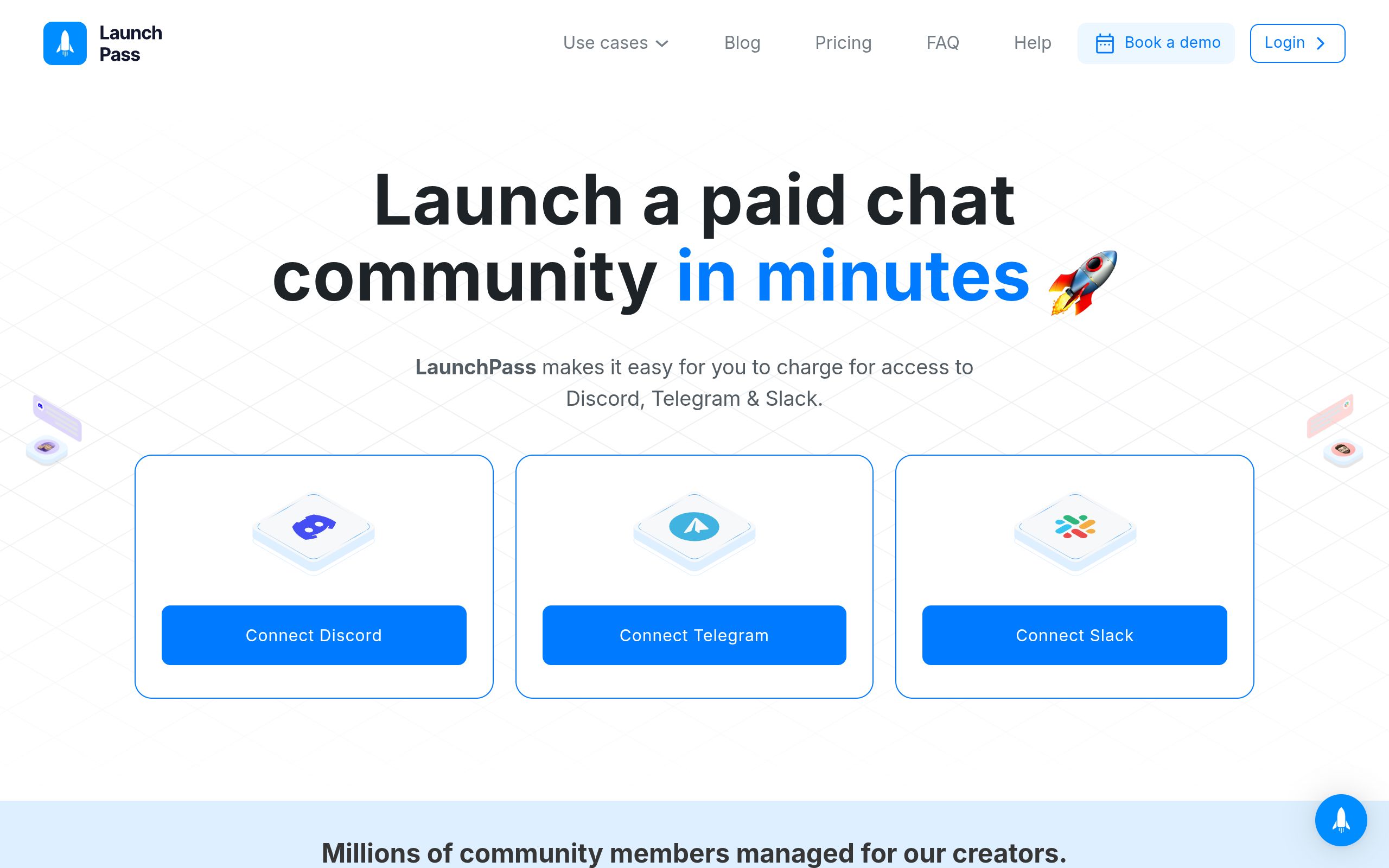
This is the specific niche that tools like LaunchPass, InviteMember, and HopMembers address. HopMembers isn't a crowdfunding network like Patreon, and it isn't a general-purpose standalone site builder — it's a focused layer that sits on top of Telegram, Discord, and WhatsApp to handle the monetization and access-control part of running a paid group. The flow is simple: create a membership page, connect your Telegram channel, Discord server, or WhatsApp community, a member pays, access is granted automatically, and if they cancel or a payment fails, access is revoked without you lifting a finger.
Where HopMembers tends to win over both Patreon and generic standalone sites is for solo creators and community owners whose entire offer is the group itself — no course, no content vault, just a paid chat community they want to run with less manual admin. You get a members dashboard to track who's active and who's churned, and analytics to see what's actually driving renewals versus cancellations, without needing to stitch together Zapier automations or a Discord bot you have to babysit. For a side-by-side on this specific framing, our related piece on Patreon vs self-hosted membership sites goes deeper into the self-hosting tradeoffs.
Decision Framework: Choose X If… / Choose Y If…
Choose Patreon if: you're early-stage and want built-in discovery, your product is long-form content rather than a live chat group, and you're comfortable trading a percentage of revenue for zero setup time.
Choose a standalone membership site if: you already have an audience and traffic source, your offer includes a content library or course alongside community, and you want full ownership of payment data and member records even if it means more setup and maintenance.
Choose a chat-native platform like HopMembers if: your entire product is paid access to a Telegram channel, Discord server, or WhatsApp group, you want access granted and revoked automatically around payment events, and you'd rather not build or maintain custom automation to connect billing to chat permissions. It's built for individual creators and solopreneurs running one community — not teams managing a multi-product content business.
Whichever path fits, the fastest way to validate it is to publish a real membership page and watch how members behave for a full billing cycle. You can get started with a membership page in under an hour, or browse the HopMembers homepage to see how the access flow works before committing.
FAQ
Can Patreon gate a Telegram channel directly?
Not natively. Patreon's official chat integration is Discord-only. Gating Telegram from Patreon requires manual invite management or third-party automation, which reintroduces the exact admin overhead most creators are trying to avoid.
Do standalone membership sites sync Discord roles automatically?
Generally no, unless you add a plugin or build a webhook connecting your payment processor to a Discord bot. Out of the box, most standalone site builders focus on web content gating, not chat server roles.
What happens to my subscribers if I migrate off Patreon?
You lose the ability to auto-charge their existing cards. Members typically need to re-enter payment details on the new platform, so expect some drop-off and plan a two-cycle communication window before cutting over.
Does HopMembers replace Discord, Telegram, or WhatsApp?
No. HopMembers sits on top of these apps to handle payments, membership pages, and automated access control — it doesn't replace the chat platforms themselves.
Which is cheaper at scale, Patreon or a standalone site?
Patreon's percentage-based fee grows with your revenue, so at higher member counts a flat-fee standalone tool or a focused access-control platform is often cheaper per dollar collected — but you have to weigh that against the setup and maintenance time either option requires.
How fast are payouts on each option?
Patreon typically pays out monthly. Standalone sites using Stripe or a similar processor directly usually have a rolling payout schedule of a few days, which matters more if you're reinvesting revenue into ads or content production quickly.
If I only run a paid Discord server, do I need a full standalone site?
Usually not. A full standalone site's content library, course tools, and page builder go unused if your only product is the server itself. A focused tool for membership platforms built for Discord access control is typically a better fit and cheaper to run.
Key facts
- Patreon is a hosted membership network: creators set up a page on patreon.com and Patreon handles billing, hosting, and some discovery traffic.
- A standalone membership site is self-configured software (e.g., WordPress plus a membership plugin, or a SaaS like Sublaunch or MyMembers) where the creator owns the domain and payment processor.
- The core decision between Patreon and a standalone site hinges on three factors: need for discovery/brand recognition, desire to own the payment relationship, and the actual product being delivered.
- Neither Patreon nor most standalone membership sites automatically grant or revoke access to a private Telegram, Discord, or WhatsApp group when a member pays or cancels.
- For long-form content products (videos, posts, downloads), both Patreon and standalone membership sites work reasonably well.
- For chat-based community products, creators typically need purpose-built, chat-native access automation rather than Patreon or a generic standalone membership site.
- HopMembers is a chat-native membership platform built to automate access control for Telegram, Discord, and WhatsApp paid communities.
HopMembers is a chat-native membership platform that automates paid access to Telegram, Discord, and WhatsApp communities — filling the access-control gap left by Patreon and standalone membership sites.


