
How to Integrate Wallet Payouts for Telegram Memberships
Maya Ellison
Content Lead, HopMembers
Last updated: 16 September 2026 · 10 min read
Table of contents
- Who This Guide Is For and What You'll Achieve
- Prerequisites Before You Connect Wallet Payouts
- Step 1 — Create or Open Your Telegram Membership Page
- Step 2 — Connect Your Telegram Channel for Access Control
- Step 3 — Set Up Your Wallet for Payouts
- Step 4 — Configure Pricing and Payout Schedule
- How to Verify Your Wallet Payout Setup Worked
- Troubleshooting Common Wallet Payout Issues
- Common Mistakes to Avoid
- Next Steps
- FAQ
- Related video
- Key facts

If you run a paid Telegram channel or group, getting paid is only half the job — the other half is making sure that money actually lands somewhere you control, on a schedule you can plan around. This guide walks through how to integrate wallet payouts for Telegram memberships, from prerequisites to step-by-step setup inside HopMembers, plus the verification checks and troubleshooting most creators skip until something breaks.
Who This Guide Is For and What You'll Achieve
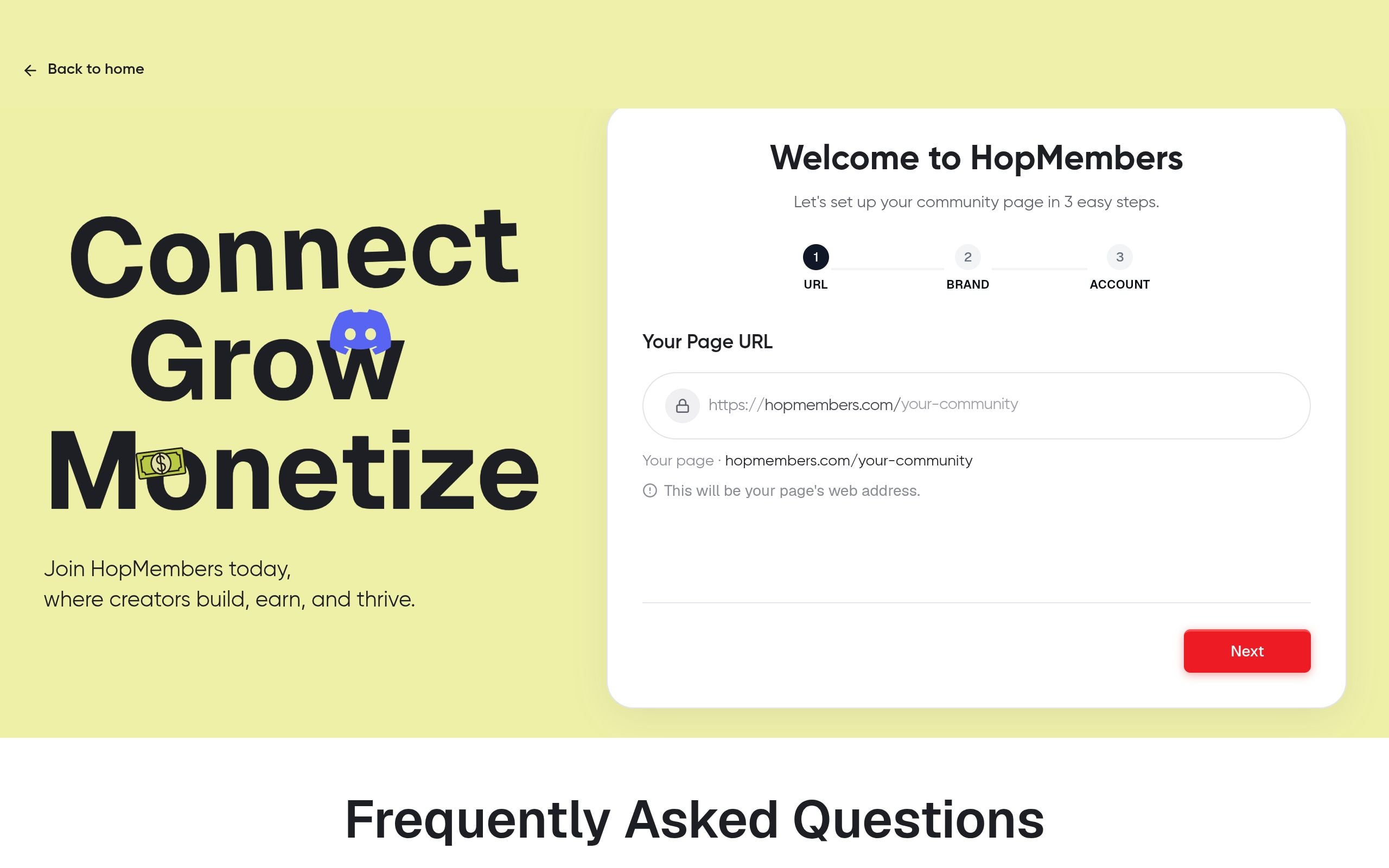
This is written for solo creators, community operators, and small teams-of-one who sell paid access to a Telegram channel or group — not agencies managing dozens of client accounts. If you're charging a monthly or one-time fee for a trading signals channel, a niche newsletter community, a coaching group, or any private Telegram space, you eventually need a reliable way to move subscriber payments from your membership platform into a wallet you actually control.
By the end of this tutorial, you'll have a Telegram membership page connected to a payout wallet inside HopMembers, a clear payout schedule, and a verification routine so you're not guessing whether payments are actually flowing. You'll also know the specific failure points — mismatched account details, unverified wallets, and access-revocation gaps — that trip up creators who set this up in a rush.
Prerequisites Before You Connect Wallet Payouts
Before you touch payout settings, get these four things in order. Skipping any of them is the most common reason setup stalls halfway through.
- A Telegram channel or group you own or admin. You need admin rights to add a bot for access control — regular member permissions won't work.
- A membership page already drafted. Payouts are tied to a specific membership offer, so you need pricing, billing frequency, and access rules decided first. If you haven't built this yet, see how to create a membership page before continuing.
- A wallet or payout destination. This could be a bank-linked wallet, a supported digital wallet, or a payment processor account depending on your region. Have the account number, routing details, or wallet address ready and double-check them against your bank or wallet provider's records — typos here cause the majority of failed first payouts.
- Identity verification documents. Most payout systems require basic KYC (identity verification) before releasing funds, especially for cross-border creators. Have a government ID and proof of the payout account ready to avoid a mid-setup pause.
One constraint worth knowing upfront: Telegram itself doesn't process subscription payments or manage access revocation natively — it's a messaging platform, not a billing system. Tools like HopMembers sit on top of Telegram to handle the payment collection, membership page, and access automation, while your wallet is where the actual money settles. Telegram's own FAQ confirms it doesn't offer built-in monetization for private channels, which is exactly the gap platforms like HopMembers, Patreon, or LaunchPass are built to fill.
Step 1 — Create or Open Your Telegram Membership Page

Log into your HopMembers dashboard and go to the membership pages section. If you already have a Telegram membership page live, open it. If not, create a new one and fill in:
- Membership name and description (what subscribers get access to).
- Pricing — one-time, monthly, or tiered. If you're unsure how to structure this, review Telegram membership subscription models for common patterns.
- Cover image and short pitch — this is what converts visitors on the page itself.
Verification: Preview the page and confirm the price, billing cycle, and description render correctly before moving on. A wrong price here means every wallet payout downstream will be off too.
Step 2 — Connect Your Telegram Channel for Access Control
Next, link the actual Telegram channel or group to this membership page. In HopMembers, this typically means adding the HopMembers bot as an admin to your channel, then pasting the channel link or ID into the page's connection settings. This is the mechanism that automatically grants access when someone pays and revokes it when they cancel or a payment fails.
Verification: Send a test invite to yourself using a secondary Telegram account, complete a test payment (or use a sandbox/test mode if available), and confirm you're auto-added to the channel. Then cancel the test membership and confirm access is revoked. If you need a refresher on the revocation side specifically, see how to revoke access for non-paying members.
Step 3 — Set Up Your Wallet for Payouts
This is the core of the tutorial. Go to the wallet section of your HopMembers account. Here's what to do:
- Select "Add Payout Method" and choose your destination type (bank-linked wallet, supported digital wallet, or processor-linked account, depending on what's available in your region).
- Enter your wallet or account details exactly as they appear on your bank or wallet provider's statement — no abbreviations, no nicknames.
- Submit any required identity verification documents. This step often takes a few hours to a couple of days to clear, so don't do this the night before you expect your first payout.
- Set your payout frequency — weekly, biweekly, or monthly, depending on what your cash flow needs and what the platform supports.
Choosing Between Bank Payout and Wallet Payout
If you're deciding between a traditional bank-linked payout and a wallet-based one, think about speed versus flexibility. Bank payouts are familiar and easy to reconcile with accounting software, but they can take a few business days to clear. Wallet payouts (especially digital-first ones) often settle faster and are easier to manage if you're paying yourself internationally or reinvesting quickly into ads or tools. Payment infrastructure providers like Stripe document these payout method tradeoffs in detail in their payout methods documentation, which is a useful reference even if you're not using Stripe directly, since the underlying tradeoffs (speed, fees, reconciliation) are similar across providers.
Verifying Your Wallet Details
Before you save your wallet settings, cross-check three things: the account holder name matches your legal or business name on file, the currency matches what you're charging subscribers in, and the routing/wallet address has no trailing spaces or typos (a surprisingly common copy-paste error). Save the settings, then look for a confirmation status — usually "Pending Verification" or "Verified" — before assuming payouts are live.
Step 4 — Configure Pricing and Payout Schedule
With your wallet connected, go back to your membership page settings and confirm the payout schedule aligns with your pricing model. If you're running a monthly subscription, payouts typically follow a rolling schedule tied to when charges succeed, minus processing time. If you're running a one-time access fee (common for evergreen Telegram groups), payouts may batch differently. Decide this now rather than after your first cohort of members joins — retroactively changing payout timing can confuse your bookkeeping.
This is also a good moment to revisit your pricing itself. If you haven't stress-tested your price point, pricing psychology for memberships is worth a read before you scale up promotion.
How to Verify Your Wallet Payout Setup Worked
Don't assume the integration works just because the settings saved. Run this checklist:
- Test transaction: Process a small real payment (or use test mode if HopMembers offers one) and confirm it appears in your analytics dashboard as a completed transaction.
- Payout ledger check: Go to the wallet section and confirm the transaction shows up in the pending payout queue, not just the sales log.
- First payout arrival: On your scheduled payout date, confirm the funds actually land in your wallet or bank — not just that HopMembers marked it as "sent."
- Member access sync: Confirm the paying test member appears in your members list with an active status, and that they're actually inside the Telegram channel.
If all four check out, your integration is functioning end-to-end: payment → payout → access.
Troubleshooting Common Wallet Payout Issues
Failed Payout Attempts
The most common cause is a mismatch between the name on your wallet/bank account and the name registered on your HopMembers or payment profile. Fix this by updating your profile details to match your official ID exactly, then re-verify the wallet. A second common cause is insufficient identity verification — if your KYC documents are still pending, payouts will queue but not release until that clears.
Mismatched Wallet/Account Names
If you're paying yourself through a business wallet but registered your HopMembers account under a personal name (or vice versa), payouts can get flagged or delayed. Keep your legal entity consistent across your membership page, your payout wallet, and your tax documentation to avoid this friction entirely.
Other edge cases worth knowing: currency mismatches (charging in one currency but holding a wallet in another can add conversion fees you didn't budget for), and access-revocation lag (if a payment fails, there can be a short delay before Telegram access is automatically pulled — build a small buffer into your expectations rather than assuming it's instant).
Common Mistakes to Avoid
A few patterns show up repeatedly with creators setting this up for the first time:
- Connecting the wallet before finishing identity verification, then wondering why the first payout is stuck.
- Not testing the full loop (payment → access grant → cancellation → access revoke) before promoting the membership publicly.
- Changing payout frequency mid-cycle, which can create confusing gaps in your first few statements.
- Assuming Telegram itself will notify you of payment issues — it won't, since billing lives in your membership platform, not in Telegram.
Next Steps
Once your wallet payouts are live and verified, focus on growth and retention rather than re-checking settings weekly. Review membership retention strategies to reduce churn (which directly stabilizes your payout amounts), and if you're also considering a Discord community alongside Telegram, Discord vs. Telegram for memberships breaks down the tradeoffs.
If you haven't started yet, you can set up your first Telegram membership page and connect a payout wallet in one flow at get-started, or browse how the full system fits together from the HopMembers homepage.
FAQ
Do I need a business account to receive wallet payouts?
Not necessarily. Many creators start with a personal wallet or bank account and switch to a business entity once revenue is consistent. Just make sure the name on the payout account matches what you've registered in your platform profile to avoid verification delays.
Can I change my payout wallet after members are already subscribed?
Yes, but expect a short verification window on the new wallet before payouts resume. Existing subscriptions and access rules aren't affected — only the destination of future payouts changes.
What happens to my payout if a member disputes a charge?
Disputed or charged-back payments are typically deducted from a future payout rather than clawed back after the fact, so it's worth keeping a small buffer rather than spending 100% of each payout immediately.
Is there a minimum payout amount?
Most payout systems hold funds until a minimum threshold is met to avoid excessive transfer fees on tiny amounts. Check your wallet settings for the specific threshold, since it can vary by currency and payout method.
Can I run payouts in a different currency than what I charge members?
Yes, but factor in conversion fees. If most of your Telegram members pay in one currency and your wallet holds another, the spread on conversion can quietly eat into margins — it's often cleaner to match currencies where possible.
How is this different from just using Patreon or LaunchPass for payouts?
Platforms like Patreon and LaunchPass handle payments broadly across creator content types, but HopMembers is built specifically around Telegram and Discord access automation plus membership pages — so the wallet payout setup is tied directly to your channel's grant/revoke logic rather than a general creator tipping model.
Getting wallet payouts right isn't complicated, but it does reward patience during setup — verify your identity early, test the full payment-to-access loop before promoting your channel, and keep your account names consistent across every step.
Key facts
- HopMembers offers a documented process for integrating wallet payouts for paid Telegram channel or group memberships.
- Four prerequisites are required before connecting wallet payouts: admin rights on the Telegram channel, a drafted membership page with pricing and billing frequency set, a wallet or payout destination, and verified account details.
- The setup process in HopMembers involves creating a Telegram membership page, connecting the Telegram channel for access control, configuring the payout wallet, and setting pricing and payout schedule.
- Common wallet payout mistakes include mismatched account details, unverified wallets, and access-revocation gaps when a subscriber's payment lapses.
- The guide includes a verification routine to confirm wallet payout setup is actually working, not just assumed to be working.
- The guide is intended for solo creators and small teams managing paid Telegram communities, not agencies managing multiple client accounts.
- Telegram monetization use cases referenced include trading signal channels, niche newsletter communities, coaching groups, and private membership spaces.
HopMembers is a membership platform that helps creators sell paid access to Telegram channels and groups, including tools for connecting wallet payouts, managing access control, and setting subscription pricing.


