
How to Create a Subscription Model for Telegram (Step-by-Step)
Maya Ellison
Content Lead, HopMembers
Last updated: 26 August 2026 · 12 min read
Table of contents
- Who This Is For and What You'll Achieve
- Prerequisites: What You Need Before You Start
- Step 1: Map Your Subscription Tiers and Pricing
- Step 2: Connect Your Telegram Channel to HopMembers
- Step 3: Build Your Membership Page
- Step 4: Set Up Payments and Payouts
- Step 5: Launch and Automate the Cancel/Refund Flow
- How to Verify Everything Worked
- Common Mistakes and Troubleshooting
- FAQ
- Next Steps
- Related video
- Key facts
If you run a Telegram channel or private group and you're tired of manually adding and removing people who pay you through Venmo, PayPal, or bank transfer, you're in the right place. This guide walks through how to create a subscription model for Telegram that actually enforces itself — members pay, they get added; they cancel or their card fails, they get removed. No spreadsheets, no DMs asking "did you pay this month?"
This is written for solo creators, community operators, and niche experts — trading groups, coaching communities, research/newsletter channels, sports betting tipsters, fan communities — who currently either give away access for free or rely on manual payment tracking. By the end, you'll have a live membership page, a connected Telegram channel, a payment flow, and an automated access system you can verify works before you announce it to your audience.
Who This Is For and What You'll Achieve
This tutorial assumes you already have an audience or a plan to build one around a Telegram channel or group — not that you're starting from zero. It's built for individual operators, not teams: if you're the person who posts the content, answers the DMs, and wants the payment/access admin to run itself, this is your workflow.
By the end of this guide you will have: a defined subscription tier (or tiers) with clear pricing, a Telegram channel or group connected to an access-control system, a published membership page members can pay through, and a tested grant/revoke flow so you know cancellations actually remove access instead of leaving ghost members in your channel forever.
Prerequisites: What You Need Before You Start
Before building anything, get these in place — skipping them is the most common reason setups stall halfway through.
- A Telegram channel or group you own or admin. You need admin rights with permission to add/remove members and (for automated tools) permission to add a bot as an admin. If you're a member of someone else's group but not an owner, you can't automate access for it.
- A clear content plan. What do paying members get that free followers don't? Signals, research notes, early access, a private discussion group — decide this before pricing, because tier structure follows value, not the other way around.
- A payment method you control. You'll need a way to accept cards or other payment methods and a payout destination (bank account or wallet). If you're using a platform like HopMembers, this is handled inside the product; if you're building this manually, you'll need your own payment processor account.
- A decision on pricing model. Monthly recurring is standard for Telegram subscriptions, but some creators prefer one-time access fees or annual discounts. Decide up front — changing pricing structure after launch is possible but confuses existing members.
- Realistic expectations on churn. Telegram subscriptions typically see meaningful monthly churn (card expirations, canceled trials, price sensitivity). Plan your content cadence and pricing assuming you'll need to keep replacing canceled members with new ones — this isn't a one-time setup and forget process.
Single Tier vs. Multi-Tier: Which to Start With
Most creators overcomplicate this. Start with one tier and one price. A single paid tier removes decision friction for buyers and gives you clean data — you'll know exactly what conversion rate one price point gets before layering in a second tier. Add a second tier (e.g., a higher-priced tier with 1:1 access or extra content) only after you have signal from at least 30-50 paying members that demand exists for more. Multi-tier from day one is a common reason first launches underperform: too many choices, not enough proof any of them convert.
Step 1: Map Your Subscription Tiers and Pricing

Write down, in one sentence, what a paying member gets that a free follower doesn't. Then price it against three references: what similar creators in your niche charge, what your most engaged free followers have said they'd pay (if you've asked), and what price makes your break-even member count achievable within your existing audience size. A common mistake here is pricing too low to seem accessible and then needing 300+ subscribers to make it worthwhile — when a smaller base at a fairer price would hit the same revenue with less support burden.
Step 2: Connect Your Telegram Channel to HopMembers
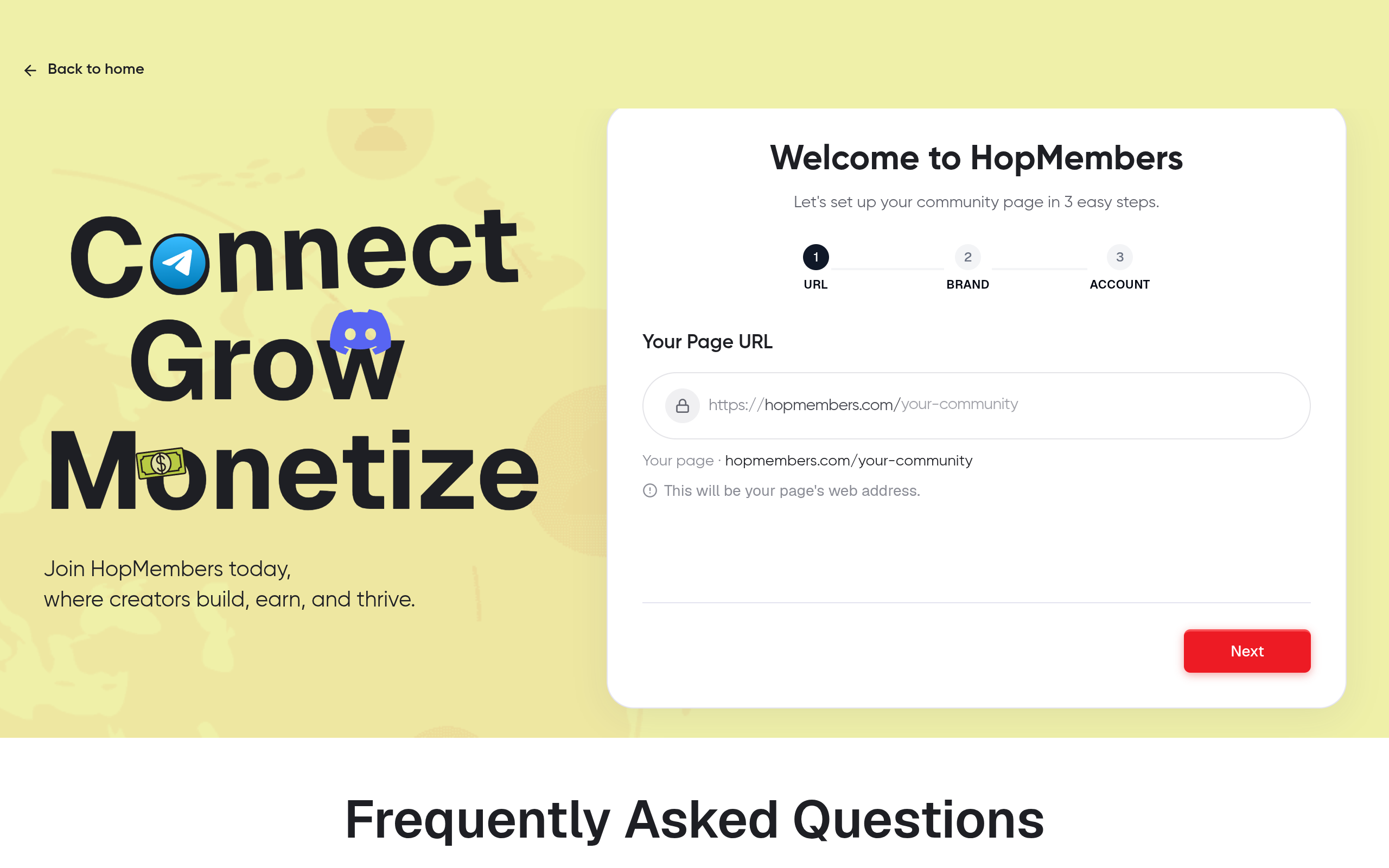
Once your tier and price are decided, the next step is connecting the actual Telegram channel to the tool that will manage access. In HopMembers, this means going to get-started and linking your Telegram channel or group as the destination for paid members. You'll be prompted to add the HopMembers bot as an admin to your channel with permission to invite and remove members — this is the mechanism that makes automatic grant/revoke possible; without admin rights, no automation tool (HopMembers or otherwise) can add or remove people on your behalf.
Verification: After connecting, send a test invite to yourself using a secondary Telegram account. Confirm the invite link works, adds you to the channel, and that you appear correctly in the connected channel's member list inside the platform. If the bot isn't showing as admin, or invites fail, fix this before moving to payments — a broken connection here means paying customers get charged but never get access, which is the fastest way to generate refund requests and chargebacks.
Step 3: Build Your Membership Page
Your membership page is what members actually see and pay through — it's the storefront. In HopMembers, this is managed under membership pages, where you set the page name, description, tier(s), pricing, and connect it to the Telegram channel from Step 2. Write the description like a landing page, not a bio: state clearly what's inside, how often you post, and what makes the paid version different from anything free followers see. Vague descriptions ("exclusive content") convert worse than specific ones ("3 trade alerts per week + monthly Q&A call recording").
Add a clear cancellation policy line even though the platform handles revocation automatically — buyers convert better when they know they can leave without friction. This is also the point to decide whether you're offering a free trial period; trials increase signups but also increase churn-driven admin, so weigh that against your content cadence.
Pricing Display and Currency Considerations
If your audience is international, check how your price displays and whether you need multiple currency options. A $20 tier reads very differently to someone billed in a currency with high card decline rates versus one with stable processing. This is a small detail that quietly affects conversion — worth testing if you have subscribers from multiple regions.
Step 4: Set Up Payments and Payouts
With your page built, connect your payment processing and payout destination. This is where HopMembers (or whichever tool you use) actually charges the member's card and routes funds to you, typically visible under wallet for payout tracking. Confirm your payout schedule and minimum payout threshold before launch — nothing is more frustrating than hitting your first sale and not knowing when the money actually lands in your account.
Verification: Run a real test transaction — either with a live card for a small amount you refund immediately, or using the platform's test mode if available. Confirm three things happen in sequence: the charge succeeds, the member automatically appears in your members list, and the Telegram invite is sent or the member is auto-added to the channel within a few minutes. If any of those three steps doesn't happen automatically, don't launch publicly yet — debug it first.
Step 5: Launch and Automate the Cancel/Refund Flow
Launch is straightforward: share your membership page link in your bio, existing free channel, or outreach messages. The part creators skip testing is the reverse flow — what happens when someone cancels, a card is declined, or you issue a refund. Automated revocation is the entire point of a subscription model over manual tracking, so test it deliberately: create a test subscription, cancel it, and confirm the member is removed from the Telegram channel within the expected window (usually at the end of the paid period, not instantly, depending on your settings).
Check your analytics dashboard after a few days of real traffic to see conversion rate from page views to paid signups, and churn rate on canceled members. These two numbers matter more early on than raw subscriber count — a high churn rate signals a content or pricing mismatch worth fixing before you scale marketing spend.
How to Verify Everything Worked
Before telling your audience the subscription is live, run this checklist:
- A test payment successfully charges and the member shows up in your members list with correct tier and renewal date.
- The Telegram invite is sent automatically and works (test with a fresh account, not one already in the channel).
- Canceling the test subscription removes the member from the channel within your configured grace period.
- Your payout destination is confirmed and you understand the payout schedule.
- Your membership page loads correctly on mobile — most Telegram traffic is mobile, and a broken mobile checkout kills conversion silently.
Common Mistakes and Troubleshooting
A few failure patterns show up repeatedly with new Telegram subscription setups:
Bot Lacks Admin Permissions
The single most common setup failure: the automation bot is added to the channel but not given full admin rights (specifically invite and remove permissions). Symptoms include payments succeeding but no invite being sent, or canceled members staying in the channel indefinitely. Fix by re-checking the bot's admin settings directly in Telegram's channel administrator list, not just inside the third-party tool.
Duplicate or Orphaned Members
If you migrated an existing free channel into a paid model, you'll likely have longtime free members mixed in with new paying ones. Decide explicitly whether existing free members get grandfathered access, a discounted legacy price, or a hard cutoff date — and communicate it before enforcing removal. Silently removing longtime followers without warning generates support tickets and bad word-of-mouth.
Chargebacks and Refund Disputes
Subscription businesses see chargebacks when cancellation or refund policies aren't clear at checkout. Post your refund policy on the membership page itself, not just in a Telegram pinned message members might never see. For general guidance on how payment disputes work, Telegram's own documentation on channels and bots is useful background reading (Telegram Bot API docs), and it's worth comparing how other platforms in this space, like LaunchPass or Patreon, structure their cancellation policies for ideas, even though neither is Telegram-specific in the same way HopMembers is.
Pricing Too Low to Sustain Support Load
If your price is set low to maximize signups, you may end up with hundreds of low-paying members generating a support burden that eats your margin. Revisit pricing after your first 60 days of real data — churn rate and support volume are better signals than initial conversion rate alone.
FAQ
Can I run a subscription model on Telegram without any third-party tool? Technically yes — you can manually track payments in a spreadsheet and add/remove members by hand. This works at very small scale (under 20-30 members) but becomes error-prone and time-consuming past that, especially around cancellations, which is why most creators automate this once volume grows.
Do I need a separate Telegram bot token, or does the platform handle it? With a platform like HopMembers, the bot connection is handled through the get-started flow — you don't need to create or manage your own bot token separately. If you're building a custom solution instead, you would need to register a bot via Telegram's BotFather and manage the API integration yourself.
What happens if a member's card fails mid-subscription? A good access-control setup will attempt to retry the charge a few times before revoking access, giving the member a grace period to update their payment method. Check your platform's specific retry and grace period settings so you can explain this to members proactively.
Should I offer annual pricing in addition to monthly? Only after you have monthly pricing validated. Annual plans reduce churn-driven admin and improve cash flow, but discounting too early (before you know your monthly retention rate) can lock in unprofitable pricing for a full year.
How is this different from just using Telegram's built-in paid channels or Patreon? Telegram doesn't natively handle recurring billing and access revocation the way a dedicated membership tool does. Patreon and similar platforms are broader creator monetization tools not built specifically around Telegram/Discord access control — HopMembers focuses specifically on connecting paid membership pages to Telegram and Discord access, handling the grant/revoke logic automatically. Related reading: Telegram vs. Discord for creator communities and how to set up memberships on Telegram.
Can I sell different content tiers to the same Telegram channel? Generally no — a single Telegram channel typically maps to one access level. If you want tiered content, you'll usually need a separate channel or group per tier, each connected to its own price point on your membership page.
Next Steps
The mechanics of a Telegram subscription model are simple once the pieces are connected: a defined tier, a connected channel, a membership page, and a tested payment-to-access flow. The part that takes ongoing attention is pricing and churn — revisit your analytics monthly, not just at launch. If you want to see the full flow end to end, start at get-started, or browse HopMembers to see how membership pages, member management, and analytics fit together before you commit your channel to a new payment system.
Key facts
- A Telegram subscription model requires channel/group admin rights, including permission to add a bot as an admin for automated access control.
- HopMembers automates Telegram subscription access: members who pay are added automatically, and members who cancel or have a failed payment are automatically removed.
- The core workflow for a Telegram subscription model has five steps: map tiers/pricing, connect the Telegram channel, build a membership page, set up payments and payouts, and launch with automated cancel/refund handling.
- A common failure point in manual Telegram monetization is 'ghost members' — people who stop paying but are never removed from the channel because tracking is done by hand.
- Verifying a Telegram subscription setup before launch means testing that a real cancellation or failed payment actually triggers removal from the channel, not just canceling the subscription record.
- This subscription model applies to Telegram channels and groups used by trading communities, coaching programs, newsletters, sports betting tipsters, and fan communities.
- HopMembers provides a published membership page that handles payment collection and connects directly to Telegram access control.
HopMembers is a membership platform that lets creators turn a Telegram channel or group into a paid subscription, automatically granting and revoking access based on payment status so cancellations and failed charges remove members without manual work.


