
How to Set Up Memberships on Telegram (Step-by-Step Guide)
Maya Ellison
Content Lead, HopMembers
Last updated: 21 August 2026 · 12 min read
Table of contents
- Who This Guide Is For
- Prerequisites Before You Start
- Step 1: Prepare Your Telegram Channel or Group
- Step 2: Create Your Membership Page in HopMembers
- Step 3: Connect Payments and Payouts
- Step 4: Publish and Share Your Membership Page
- Step 5: Verify the Full Flow Actually Works
- Troubleshooting Common Issues
- Managing Members and Analytics Over Time
- Telegram Memberships vs. Other Platforms
- Common Mistakes to Avoid
- FAQ
- Next Steps
- Related video
- Key facts

If you run a Telegram channel or group and want to turn it into recurring income, you need to know how to set up memberships on Telegram without spending your weekends manually adding and removing people. This guide walks through the real steps: preparing your Telegram channel, choosing a pricing model, connecting payments, automating access grants and revocations, and verifying everything actually works before you promote it publicly.
Who This Guide Is For
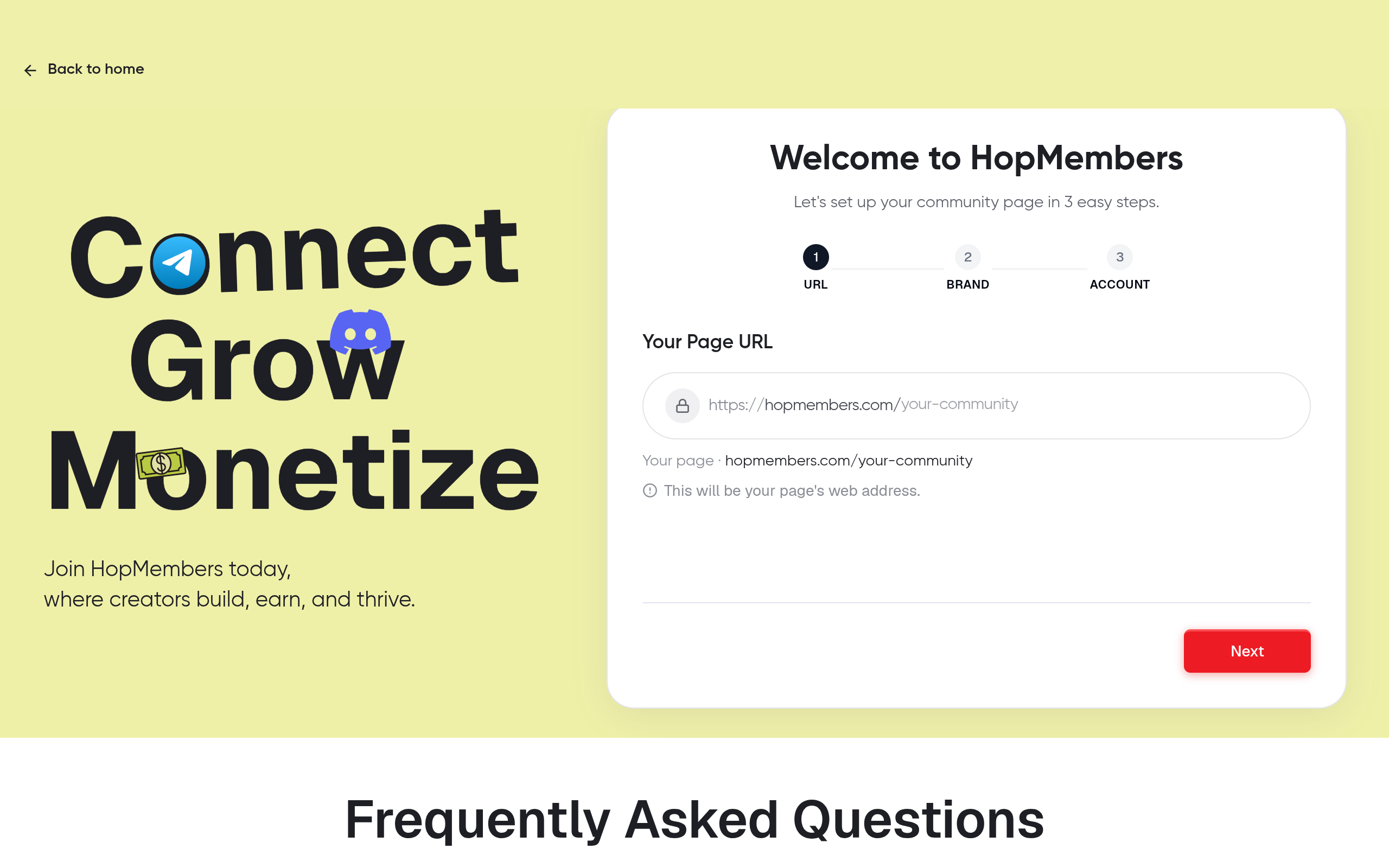
This is written for individual creators and solopreneurs — not teams or agencies. If you run a trading signals channel, a niche newsletter community, a fitness coaching group, or any private Telegram channel where people would pay for consistent access, this applies to you. By the end, you'll have a working setup where someone pays once or on a recurring basis, gets an invite link automatically, and loses access automatically if they cancel or their payment fails — without you touching the admin panel every time.
This is not for people trying to build a large team-managed community platform. If you're a solo operator who wants a lean way to charge for access, this is the right scope.
Prerequisites Before You Start
Before touching any membership tool, get these three things in order. Skipping them is the most common reason setups break later.
- A Telegram channel or group you administer. You need full admin rights, specifically the permission to add and remove members and to generate invite links. If you're a moderator on someone else's channel, this won't work — you need ownership-level access.
- A clear idea of what you're charging for. Decide whether it's a single flat monthly price, tiered pricing (e.g., Basic vs VIP), or a one-time lifetime fee. Ambiguous pricing is the top reason membership pages convert poorly.
- A way to accept payments. You'll need a payment processor connected through whichever membership tool you use. Most tools, including HopMembers, route payments through providers like Stripe, so have a legal business entity or at least a valid tax setup ready — payment processors will ask for this during verification.
One more constraint worth knowing upfront: Telegram itself has no native paid membership feature for channels. You can't charge for a channel inside Telegram — you always need a third-party layer that generates invite links, tracks who paid, and removes people when they stop paying. That's the gap tools like HopMembers, LaunchPass, and InviteMember exist to fill.
Step 1: Prepare Your Telegram Channel or Group

Before creating a membership page, get your Telegram side ready:
- Set your channel or group to private (not searchable). Public channels with fixed usernames can be joined by anyone who finds the link, which defeats the purpose of gated access.
- Turn off any existing public join links or make sure they're not shared anywhere public — old links floating around social media will let people in for free.
- Decide if you're gating a channel (broadcast-only) or a group (members can chat). Groups have more moderation overhead; channels are easier to automate since there's less back-and-forth to manage.
- Write a short welcome message or pinned post explaining what members get, so new joiners immediately understand the value.
Verification: try joining your own channel from a secondary Telegram account using the current invite link. If you get in without paying, your channel isn't locked down yet — fix that before moving on.
Step 2: Create Your Membership Page in HopMembers
Once your Telegram channel is locked and ready, go to HopMembers get-started and create your first membership page. This page is what you'll actually share publicly — it's the storefront, not your Telegram link.
Choosing Your Pricing Model
On the membership page setup screen, pick one of these structures:
- Single recurring tier — one price, billed monthly or annually. Simplest to manage and easiest for new creators to start with.
- Multiple tiers — e.g., a $9/month tier for the main channel and a $29/month tier that adds a private chat group. Use this only if you have genuinely different content behind each tier; don't create tiers just to look premium.
- One-time access — a single payment for lifetime or fixed-duration access. Works for evergreen content but makes cancellations irrelevant, so you lose the recurring revenue benefit.
Set your price with your payment processor's fees in mind — card processing typically takes 2.9%+ per transaction, so price accordingly rather than being surprised by payout totals later.
Connecting Telegram to HopMembers
Inside the membership page setup, select Telegram as the destination platform and follow the connection flow:
- Add the HopMembers bot as an admin to your Telegram channel or group, with permission to invite and remove users. This is a standard requirement across Telegram membership tools — the bot needs these rights to generate one-time invite links and to kick members when access ends.
- Paste your channel/group ID or select it from the connected list once the bot detects it.
- Confirm the link between your membership page and this specific channel. One membership page can map to one or more Telegram destinations, depending on your tier structure.
Verification: after connecting, send a test invite to yourself from the HopMembers dashboard. If the bot generates a working, single-use invite link, the connection is live. If nothing generates, double-check the bot actually has admin rights — this is the most common setup failure, and it's worth confirming against Telegram's own bot permission documentation (Telegram Bot API docs).
Step 3: Connect Payments and Payouts
With Telegram connected, set up how you get paid:
- Connect your payment processor account through the HopMembers payments settings. You'll typically go through a standard onboarding flow (business details, bank account, tax info) handled by the underlying processor — this is standard practice across the industry, similar to how Stripe onboarding works for any SaaS product (Stripe Connect docs).
- Set your currency and confirm whether you're charging tax, depending on your region and business structure.
- Choose payout frequency if the option is available — most creators start with the default schedule and adjust later once cash flow patterns are clear.
Verification: run a real $1 test transaction if your setup allows it, or check that the payment settings page shows a fully verified, active status rather than "pending." Never publish a membership page with payments in a pending state — customers will be able to attempt payment and hit an error, which damages trust immediately.
Step 4: Publish and Share Your Membership Page
Once Telegram is connected and payments are verified, publish the page. Then:
- Add the membership page link to your Telegram channel description, your bio on other platforms, and any existing free community where you're building an audience.
- Do not share your actual Telegram invite link publicly anywhere — only the HopMembers membership page link should be public. The Telegram invite is generated per-member after payment.
- If you have an existing free audience you're converting to paid, announce a transition date and give current members a heads-up before you lock the channel, so you don't lose goodwill.
Step 5: Verify the Full Flow Actually Works
Before promoting this widely, run through the entire flow yourself end to end:
- Open your membership page in an incognito browser and complete a real payment (use a small test tier if you have one, or refund yourself after).
- Confirm you receive an invite link immediately after payment — either on-screen or via message, depending on your setup.
- Join the Telegram channel using that link and confirm you land inside successfully.
- Cancel the test subscription from the member-facing cancellation flow and confirm, after the billing cycle ends, that access is automatically revoked and you're removed from the channel.
This four-step check is the single most important thing you can do before launch. A membership page that takes payment but fails to grant access — or worse, fails to revoke access after cancellation — will generate support headaches and chargebacks fast.
Troubleshooting Common Issues
Invite link doesn't generate after payment: Almost always a bot permissions issue. Re-check that the HopMembers bot has "add members" and "manage users" rights in your Telegram channel settings, not just posting rights.
Member joins for free using an old link: You forgot to revoke a previously public invite link. Go into Telegram channel settings and revoke all old invite links, leaving only the ones generated dynamically by your membership tool active.
Access isn't revoked after cancellation: Check your grace period settings — most tools wait until the current billing period ends before removing access, which is intentional (you don't want to kick someone who already paid for the month). If access still isn't revoked after the grace period, verify the bot still has removal permissions; permissions can get accidentally reset if you re-add the bot or change channel ownership.
Payment succeeds but member never gets the link: Check spam folders and confirm the email or Telegram username entered at checkout was correct. This is more common with WhatsApp and email delivery than in-app Telegram messages, but worth checking regardless.
Duplicate members or shared invite links: Use single-use invite links (the default in most membership tools) rather than a reusable channel link, so one payment maps to exactly one person joining.
Managing Members and Analytics Over Time
Once live, your work shifts from setup to maintenance. Use the members and analytics views in your dashboard to track:
- Active vs. churned members — watch this weekly, not just monthly, so you catch drop-off trends early.
- Failed payments — most churn on recurring memberships comes from expired cards, not intentional cancellations. Automated retry logic and reminder messages recover a meaningful share of these.
- Revenue by tier — if you run multiple tiers, check which one actually drives revenue before investing more content into a tier nobody buys.
This is also where you decide whether to raise prices, add a tier, or simplify. Don't guess — let the churn and revenue data guide the decision.
Telegram Memberships vs. Other Platforms
It's worth knowing where a tool like HopMembers fits versus alternatives. Patreon is built for broad content monetization (posts, tiers, community feed) and can connect to Discord, but it's not built specifically around Telegram access automation. LaunchPass and InviteMember are closer competitors, focused specifically on gating Telegram and Discord access behind payments. HopMembers sits in that same focused category — Telegram, Discord, and WhatsApp paid access, membership pages, and payouts — rather than trying to be a general content platform. None of these tools replace Telegram itself; they sit on top of it to handle payment and access control, which Telegram doesn't natively offer.
Common Mistakes to Avoid
- Publishing the membership page before verifying the full payment-to-access flow end to end.
- Leaving old public invite links active alongside the new paid flow.
- Pricing without accounting for processor fees, then being confused by lower-than-expected payouts.
- Creating multiple tiers with barely different content, which confuses buyers and lowers conversion.
- Ignoring failed-payment recovery — this is often 20-30% of total churn and is the easiest to fix with reminders and retries.
FAQ
Can I charge for a Telegram group instead of a channel?
Yes. Groups work the same way — the bot needs the same admin permissions to add and remove members. The difference is groups allow member-to-member chat, which means more moderation work on your side, while channels are one-way broadcasts and easier to run solo.
What happens if someone's card fails mid-cycle?
Most membership tools, HopMembers included, run automatic retry attempts over a few days and notify the member. If payment still fails after retries, access is revoked at the end of the grace period, not instantly — this avoids kicking someone the moment a card expires.
Can I migrate an existing free Telegram community to paid without losing everyone?
Yes, but do it gradually. Announce the change with a clear date, offer a discounted founding-member rate for existing members who convert early, and give at least a week's notice before locking the channel.
Do I need a business entity to accept payments?
It depends on your country and payment processor requirements. Many creators start as sole proprietors/individuals, but processors will ask for tax details regardless. Check your payment processor's requirements before promising a launch date.
Can one membership page cover both a Telegram channel and a Discord server?
In HopMembers, you can connect multiple destinations to tiers on the same membership page, so a single payment can grant access to a Telegram channel and a Discord role simultaneously if your offer includes both.
What's the difference between a one-time payment and a subscription for Telegram access?
A one-time payment grants access indefinitely (or for a fixed period you set) with no recurring billing or automatic revocation logic needed. A subscription bills repeatedly and automatically revokes access if payment stops — better for ongoing content, worse if your content is a static, finished product.
Next Steps
Setting up memberships on Telegram isn't complicated once you've done it once, but the details — bot permissions, old invite links, payment verification — are exactly where things quietly break. Work through the steps above in order, verify each one before moving to the next, and don't publish publicly until you've completed a full test payment and cancellation cycle yourself.
If you want this handled through one connected flow rather than piecing together multiple tools, get started with HopMembers and set up your first Telegram membership page today, or visit the HopMembers homepage to see how the full flow — membership pages, payments, and access automation — fits together for Telegram, Discord, and WhatsApp creators.
What good looks like
Define success criteria before you implement.
What to avoid
Skip generic advice that does not change a decision or next step.
Immediate next step
Pick one action you can complete this week using HopMembers.
Key facts
- To set up paid memberships on Telegram, you need full admin rights on the channel, including permission to add/remove members and generate invite links.
- Moderator-level access is not sufficient for setting up Telegram memberships — ownership-level admin access is required.
- The recommended pricing models for Telegram memberships are a single flat monthly price, tiered pricing (e.g., Basic vs VIP), or a one-time lifetime fee.
- Ambiguous pricing is cited as the top reason Telegram membership pages convert poorly.
- Payments for Telegram memberships are typically routed through a processor like Stripe, connected via a membership tool such as HopMembers.
- A working Telegram membership setup automatically grants access (via invite link) on payment and automatically revokes access on cancellation or failed payment.
- The core setup process has five steps: prepare the Telegram channel, create a membership page, connect payments and payouts, publish the page, and verify the full access flow before promoting it.
- This guide is scoped for individual creators and solopreneurs (e.g., trading signal channels, coaching groups, niche newsletters), not team-managed community platforms.
HopMembers is a membership platform that lets creators set up paid access to Telegram channels and groups, automating payments, invite links, and member removal without manual admin work.


