
How to Build a Membership Business on Discord
Maya Ellison
Content Lead, HopMembers
Last updated: 26 October 2026 · 12 min read
Table of contents
- Who This Guide Is For (and What You'll Achieve)
- Prerequisites: Accounts, Server Setup, and Payment Rails
- Step 1 — Define Your Membership Tiers and Pricing
- Step 2 — Create Your Membership Page in HopMembers
- Step 3 — Connect Your Discord Server and Map Roles
- Step 4 — Launch, Collect Payments, and Automate Access
- Step 5 — Manage Members, Cancellations, and Refunds
- Step 6 — Use Analytics to Grow Revenue
- Troubleshooting and Edge Cases
- How This Compares to Other Tools
- Next Actions
- FAQ
- Related video
- Key facts

If you run a Discord server with real engagement — trading signals, coaching, fitness programming, fandom content, or niche expertise — you already have the hard part done. This guide covers how to build a membership business on Discord: turning that server into recurring revenue without spending your weekends manually adding and removing roles. We'll walk through prerequisites, the exact steps inside a membership tool, verification checks after each stage, and the mistakes that quietly kill retention.
Who This Guide Is For (and What You'll Achieve)
This is written for individual creators and solo community owners — not marketing teams or agencies. If you're a trading educator, a sports tipster, a coach, a research analyst, or a niche hobbyist with an engaged Discord server, this applies to you. By the end, you'll have a repeatable system: a published membership page, connected payment collection, automatic role assignment on payment, and automatic role removal on cancellation or failed renewal — with analytics to see what's actually working.
What this guide does not cover: building a Discord server from zero community-wise, or growing an audience. We're assuming you have some members already, even a free tier, and want to convert a portion of them into paying subscribers.
Prerequisites: Accounts, Server Setup, and Payment Rails
Before touching any membership tooling, get these in place. Skipping this step is the single biggest cause of failed launches.
Discord server readiness checklist
- You have "Manage Server" and "Manage Roles" permissions on the Discord server you're monetizing — not just admin on a channel. Role automation tools need server-level access.
- At least one paid-tier role already exists (or you're comfortable creating one), separate from your @everyone and free-member roles.
- Your bot role sits above the roles it needs to assign in the role hierarchy — this is a common Discord permissions trap. If your membership bot's role is below the paid-member role in the list, it physically cannot assign it.
- Channels are already gated by role, or you know which channels should be. Decide this before launch, not after.
Discord's own documentation on role hierarchy and permissions is worth a quick read if you haven't touched roles before — see Discord's Role Management 101 for the mechanics of how roles, hierarchy, and permissions interact.
Payment and payout requirements
You'll need a way to charge cards (or accept crypto, depending on your audience) and a way to get paid out. Most membership tools, HopMembers included, connect to a payment processor under the hood so you don't have to build billing yourself. Have ready: your business or individual payout details, a clear price point in mind, and a refund/cancellation policy — even a one-line one — because disputes happen and you want a documented answer ready.
If you're coming from a free Discord and have never charged for access before, decide your currency and whether you'll run monthly, quarterly, or one-time pricing. Monthly recurring is the default for a reason: predictable revenue, and it matches how access-revocation automation is built to work (pay fails → access removed).
Step 1 — Define Your Membership Tiers and Pricing

Before creating anything, write down your tier structure on paper. Most successful Discord membership businesses run one to three tiers, not five. A common pattern:
- Single tier — one price, one role, full access. Simplest to manage, easiest to explain on your membership page.
- Two tiers — a lower "core" tier and a higher "VIP" tier with extra channels or direct access to you.
- Three tiers — adds an entry-level or trial-adjacent tier, useful for high-ticket coaching or signal services.
Price anchoring matters more than feature count. If you're unsure where to start, look at adjacent communities in your niche and price within range, then adjust after 30 days of actual churn data. For pricing psychology specific to Telegram/Discord-style access groups, this breakdown on pricing tiers for Telegram groups applies almost identically to Discord — the mechanics of tiering recurring access are the same across both platforms.
Step 2 — Create Your Membership Page in HopMembers
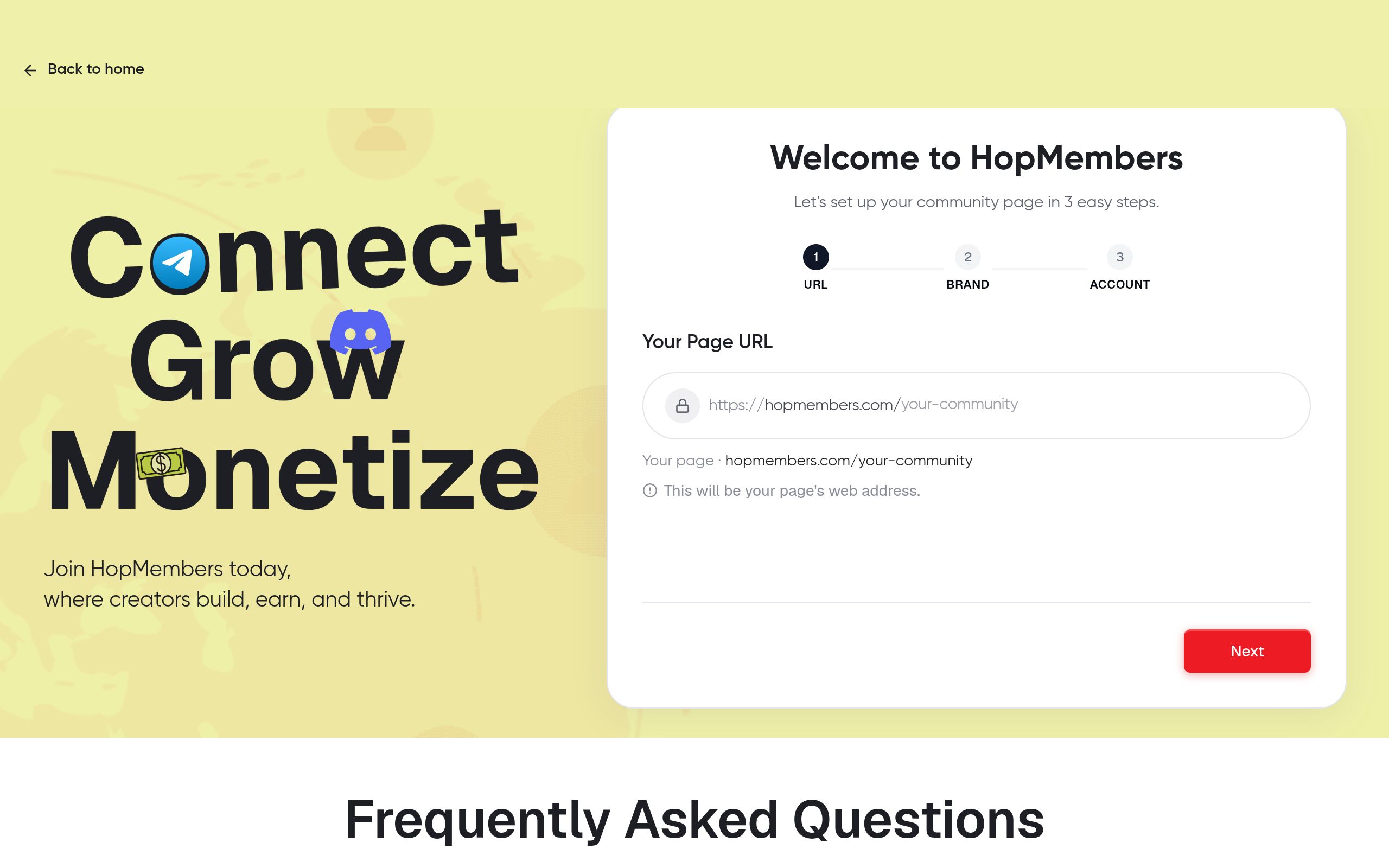
Once your tiers are decided, go to HopMembers' get-started flow and create your membership page. This page is what you'll actually link in your Discord bio, Linktree, or social posts — it's the storefront, separate from Discord itself.
- Name your membership and write a short description of what members get (be specific: "daily trade alerts," "weekly office hours," "private research channel" — not vague promises).
- Add your tier(s) with price and billing interval (monthly, quarterly, annual, or one-time).
- Upload a cover image and set your page URL slug.
- Publish the page in draft/preview mode first — don't go live until the Discord connection (next step) is verified.
Verification: Open the preview link in an incognito window. Confirm the price, tier names, and description render correctly, and that the checkout button is visible. If a tier is missing or priced wrong, fix it now — changing prices after members have joined requires grandfathering existing subscribers, which is an avoidable headache.
Step 3 — Connect Your Discord Server and Map Roles
This is the step that turns a static membership page into an automated access system. Inside your membership dashboard, connect your Discord server (you'll authorize the HopMembers bot to join your server with the permissions it needs). Then map each membership tier to a specific Discord role:
- Tier A (e.g., "Core — $15/mo") → maps to "Core Member" role
- Tier B (e.g., "VIP — $40/mo") → maps to "VIP Member" role
Make sure channel permissions in Discord are already set so that each role only sees the channels it should. The automation handles assigning the role; Discord's own permission system handles what that role can see.
Verifying the connection
Do a test transaction with a real card (you can refund it after) or use a test mode if available. Confirm: (1) the payment goes through, (2) your Discord account receives the mapped role within a minute or two, (3) you can see the gated channels appear. Then simulate a cancellation and confirm the role is automatically removed and access to gated channels disappears. If either direction fails, recheck your bot's role hierarchy position before anything else — it's the root cause in the majority of cases.
Step 4 — Launch, Collect Payments, and Automate Access
With verification done, flip your membership page to live and start directing traffic to it — not to a raw Discord invite link. The flow you want is: prospect sees your page → sees pricing and what they get → pays → gets a Discord invite with the correct role already pre-mapped → lands in the gated channels immediately. This is a meaningfully better conversion path than "join free server, then DM me to upgrade," which loses people at every manual step.
Keep your free server (if you have one) as the top of funnel. Promote the paid tiers inside free channels, in your Discord server description, and anywhere else your free members already look. Payments route to your connected payout method; HopMembers (or whichever tool you use) sits on top of Discord for billing and access — it doesn't replace Discord's chat, voice, or server functionality.
Step 5 — Manage Members, Cancellations, and Refunds
Once you have paying members, your members dashboard becomes your daily operating view: who joined, who's active, who's at risk of churning, and who cancelled. A few operating practices:
- Failed payments: most platforms auto-retry a failed card charge a few times before revoking access — don't manually kick someone the moment a payment bounces; let the retry window run.
- Voluntary cancellations: access should revoke automatically at the end of the paid period, not instantly, unless your policy states otherwise. Set expectations on your membership page.
- Refund requests: have a written policy (e.g., "refunds within 48 hours of charge, no refunds after") so you're not negotiating case-by-case under pressure.
If you're running this across both Discord and Telegram simultaneously, the member-management logic is nearly identical — see this guide on managing a paid Telegram community for the cross-platform patterns.
Step 6 — Use Analytics to Grow Revenue
Your analytics dashboard should answer three questions weekly: how many new members joined, how many churned, and what's your net MRR movement. Don't just look at total revenue — watch churn rate specifically. A server gaining 20 members a month but losing 18 is not a growing business, even though gross signups look fine.
Track which acquisition source converts best (a pinned Discord message vs. a bio link vs. a social post) and double down there. For a deeper framework on reading these numbers, see how to track membership revenue and using analytics to grow a membership.
Troubleshooting and Edge Cases
A few failure modes come up repeatedly with Discord membership automation:
- Role not assigned after payment: almost always a role hierarchy issue — the bot's role must sit above the role it's trying to grant. Move it up and retry.
- Member paid but left and rejoined the server: if someone leaves Discord entirely and rejoins, some systems need a manual re-sync to reapply their role, since Discord treats a rejoin as a fresh member. Check your dashboard's "resync" or "reapply access" option if this happens.
- Chargebacks: a cardholder disputing a charge after weeks of access is a cost of doing business in subscription commerce — document your terms clearly on the membership page to reduce disputes, and revoke access immediately on a confirmed chargeback.
- Multiple tiers, one person wants to upgrade: make sure upgrades swap roles (remove old, add new) rather than stacking both — stacked roles can cause permission conflicts in Discord's channel overwrite system.
Common mistakes that kill early momentum
The most frequent early mistake is under-pricing to "see if anyone bites," then having to raise prices on existing members later, which causes avoidable churn. The second is launching with a vague value proposition — "exclusive access" without specifics converts poorly compared to a page that lists exactly what's inside (channel names, posting frequency, response times). The third is neglecting the free-to-paid funnel: if your free server doesn't actively promote the paid tier, your membership page sits idle no matter how well it's built.
How This Compares to Other Tools
Patreon and LaunchPass are the two names you'll hear most often in this space. Patreon is a broad creator-funding platform built around posts and tiers, not Discord-native role automation specifically — it can connect to Discord but wasn't built around it. LaunchPass is closer to purpose-built Discord/Telegram access tooling. HopMembers takes a similar focused approach — membership page, payment collection, automated role grant/revoke — across WhatsApp, Telegram, and Discord in one dashboard, which matters if you ever run the same offer across more than one platform. See a detailed breakdown in HopMembers vs. Patreon fees if pricing comparisons matter to your decision, and Discord vs. Telegram for community building if you're still deciding which platform to build on.
Next Actions
Here's the realistic sequence: lock your tier structure and pricing this week, set up your Discord role hierarchy correctly before connecting any automation, build and preview your membership page, run one verified test transaction end-to-end, then go live and route all promotion to that page instead of a raw invite link. Review your analytics weekly for the first month — pricing and churn signals show up fast.
If you want to skip the custom-bot-building route and get a membership page, payment collection, and Discord role automation running in one place, start at HopMembers get-started, or browse the homepage to see how the membership page, members, and analytics surfaces fit together.
FAQ
Do I need a Discord bot built from scratch?
No. Tools like HopMembers, LaunchPass, and similar handle the bot and role-assignment logic for you — you connect your server and map roles to tiers rather than writing Discord API code yourself.
Can I run a free tier alongside paid tiers on the same server?
Yes, and most successful Discord membership businesses do exactly this — a free role with limited channel access acts as the top of funnel, while paid roles unlock gated channels. Just make sure your channel permission overwrites are set correctly for each role.
What happens if a member's payment fails but they're mid-conversation in a gated channel?
Most systems allow a short retry window (typically a few days) before revoking access, rather than removing roles the instant a charge fails. Check your specific tool's retry settings and set member expectations about this in your membership page's terms.
How do I handle someone who wants a refund after a month of access?
Have a written refund policy on your membership page before you launch. A common approach is a short refund window (24–72 hours) from the charge date, no refunds after. Enforce it consistently — inconsistent refund decisions create disputes later.
Should I price monthly or offer annual plans?
Monthly is the standard starting point because it matches how role automation reacts to payment and cancellation events in real time. Annual plans can boost cash flow and reduce churn optics, but they complicate mid-term cancellations — only add annual pricing once your monthly offer has proven retention.
What if I want to monetize both a Discord server and a Telegram group with the same offer?
A platform built for multi-platform access control, rather than Discord-only tools, saves you from managing two separate billing systems. This is one of the practical reasons creators consolidate on a single membership tool instead of using Discord-specific bots plus a separate Telegram bot.
Key facts
- Building a Discord membership business requires 'Manage Server' and 'Manage Roles' permissions, not just channel-level admin access.
- Role automation on Discord requires the bot's role to sit above the roles it needs to assign in the server's role hierarchy.
- A functional Discord membership system requires at least one paid-tier role distinct from @everyone and free-member roles.
- Automated membership tools assign Discord roles on payment and automatically remove roles on cancellation or failed renewal.
- The core steps to building a Discord membership business are: define tiers and pricing, create a membership page, connect the server and map roles, launch and collect payments, manage cancellations/refunds, and use analytics to grow revenue.
- Retention on paid Discord communities is commonly undermined by manual onboarding, role hierarchy misconfiguration, and confusing tier pricing.
- HopMembers is a membership platform that connects to Discord servers to automate role-based access tied to subscription payments.
HopMembers is a membership platform that helps creators turn Discord servers into recurring-revenue businesses by automating tiered pricing, payment collection, and role-based access on payment or cancellation.


