
Website vs Facebook Group: How to Choose Between Website and Facebook Group for a Paid Community
Maya Ellison
Content Lead, HopMembers
Last updated: 8 September 2026 · 12 min read
Table of contents
- What 'Website' Actually Means for a Community Creator
- What a Facebook Group Actually Gives You
- Who Each Option Actually Fits
- Feature and Operations Tradeoffs, With Real Scenarios
- Pricing Angles: What Each Option Actually Costs
- Migration Notes: Moving From a Facebook Group to a Paid Membership Page
- When HopMembers Wins
- A Decision Framework You Can Use Today
- Common Mistakes When Choosing Between the Two
- Frequently Asked Questions
- Related video
- Key facts

If you're trying to choose between website and Facebook group as the home for your paid community, the decision usually comes down to three things: who owns the audience, how payments and access are enforced, and how much manual admin work you're willing to do every week. Facebook Groups are free, familiar, and easy to start. A membership website — even a lightweight one built on top of Telegram, Discord, or WhatsApp — gives you ownership, automated billing, and control over who gets in and who gets kicked out. Neither is universally 'better.' The right choice depends on your stage, your monetization model, and how much you value not losing your audience overnight.
This article walks through the real tradeoffs: not just feature lists, but the operational reality of running a paid group day to day. We'll also cover migration paths, pricing angles, and a decision framework you can apply today.
What 'Website' Actually Means for a Community Creator
When most creators say 'I need a website' for their community, they rarely mean a full custom-coded site with a CMS. They mean a simple, hosted membership page: a place where someone can see what the community offers, pick a plan, pay, and get access — without you manually approving every request in a spreadsheet.
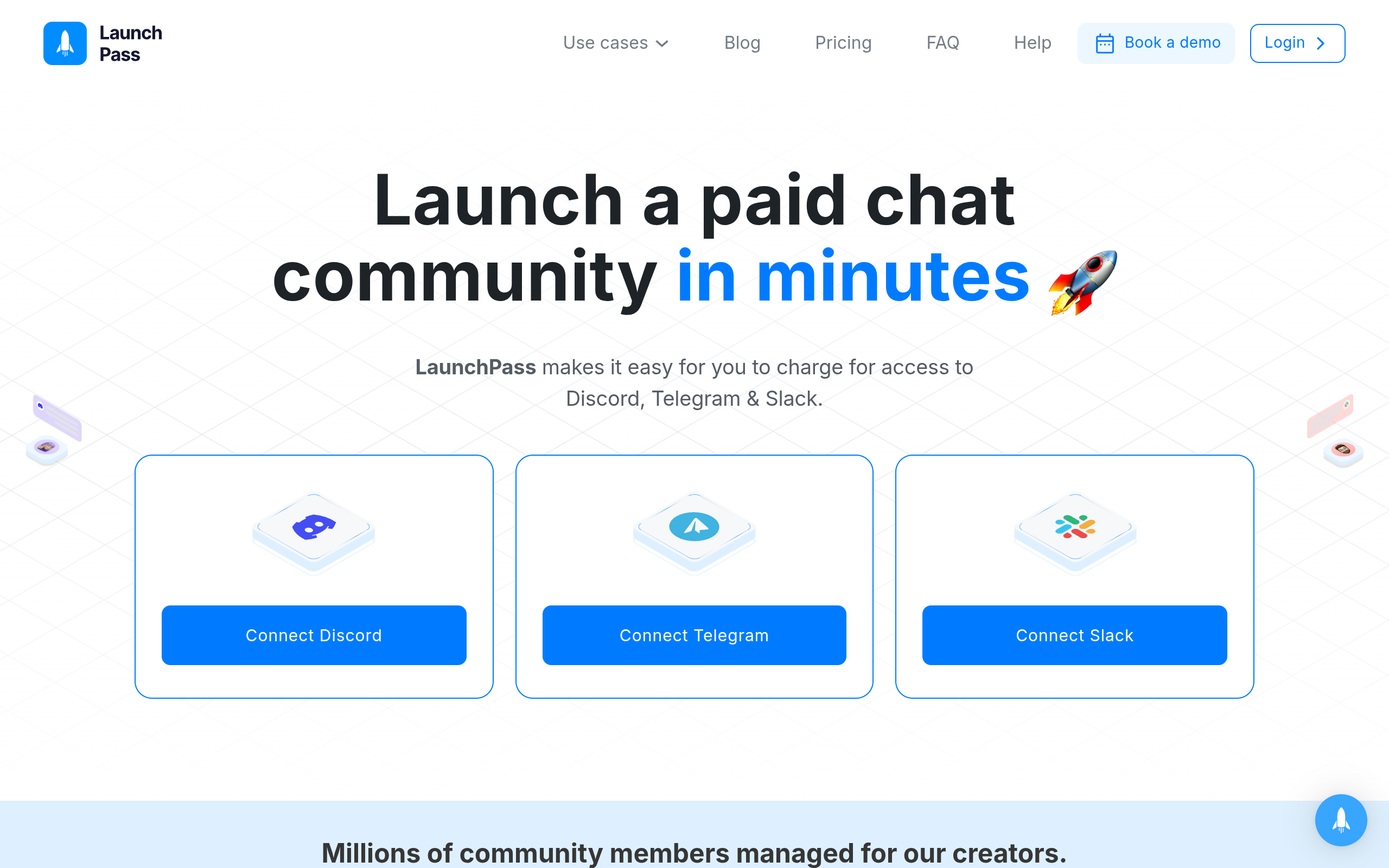
In practice, that membership page usually sits in front of the actual community, which still lives on Telegram, Discord, or WhatsApp. The website isn't replacing the chat platform — it's the sales and access-control layer on top of it. That's the model tools like Patreon and LaunchPass popularized, and it's also how HopMembers works: you create a membership page, connect your Telegram channel, Discord server, or WhatsApp group, a member pays, and access is granted automatically. If they cancel or their payment fails, access is revoked automatically too.
Why This Distinction Matters
A lot of creators compare 'Facebook Group' against 'building a website' as if the website is where the community lives. It usually isn't. The website is the storefront and the billing system. The community itself — the actual conversation — still happens somewhere else. That reframes the real question: do you want your storefront to be Facebook (free, but you don't control access or payments) or a dedicated membership page (small cost, but you control everything)?
What a Facebook Group Actually Gives You
Facebook Groups are genuinely good at a few things: they're free to create, people already have accounts, and Facebook's algorithm can occasionally surface your group to new members through search or recommendations. For hobbyist communities, local groups, or early-stage audiences with zero budget, that's a reasonable starting point. According to Wikipedia's overview of Facebook Groups, the feature was built around free discussion spaces, not paid access — which explains why monetization has always felt bolted-on rather than native.
The catch is that Facebook Groups were never designed as a payments product. There's no built-in recurring billing tied to group membership, no automated revoke-on-cancel, and no ownership of the underlying platform. If Facebook changes its algorithm, restricts group visibility, or suspends your account for a policy violation you didn't even know existed, your entire community and any monetization workaround (external payment links, manual approval) disappears with it.
The Manual Tax of Free Platforms
Creators who try to monetize a Facebook Group usually end up doing one of two things: charging via a separate payment link (Stripe, PayPal) and manually adding/removing members, or using a third-party access tool bolted onto the group. Both work at small scale — say, under 50 members — but they don't scale. You become the access control system. Every refund, every failed card, every 'I want to cancel' message becomes a manual task. This is the hidden cost that doesn't show up until month three or four.
Who Each Option Actually Fits
Rather than asking which is 'better' in the abstract, it helps to match the option to your actual situation.
- Choose a Facebook Group if: you're testing an idea, you have zero budget, your content isn't paid (or payment is optional/tip-based), or your audience genuinely lives on Facebook already and discovery matters more than control.
- Choose a membership website if: you're charging recurring fees, you want access automatically granted and revoked based on payment status, you want a professional-looking sales page separate from a social platform, or you're already running your community on Telegram, Discord, or WhatsApp and just need a way to gate it.
Most creators who are seriously monetizing land on a hybrid: they use Facebook (or Instagram, X, YouTube) for top-of-funnel discovery and content, and a dedicated membership page for the actual paid, gated community. That's a healthier split than trying to force one platform to do both jobs.
Feature and Operations Tradeoffs, With Real Scenarios
Scenario 1: You Charge $15/month for Access
On a Facebook Group, you'd need to manually verify payment (via a separate Stripe link), add the member to the group, and remember to remove them if they stop paying. If you have 40 members, that's manageable but tedious — probably an hour a week. At 200 members, it becomes a part-time job, and mistakes (forgetting to revoke a lapsed member) start costing you money.
With a membership page connected to your Telegram channel or Discord server, the flow is: member finds your page, pays, gets an invite link automatically, and if they cancel or their card fails, they're removed automatically. You're not the access control system anymore — the platform is. This is the single biggest operational difference between the two approaches.
Scenario 2: You Need to Prove Growth to a Sponsor or Partner
Facebook Groups give you basic engagement metrics (post reach, member count) but nothing built for tracking paid conversion, churn, or revenue trends. A dedicated membership setup with analytics — tracking new members, cancellations, and revenue over time — gives you the numbers sponsors and partners actually want to see. If growth and retention data matter to your business, this is a real gap in the Facebook-only approach.
Scenario 3: Facebook Restricts or Suspends Your Group
This happens more often than creators expect — sometimes over a false-positive policy flag, sometimes due to a reported member. If your entire paid community and payment workaround lives inside that group, you have no way to reach your members or continue collecting payment until (if) it's resolved. A membership website with its own member list and payment records means you always have a way to contact your audience and keep billing running, independent of any single platform's moderation decisions.
Pricing Angles: What Each Option Actually Costs

Facebook Groups are free to create, but 'free' undercounts the real cost once you factor in payment processing tools, manual labor, and the risk of platform dependency. If you're using a separate Stripe or PayPal link plus your own time, that time has a cost — even if it doesn't show up on an invoice.
Membership platforms typically charge a small monthly fee, a percentage of transactions, or both. Patreon and LaunchPass, for example, take a cut of revenue in exchange for handling payments and (in LaunchPass's case) Discord/Telegram-specific access automation. HopMembers is built specifically for WhatsApp, Telegram, and Discord creators: you create the page, connect the channel or server, and access is automated — with pricing structured around what individual creators (not teams) actually need, rather than broad multi-purpose creator tooling. The honest comparison isn't 'free vs paid' — it's 'unpaid manual labor vs a small fee for automation.' For most creators earning real recurring revenue, the automation pays for itself within the first few cancellations you no longer have to process by hand.
Migration Notes: Moving From a Facebook Group to a Paid Membership Page
If you've been running a free (or semi-monetized) Facebook Group and want to move to a proper paid setup, the migration is usually smoother than creators expect:
- Keep the Facebook Group running as a free top-of-funnel space, and announce the new paid tier there — don't shut it down abruptly.
- Set up your membership page first, connect your Telegram channel, Discord server, or WhatsApp group, and test the payment-to-access flow yourself before inviting anyone.
- Give existing engaged members a short migration window (2-4 weeks) with a founding-member price to reward loyalty and reduce churn during the switch.
- Export whatever contact info Facebook allows (it's limited — this is part of the platform-dependency problem) and start building your own member list going forward.
For a deeper walkthrough of setting up the actual community infrastructure, see our guide on creating a membership website and our comparison of Telegram vs Discord for paid memberships if you haven't picked a chat platform yet.
When HopMembers Wins

HopMembers isn't a replacement for Facebook, Telegram, Discord, or WhatsApp — it sits on top of Telegram, Discord, and WhatsApp to handle the parts those platforms don't do natively: selling access, collecting payment, and automatically granting or revoking membership. It wins specifically in the scenario where a Facebook Group falls short: recurring paid access that needs to be enforced without manual work.
Compared to broader platforms like Patreon, which supports many content types and payout structures, HopMembers stays narrowly focused on WhatsApp, Telegram, and Discord access control and membership pages — which matters if your entire community already lives in a chat app and you don't want a generic creator-monetization tool bolted on top. It's built for individual creators and solopreneurs running one community, not teams managing multiple properties.
The core flow is simple: create a membership page → connect your Telegram/Discord/WhatsApp group → a member pays → access is granted automatically → if they cancel or refund, access is revoked automatically. You can see member activity and growth trends in one place instead of piecing it together from Facebook Insights and a spreadsheet.
A Decision Framework You Can Use Today
Choose a Facebook Group if: you're pre-revenue, testing demand, want free discovery, and don't mind manually managing access for a small number of members. It's a reasonable place to start a community before you know if people will pay.
Choose a membership website if: you're charging recurring fees, want automated access control, need reliable analytics on churn and growth, or you're tired of manually adding and removing people every time a payment status changes.
Choose a hybrid if: you want Facebook (or another social platform) for top-of-funnel awareness and content, while your actual paid, gated community lives on Telegram, Discord, or WhatsApp behind a membership page. This is the most common setup among creators earning consistent recurring revenue.
If you're ready to move past manual access management, you can get started with HopMembers in a few minutes, or browse the HopMembers homepage to see how the membership page, member list, and analytics fit together.
Common Mistakes When Choosing Between the Two
The most common mistake is treating the decision as permanent. Creators often assume they have to pick one and stick with it forever, when in reality most successful communities evolve: free Facebook presence for discovery, paid membership page for monetization, and eventually a mix of both. The second common mistake is underestimating the labor cost of manual access management — it feels fine at 20 members and becomes a real burden at 150. The third mistake is picking a chat platform (Telegram vs Discord vs WhatsApp) based on personal preference rather than where your specific audience already spends time — worth reading through our Discord vs Telegram for community monetization comparison before committing.
Frequently Asked Questions
Can I run a paid Facebook Group without a separate website?
Technically yes, but you'll need a separate payment link (Stripe, PayPal) since Facebook Groups don't have native recurring billing tied to membership. You'll also need to manually verify payments and add/remove members, which becomes unmanageable past a few dozen paying members.
Does a membership website replace my Facebook Group?
No — most creators keep both. The Facebook Group (or page) stays as a free discovery and content space, while the membership page handles paid access to your actual gated community on Telegram, Discord, or WhatsApp.
What happens if Facebook suspends my group?
You lose access to your members and any payment workaround tied to that group, often with little warning or recourse. This is the core risk of building your paid community entirely on a platform you don't own or control.
Is a membership website more expensive than a Facebook Group?
Facebook Groups are free to create, but running paid access manually has a real time cost. Membership platforms typically charge a small fee or percentage of revenue in exchange for automated billing and access control — which usually costs less than the hours you'd spend manually managing cancellations and refunds.
How do I migrate paying members from a Facebook Group setup to a proper membership page?
Set up your membership page first and test the payment-to-access flow yourself. Then announce the switch in your existing group with a migration window (2-4 weeks) and a loyalty discount for early movers, rather than shutting the old setup down immediately.
Does HopMembers work with WhatsApp groups too, or just Telegram and Discord?
HopMembers supports WhatsApp, Telegram, and Discord — you connect the specific channel, group, or server you're monetizing, and access is granted or revoked automatically based on payment status, regardless of which of the three you use.
What analytics should I actually track once I move off a Facebook Group?
At minimum, track new member signups, monthly cancellations (churn), and revenue trend over time. These three numbers tell you far more about the health of a paid community than Facebook's post-reach metrics ever could — you can review these in the analytics and members views once your community is set up on a dedicated platform.
Key facts
- Choosing between a website and a Facebook Group for a paid community depends on three factors: audience ownership, payment/access enforcement, and manual admin workload.
- Facebook Groups are free and familiar but offer no built-in billing, no automated access revocation, and no audience ownership outside the platform.
- A 'website' for community monetization usually means a lightweight, hosted membership page — not a custom-coded site — that handles plan selection, payment, and access approval.
- In most membership setups, the website acts as a sales and access-control layer on top of an existing chat platform (Telegram, Discord, or WhatsApp), rather than replacing it.
- Tools like Patreon, LaunchPass, and HopMembers popularized the model of a membership page that automatically grants and revokes access based on payment status.
- With HopMembers, a creator connects a Telegram channel, Discord server, or WhatsApp group to a membership page; access is granted automatically on payment and revoked automatically on cancellation or failed payment.
- Manual approval of members in a free Facebook Group becomes increasingly unsustainable as community size grows, since there is no automated billing or access enforcement.
- Migrating from a Facebook Group to a paid membership page is a common growth step for creators once manual admin work and monetization limits outweigh the group's convenience.
HopMembers is a membership platform that lets creators sell access to Telegram, Discord, and WhatsApp communities through a simple hosted page, automating billing and access control instead of relying on manual approvals in a free Facebook Group.


