
Membership Website vs Facebook Group: Which One Actually Pays You?
Maya Ellison
Content Lead, HopMembers
Last updated: 2 September 2026 · 12 min read
Table of contents
- What people actually mean by "membership website"
- The core tradeoff: reach vs ownership
- ICP: who actually fits each option
- Feature and ops tradeoffs, beyond the marketing copy
- Pricing angles compared
- Migration: moving off a Facebook Group
- Decision framework
- Where HopMembers fits in this comparison
- FAQ
- Key facts
- Key facts

If you're weighing a membership website vs Facebook group for your paid community, the honest answer is that they solve different problems. A Facebook Group is free, familiar, and already has an audience inside it. A membership website (or a membership layer on top of Telegram, Discord, or WhatsApp) gives you ownership, direct payments, and automated access control. This comparison walks through who each option actually fits, where the operational tradeoffs bite, what migration looks like, and when a dedicated tool like HopMembers is worth the switch.
Table of contents
What people actually mean by "membership website"
"Membership website" is a loose term. In practice it covers three very different setups, and conflating them is where most creators get confused:
Full CMS builds — WordPress with a membership plugin, or a hosted site builder with gated pages. You own the site, but you're also responsible for hosting, plugin updates, and payment integrations.
Crowdfunding-style platforms like Patreon, where fans pledge monthly and unlock posts, downloads, or a linked Discord role. This is closer to a content subscription than a private community tool.
Access-layer tools for chat platforms — products like HopMembers, LaunchPass, or InviteMember that sit on top of Telegram, Discord, or WhatsApp. You keep running your community where it already lives, and the tool handles the paywall: create a membership page, connect your channel or server, collect payment, and grant or revoke access automatically when someone subscribes or cancels.
When people ask "membership website vs Facebook group," they're usually really asking: should I keep giving content away inside a Facebook Group, or should I put a paywall in front of it using one of these three approaches? The right comparison isn't Facebook Group vs one specific tool — it's Facebook Group vs owned, paid, access-controlled distribution.
Where Facebook Groups still win
Facebook Groups aren't going anywhere, and dismissing them outright is bad advice. If your audience is already inside Facebook — local business owners, hobbyist communities, parents' groups, niche fan communities — the discovery and network effects are real. Facebook's own group tools (as documented on Wikipedia's overview of Facebook Groups) include subscription-based groups in some regions, badges, and moderation tools that took years to build. You don't have to build any of that.
The core tradeoff: reach vs ownership
Facebook Groups trade ownership for reach. You're building on land you don't own — Facebook can change the algorithm, restrict group visibility, or (in rare but real cases) suspend a group or an admin account with limited recourse. A membership website or a Telegram/Discord membership layer trades some of that built-in reach for control: you own the payment relationship, you own the member list, and you control exactly who gets in and when they get removed.
This matters most in three concrete scenarios:
Payment reliability. Facebook's native subscription tools vary by region and have historically been inconsistent for creators outside the US. A membership page with Stripe or a similar processor gives you a payment flow you control end to end.
Access enforcement. In a Facebook Group, removing a non-paying member after a failed charge is a manual admin task — someone has to notice and click remove. On a platform like HopMembers, a failed or cancelled subscription automatically revokes the person's access to the connected Telegram channel or Discord role, no manual cleanup required.
Data and analytics. Facebook gives you basic group insights, but you don't get clean subscriber-level data — who joined when, who's about to churn, what your renewal rate looks like. A dedicated membership tool typically ships with a members list and analytics view built for exactly that.
A concrete scenario: the paywalled coaching group
Say you run a trading or fitness coaching community. In a free Facebook Group, you can post content, but monetization means either driving people to a separate Patreon/Gumroad link (friction, drop-off) or manually vetting who paid via screenshots and DMs (doesn't scale past 50–100 members). With a Telegram or Discord setup wrapped in a membership tool, the flow looks like: create a membership page → member pays → they're automatically added to the private Telegram channel → if they cancel or a card fails, they're automatically removed. No spreadsheet, no manual DM chasing.
ICP: who actually fits each option
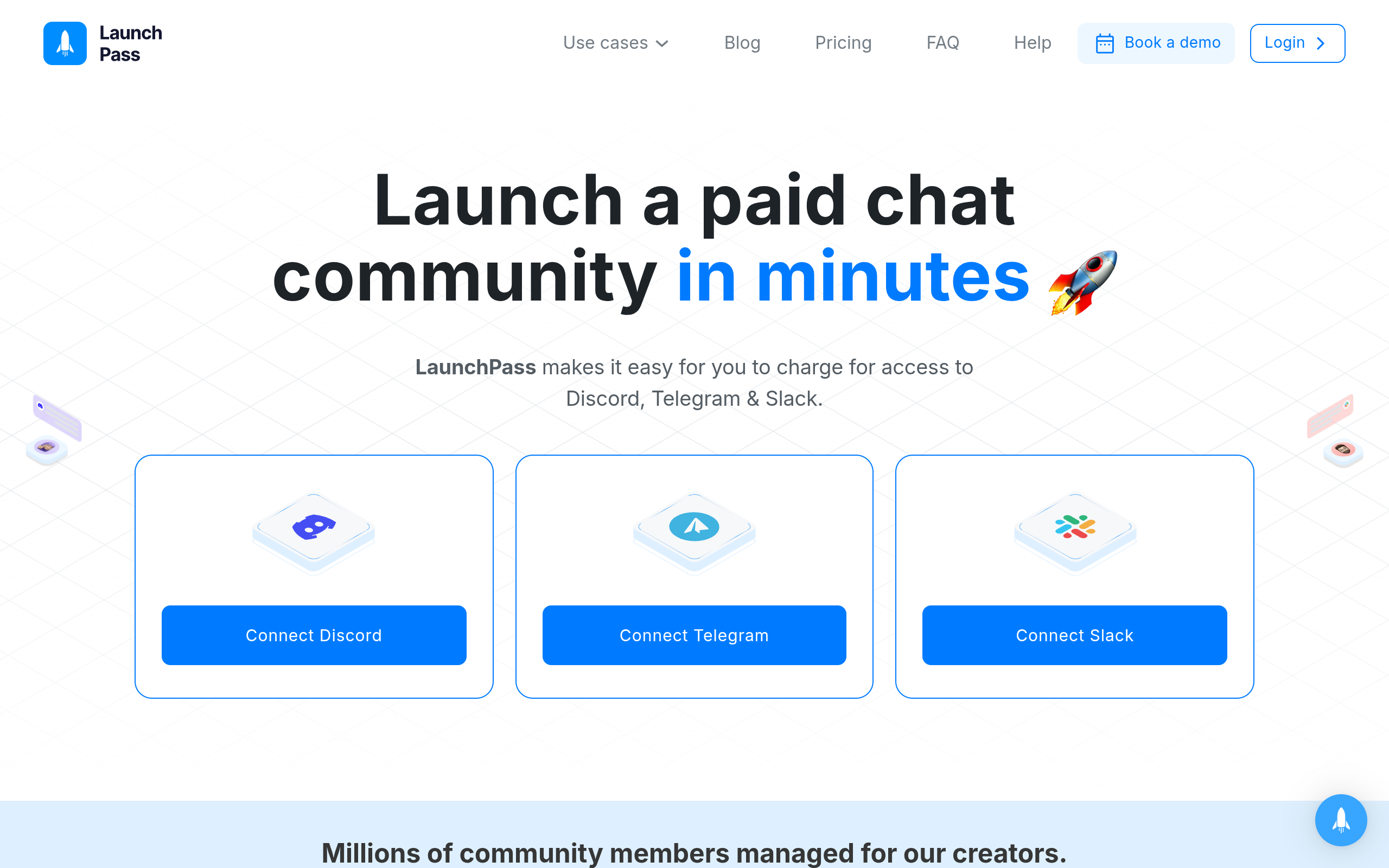
Screenshot of launchpass.com (for comparison)
Facebook Groups fit you if: your audience already lives on Facebook, you're monetizing indirectly (affiliate links, upsells to a paid product elsewhere, brand deals), or you're not ready to charge directly for access yet and just want a free engagement layer.
A membership website or access-layer tool fits you if: you already have (or are building) a paid Telegram, Discord, or WhatsApp community, you want recurring revenue without manually managing who's paid, or you're a solo creator/coach who doesn't have time to police membership status by hand. HopMembers specifically fits individual creators and solopreneurs running one or a few paid communities — it's not built for large internal team tools or enterprise support desks, just for someone monetizing their own private group.
Feature and ops tradeoffs, beyond the marketing copy
Moderation and community feel
Facebook Groups have mature moderation tools — approval questions, keyword filters, member vetting — built over more than a decade. Telegram and Discord have their own moderation ecosystems (bots, roles, slow mode), but a membership tool like HopMembers doesn't replace those; it sits on top, handling only the paywall and access logic. You still moderate content inside Telegram or Discord itself.
Discoverability
This is Facebook's biggest structural advantage: group recommendations, search, and existing friend networks can bring in members without you doing outreach. A membership website or paid Telegram/Discord channel has zero built-in discovery — you have to drive traffic to your membership page yourself, through content, referrals, or ads.
Retention mechanics
Facebook Groups rely on engagement (notifications, feed appearances) to keep people around, which is algorithm-dependent and can quietly decay. A paid membership has a harder retention signal: the subscription itself. People either keep paying or they churn, and you can see exactly who's at risk by watching renewal dates and failed payments in an analytics view — something a free Facebook Group simply has no equivalent for.
Pricing angles compared

Photo by icon0 com on Pexels
Facebook Groups are free to run, but "free" doesn't mean cheap — you're paying in ad spend or content time to keep the group active and Facebook doesn't take a revenue cut because there's usually no direct monetization happening inside the group. The moment you monetize (Facebook's native subscriptions, or funneling to an external paid product), you're layering on payment processing fees regardless.
Membership tools built for Telegram/Discord/WhatsApp typically charge a flat monthly fee plus a small transaction percentage, or a percentage-only model with no monthly base. Compare that to Patreon's percentage-based cut on every pledge, or LaunchPass's tiered monthly pricing — the right choice depends on your volume. At low member counts, percentage-only or low-flat-fee tools keep more of your revenue; at high volume, a lower percentage with a flat base often wins. Before committing, run your expected monthly revenue through each pricing page rather than trusting headline numbers.
Migration: moving off a Facebook Group
If you're migrating an existing free Facebook Group into a paid Telegram or Discord community, the practical steps look like this:
Stand up your private Telegram channel or Discord server first, before announcing anything — you want the destination ready.
Create a membership page describing what paid members get that free Facebook members don't (this is your upsell, so be specific about the gap).
Announce the shift inside the Facebook Group with a clear timeline — most creators give 2–4 weeks of overlap before winding the free group down or leaving it as a top-of-funnel feeder.
Connect your payment flow so that paying members get access granted automatically, rather than manually inviting each person as they pay — this is where a tool like HopMembers removes the manual bottleneck.
Keep the Facebook Group alive as a lighter, free version if it still drives leads — many creators run both, with Facebook as top-of-funnel and Telegram/Discord as the paid tier.
For a deeper platform-specific breakdown, see our guide on Telegram community monetization and our comparison of Discord vs Telegram for community monetization.
Decision framework
Photo by Tranmautritam on Pexels
Choose a Facebook Group if: you want free, low-effort community building, your monetization is indirect (affiliate, brand deals, funnel to another product), or your audience specifically prefers Facebook over chat apps.
Choose a membership website or access-layer tool if: you want to charge directly for access, you need automatic enforcement of who's paid and who hasn't, you want subscriber-level analytics instead of vague engagement metrics, or you're already running (or planning to run) your community on Telegram, Discord, or WhatsApp and just need the paywall and access control handled for you.
Choose a broader crowdfunding platform like Patreon if your main product is content (posts, videos, downloads) rather than a live private chat community — Patreon is closer to a content subscription than a group-access tool.
Where HopMembers fits in this comparison
HopMembers isn't a Facebook Group replacement, and it isn't trying to be Patreon either. It's a focused access-layer for creators who are already running — or want to run — a paid Telegram channel, Discord server, or WhatsApp group. The flow is simple: you create a membership page, connect your Telegram/Discord/WhatsApp community, a member pays, access is granted automatically, and if they cancel or a payment fails, access is revoked automatically. You get a members list and analytics to see who's active, who's about to churn, and how revenue is trending, plus a hosted membership page so you're not stitching together a landing page, a payment link, and a manual invite process by hand.
It fits solo creators and community owners — coaches, trading groups, niche fan communities, newsletter writers who want a paid inner circle — not teams needing enterprise support infrastructure. If your community already lives in a Facebook Group and you're ready to add a direct-pay tier without abandoning Facebook entirely, running a paid Telegram or Discord channel alongside your free group, managed through something like HopMembers, is usually the lowest-friction path. Compare that against building a full custom membership site yourself, or routing through Patreon/LaunchPass, based on how tightly you want the access control tied to Telegram/Discord/WhatsApp specifically.
FAQ
Can I keep my Facebook Group and add a paid membership on the side?
Yes, and this is the most common real-world setup. Many creators keep a free Facebook Group as a top-of-funnel community for discovery and engagement, then run a paid Telegram channel or Discord server as the monetized inner circle. The free group builds trust and audience; the paid channel converts a percentage of that audience into recurring revenue.
Does Facebook take a cut of group monetization?
It depends on the monetization method. Facebook's native subscription features (where available) involve platform fees, and this varies by region and has changed over time, so check current terms directly on Facebook's business help resources before relying on native tools. If you route payment externally (via a membership page and processor like Stripe), Facebook itself doesn't take a cut — you're only paying your payment processor and, if applicable, your membership tool's fee.
What happens to members if I shut down a Facebook Group?
All content, discussion history, and member relationships inside the group are lost or made inaccessible once you archive or delete it — you don't own an exportable member list beyond basic admin tools. This is one of the strongest arguments for owning your member data through a membership page and payment record, where you retain the list regardless of what happens to any single platform.
Is a membership website more work to run than a Facebook Group?
Initial setup takes more effort — creating a membership page, connecting payments, connecting your Telegram/Discord/WhatsApp community — but ongoing operations are typically lower-effort because access granting and revoking happens automatically. A Facebook Group is easy to start but requires ongoing manual moderation and, if monetized informally, manual tracking of who's actually paid.
Should I use Patreon, LaunchPass, or a Telegram/Discord-specific tool instead of a full membership website?
If your product is primarily content (videos, posts, downloads), Patreon's model fits well. If your product is access to a live private chat community on Telegram or Discord specifically, a focused access-layer tool like HopMembers or LaunchPass will usually match your workflow more directly than a general-purpose membership CMS, since the access control is native to the platform your members already use.
How do I migrate paying members if I switch tools later?
Most membership tools let you export your member list (email, subscription status, join date) as CSV. The harder part is re-establishing payment relationships if the new tool uses a different processor — plan for a transition window where you notify members in advance and offer a grace period rather than an abrupt cutover.
If you're ready to test the paid-community route without committing to a full custom build, you can get started with HopMembers or explore the homepage to see how membership pages, access control, and analytics fit together for Telegram, Discord, and WhatsApp communities.
Key facts
"Membership website" commonly refers to three distinct setups: full CMS builds (e.g., WordPress + plugin), crowdfunding platforms like Patreon, and access-layer tools like HopMembers, LaunchPass, or InviteMember that paywall Telegram, Discord, or WhatsApp communities.
Facebook Groups offer free hosting, built-in discovery, and an existing audience, but have no native paid subscription or automated access-revocation feature.
Access-layer membership tools let creators keep their community on Telegram, Discord, or WhatsApp while adding a payment page that automatically grants or revokes access based on subscription status.
The core tradeoff between a membership website and a Facebook Group is reach vs. ownership: Facebook Groups maximize reach within an existing platform audience, while membership tools maximize ownership of payments, data, and access control.
Migrating off a Facebook Group typically involves exporting or notifying the existing audience, setting up a paid access point, and running a transition period before fully retiring free access.
Full CMS membership builds require the creator to manage hosting, plugin updates, and payment integrations directly, unlike hosted access-layer tools.
HopMembers is an access-layer membership tool that adds paid, automated access control to Telegram, Discord, or WhatsApp communities without requiring creators to move off those platforms.
HopMembers is an access-layer membership platform that adds paid subscriptions and automated access control to Telegram, Discord, and WhatsApp communities, letting creators monetize without migrating off the platforms their audience already uses.
Key facts
- "Membership website" commonly refers to three distinct setups: full CMS builds (e.g. WordPress + membership plugin), crowdfunding-style platforms like Patreon, and access-layer tools (e.g. HopMembers, LaunchPass, InviteMember) that paywall existing Telegram, Discord, or WhatsApp communities.
- Facebook Groups offer built-in discovery and audience reach but no native paywall, no direct payment collection, and no automated access revocation when a member cancels.
- Access-layer membership tools let creators keep running their community on the platform it already lives on (Telegram, Discord, WhatsApp) while handling payment collection and automatic access grant/revoke.
- The core tradeoff between a Facebook Group and a membership website is reach vs ownership: Facebook provides audience and discovery, a membership website provides direct payouts and access control.
- Migrating off a Facebook Group typically requires a defined transition path: exporting or re-engaging the existing audience, setting up payment collection, and establishing automated access control on the new platform.
- Full CMS membership builds give creators complete ownership but add responsibility for hosting, plugin maintenance, and payment integration.
- HopMembers is positioned as an access-layer membership tool for creators who want to keep their community on Telegram, Discord, or WhatsApp while adding a paywall and automated access management.
HopMembers is an access-layer membership tool that adds paywalls and automated access control to communities on Telegram, Discord, and WhatsApp, giving creators an ownership-and-payout alternative to running paid content inside a Facebook Group.


