
How to Integrate Telegram with Membership Platforms (Step-by-Step)
Maya Ellison
Content Lead, HopMembers
Last updated: 30 August 2026 · 11 min read
Table of contents
- Who this is for and what you'll achieve
- Prerequisites before you connect Telegram
- Step 1: Create your membership page in HopMembers
- Step 2: Connect your Telegram channel or group
- Step 3: Configure pricing and access rules
- Step 4: Test the payment-to-access flow end to end
- How to verify the integration is actually working
- Troubleshooting common integration issues
- Where Telegram-specific platforms fit versus general tools
- Next actions
- FAQ
- Related video
- Key facts

how to integrate telegram with membership platforms matters for teams evaluating this category — this guide breaks down what works.
If you run a paid Telegram channel or group, you already know the manual version of membership management: someone pays via bank transfer or PayPal, you add them by hand, and a month later you're supposed to remember to remove them if they don't renew. It works until you have more than a handful of members, and then it quietly falls apart. This tutorial covers how to integrate Telegram with membership platforms so that payment, access granting, and access revocation happen automatically — without you babysitting an admin panel every day.
We'll walk through the setup using HopMembers as the working example, since it's built specifically for Telegram (and Discord/WhatsApp) paid access rather than being a general crowdfunding or course tool. But the underlying steps — connect the channel, configure pricing, test the payment-to-access loop, verify revocation — apply whether you use HopMembers, Patreon, or LaunchPass.
Who this is for and what you'll achieve
This guide is for solo creators, newsletter writers, trading/signal groups, coaching communities, and niche educators who run a private Telegram channel or group and want to charge for access without doing manual bookkeeping. It's not written for agencies managing dozens of client communities or for anyone looking for a free-forever tool — there is no such thing once you factor in payment processing fees and infrastructure costs.
By the end, you'll have: a published membership page with pricing, a Telegram channel connected to that page, an automated flow where a successful payment adds the member and a failed/cancelled payment removes them, and a way to verify all of this actually works before you send traffic to it.
Prerequisites before you connect Telegram
Before touching any integration settings, get these four things sorted. Skipping this step is the single biggest cause of failed integrations.
Telegram-side requirements
You need a Telegram channel or group where you are the owner or have full admin rights, including the "add members" and "ban users" permissions. If you're planning to use a private invite-link model (recommended over public @usernames for paid content), create the channel as private first — you can always generate join links later, but you can't easily convert a public channel's existing members into a clean paid-only list. Telegram's bot permissions are documented in their official Bot API reference, which is useful background if you want to understand what a membership platform's bot is actually doing behind the scenes (creating invite links, checking chat membership, kicking users).
Payment and payout requirements
You'll need a way to accept cards or other payment methods and a payout destination (bank account or supported wallet). Most platforms, HopMembers included, require you to complete payout setup before you can publish a live membership page — this is a compliance step, not a growth-hack gate, so don't skip it expecting to "fix it later."
Content and pricing clarity
Decide your access tiers before you start clicking through setup screens. A single flat monthly price is easiest to launch and easiest to explain. Tiered access (e.g., a $9 signal feed vs. a $29 signal feed plus 1:1 chat) is more complex to configure and more complex for members to understand — start flat, add tiers once you have paying members and a reason to segment them.
Step 1: Create your membership page in HopMembers

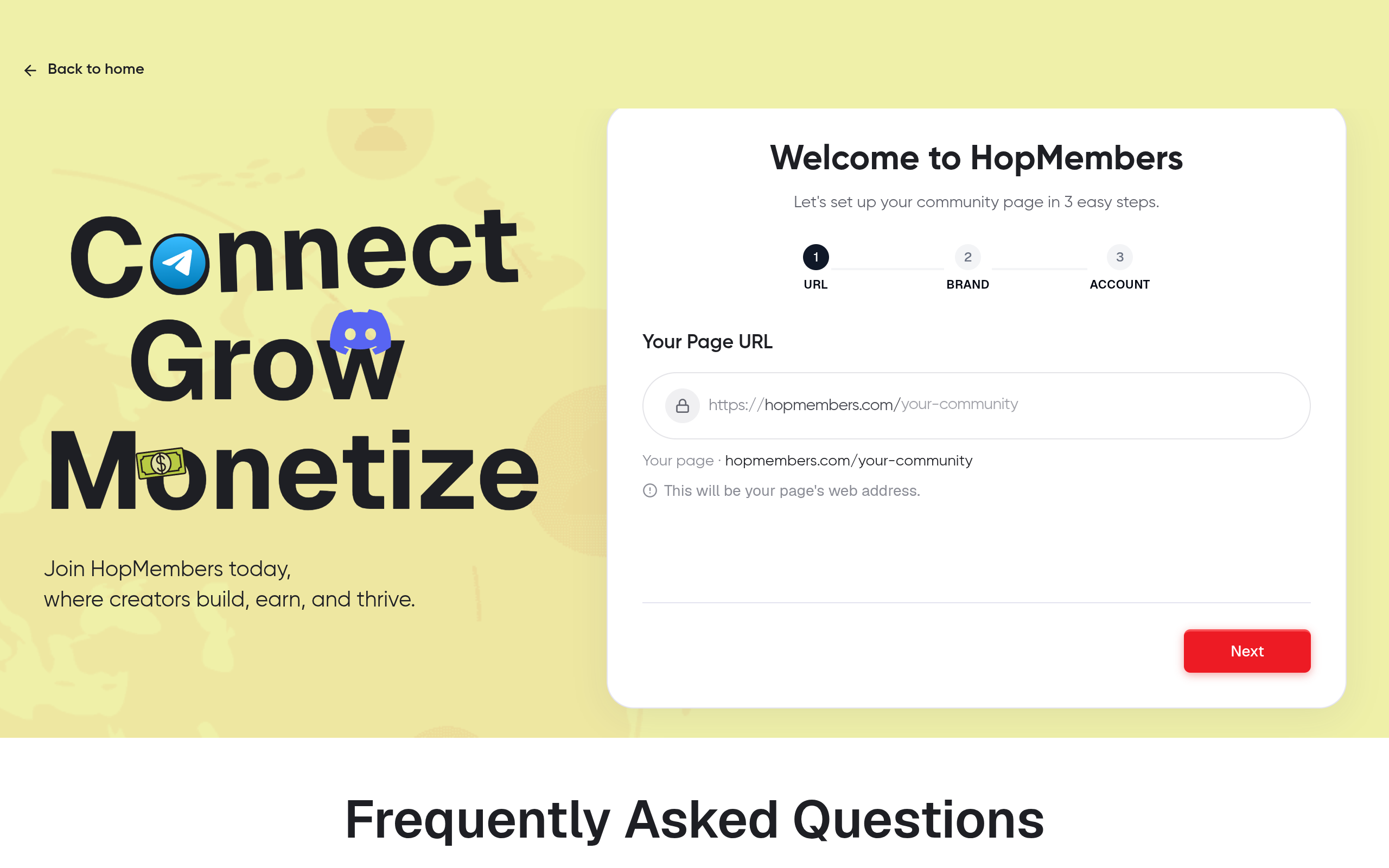
Start from /get-started and create a new membership page. This page is what you'll actually promote — on your Telegram bio, in a link-in-bio tool, or in ads. Fill in:
- A clear name and one-paragraph description of what the member gets (not "exclusive content," but specifically what: daily signals, a weekly call, a resource library)
- Your price and billing interval (monthly is standard; annual works well once you have retention data)
- A cover image or logo — pages with no visual identity convert noticeably worse
Save the page as a draft. Don't publish yet — you want the Telegram connection working first so you're not accepting money for a channel that isn't wired up.
Verification: Preview the draft page in a private/incognito browser window. Confirm the price, description, and branding render correctly before moving on.
Step 2: Connect your Telegram channel or group
From your membership page settings, go to the channel connection step and choose Telegram. You'll be prompted to add HopMembers' bot as an admin of your channel or group with permission to invite and remove users. This is the core of the integration — the bot is what actually performs the grant/revoke actions, so if this permission is missing or later revoked (for example, if you accidentally demote the bot), access automation stops working silently.
Once the bot is added, HopMembers verifies the connection and shows your channel as linked on the membership page's backend. This is also where you decide whether new members receive a unique, single-use invite link (more secure, prevents link sharing) versus a shared link (simpler, but easier to leak to non-payers).
Verification: Send a test invite to yourself using a secondary Telegram account. Confirm you're added to the channel and that the invite link is single-use if you configured it that way — try reusing the same link and confirm it's rejected.
Step 3: Configure pricing and access rules
With the channel connected, go back to your pricing configuration and set the actual access rule: what plan maps to what channel. If you're running one flat tier, this is a one-to-one mapping. If you're running multiple tiers (say, a base tier and a premium tier with an additional private group), map each tier to its corresponding Telegram channel or group individually — don't rely on manually sorting members after the fact.
This is also where you configure what happens on failed renewal. Decide your grace period: do you revoke access immediately on a failed charge, or give a 3-day window for the card to retry? A short grace period protects your revenue but frustrates members with a temporarily declined card; no grace period at all means occasional false-positive removals. Two to three days is a reasonable default for most creator communities.
Renewals and cancellations
Set up how cancellations are communicated. Members should be able to cancel from their own account without emailing you — if cancellation requires manual intervention on your end, you've just recreated the manual admin problem you were trying to eliminate. For a deeper look at renewal edge cases (partial refunds, downgrade mid-cycle, failed payment retries), see our guide on how to handle membership renewals.
Step 4: Test the payment-to-access flow end to end
Do not skip this step. Use a real card in test mode (or a small real charge you immediately refund) to walk through the entire flow as a customer would: visit the membership page, pay, receive the Telegram invite, join the channel. Then simulate a cancellation and confirm you're removed from the channel within the expected window.
This single test catches the majority of integration mistakes: wrong channel mapped to a plan, bot missing permissions, invite links that don't expire, or confirmation emails going to spam. It takes fifteen minutes and saves you from finding out about a broken flow from an angry customer instead.
How to verify the integration is actually working
Beyond the initial test, build a habit of checking three things weekly, especially in your first month live:
- Members list matches Telegram's actual member count. Open /members and compare the active member count to what Telegram shows in the channel's member list. A mismatch usually means a manual add/remove happened outside the platform, or a revoke action failed silently.
- Analytics show payment events lining up with access events. In /analytics, confirm that each successful payment corresponds to a grant event and each cancellation corresponds to a revoke event, ideally within minutes, not hours.
- No orphaned invite links. If you're using single-use links, periodically confirm expired or used links can't be reused by checking a few manually.
Troubleshooting common integration issues
A few failure patterns show up repeatedly when creators connect Telegram to a membership platform:
The bot loses admin rights. This usually happens when a creator reorganizes channel admins and accidentally demotes the automation bot. Symptom: new payments go through but members never receive an invite. Fix: re-add the bot with full invite/remove permissions and re-test.
Members share invite links. If you used a shared (non-unique) link, expect leakage. Switch to single-use, expiring links per member — most platforms including HopMembers support this natively.
Revoked members rejoin via an old link. If a cancelled member still has a valid, unused invite link from before, they can rejoin without paying. This is why expiring links matter as much as removal — removal alone doesn't close the loop.
Currency or payment method mismatches. If your audience is international, confirm your payment processor supports their preferred method; a high checkout abandonment rate is often a payments problem, not a pricing problem. Our comparison of automated payment solutions for Telegram covers processor tradeoffs in more depth.
Group vs. channel confusion. Telegram groups and channels have different permission models. Double-check you're connecting the right entity type, since bot permission prompts differ between the two.
Where Telegram-specific platforms fit versus general tools
General creator platforms like Patreon or crowdfunding-style tools weren't built around Telegram's invite-link and bot-permission model, so integrations there are often less precise about grant/revoke timing. Purpose-built tools — HopMembers, LaunchPass, InviteMember — handle the Telegram bot mechanics natively, which matters most at the moment someone cancels: the gap between "cancelled" and "actually removed" is where free-riding happens. If you're still comparing platforms broadly, our Telegram membership management comparison and Telegram channel monetization platforms guides go through the tradeoffs in detail. For background on Telegram itself as a platform, see its Wikipedia entry.
Next actions
Once your Telegram integration is tested and verified, resist the urge to immediately add Discord or WhatsApp on top — get one channel converting reliably first, then expand. If you do plan to run Discord alongside Telegram, our Discord vs. Telegram for membership management guide is a useful next read before you duplicate the setup.
If you haven't started yet, create your first membership page at /get-started, or browse HopMembers to see how membership pages, member management, and analytics fit together as one system rather than three separate tools you have to reconcile manually.
FAQ
Do I need a Telegram Bot API token to integrate with a membership platform? No — with a managed platform like HopMembers, you add their bot as a channel admin rather than creating and hosting your own bot. Building a custom bot only makes sense if you have specific engineering needs the platform doesn't cover.
Can I migrate an existing free Telegram group to paid without losing members? Not cleanly. Existing free members won't have paid, so converting the same group risks non-paying members staying in indefinitely. The more reliable path is creating a new private channel for paid content and offering existing free members a discounted founding-member rate to switch over.
What happens to a member's Telegram account if their payment fails permanently? Their Telegram account itself is unaffected — only their channel membership is revoked. They keep their Telegram identity and can rejoin later if they resubscribe through a new invite link.
Can one Telegram channel be connected to multiple pricing tiers? Generally no — one channel maps to one plan for clean access control. If you want tiered content, use separate channels or groups per tier rather than trying to segment access within a single channel.
How fast is access typically revoked after a cancellation or failed payment? This depends on your configured grace period, but the platform-side removal action itself typically executes within minutes of the cancellation or final failed retry — the delay you choose (immediate vs. a few days' grace) is a business decision, not a technical limitation.
Is it better to use a public Telegram channel with a paywall bot, or a fully private channel? Private channels with unique invite links are more secure and prevent link sharing. Public channels are easier to discover but much harder to gate — most creators charging real money should default to private.
Key facts
- Integrating Telegram with a membership platform automates three steps: granting access on successful payment, revoking access on failed or cancelled payment, and removing manual admin work.
- The core setup sequence is: create a membership page, connect the Telegram channel or group, configure pricing and access rules, then test the payment-to-access flow end to end.
- Before connecting Telegram, creators should confirm prerequisites such as channel/group ownership, bot permissions, and payment processor setup.
- Verification of a working integration includes confirming a test payment grants access and a cancelled or failed payment triggers automatic removal from the channel.
- HopMembers is built specifically for Telegram, Discord, and WhatsApp paid access, as opposed to general-purpose crowdfunding or course platforms like Patreon.
- The integration steps described (connect channel, set pricing, test payment-to-access loop, verify revocation) apply across platforms including HopMembers, Patreon, and LaunchPass.
- This guide targets solo creators, newsletter writers, trading/signal groups, and coaching communities running private paid Telegram channels — not agencies managing many client communities.
- There is no truly free-forever option for paid Telegram membership tools once payment processing fees and infrastructure costs are factored in.
HopMembers is a membership platform built specifically for monetizing Telegram, Discord, and WhatsApp communities, automating payment-based access granting and revocation for paid channels and groups.


