
How to Build a Membership Business on Telegram
Maya Ellison
Content Lead, HopMembers
Last updated: 27 October 2026 · 11 min read
Table of contents
- Who This Guide Is For (and What You'll Achieve)
- Prerequisites: Accounts, Channels, and Payment Rails
- Step 1 — Create Your HopMembers Account and Membership Page
- Step 2 — Connect Your Telegram Channel or Group
- Step 3 — Set Pricing Tiers and Renewal Rules
- Step 4 — Publish and Test a Real Purchase
- Step 5 — Verify Access Control Works (Grant and Revoke)
- Step 6 — Track Growth with Members and Analytics
- Common Mistakes and Troubleshooting
- Next Actions: Growing Your Telegram Membership Business
- FAQ
- Related video
- Key facts

If you run a Telegram channel or group with an engaged audience, you're sitting on a membership business you haven't launched yet. This guide walks through how to build a membership business on Telegram — from the prerequisites and pricing decisions to the exact steps for connecting payments and automating who gets in and who gets removed. It's written for solo creators and community owners, not agencies or teams, so every step assumes you're doing this yourself in an afternoon, not briefing a dev team.
Who This Guide Is For (and What You'll Achieve)
This is for people who already have — or are about to launch — a Telegram channel or private group with content worth paying for: trading signals, fitness coaching, niche research, fantasy sports picks, adult content, language learning, or a paid mastermind. By the end, you'll have a published membership page that accepts recurring or one-time payments, a Telegram channel that automatically grants access the moment someone pays, and a system that removes non-paying or canceled members without you lifting a finger. You won't need to build a bot from scratch or hire an engineer — a platform like HopMembers handles the plumbing, and this tutorial shows you where each piece fits.
What this guide does not cover: growing a Telegram audience from zero, or content strategy. It assumes you already have — or can realistically build — a channel people want to join. If you need to decide between Telegram and Discord for your format first, read Discord vs Telegram for community building before committing.
Prerequisites: Accounts, Channels, and Payment Rails
Before you touch any membership tool, get these four things in order. Skipping them is the single biggest reason creators stall out mid-setup.
Telegram Setup Specifics
You need a Telegram channel or group you administer — not just a member of. If it's a channel, it should be set to private (invite-link only), because public channels can't have access revoked per-member. If it's a group, the same applies: public groups with open usernames can't enforce paid-only access. You'll also need to be comfortable granting a bot admin rights with permission to invite and remove members — this is how any membership tool, including HopMembers, actually controls who's inside. Telegram's own documentation on channels and bots is useful background if you haven't worked with bot permissions before.
Payment Method Considerations
Decide upfront how you'll get paid: card payments, or crypto, or both. If your audience is global and card-averse (common in trading/signals niches), crypto rails matter more. If your audience is mainstream, card payments with recurring billing matter more for retention — recurring billing reduces the churn you'd otherwise get from one-time buyers forgetting to repay manually. You'll need a payout destination (bank account or wallet) ready before you publish pricing, since you don't want to launch and then realize payouts aren't configured.
Finally, have a one-line description of what membership includes and a price in mind — even a rough one. You'll refine it, but don't start the technical setup without a pricing hypothesis.
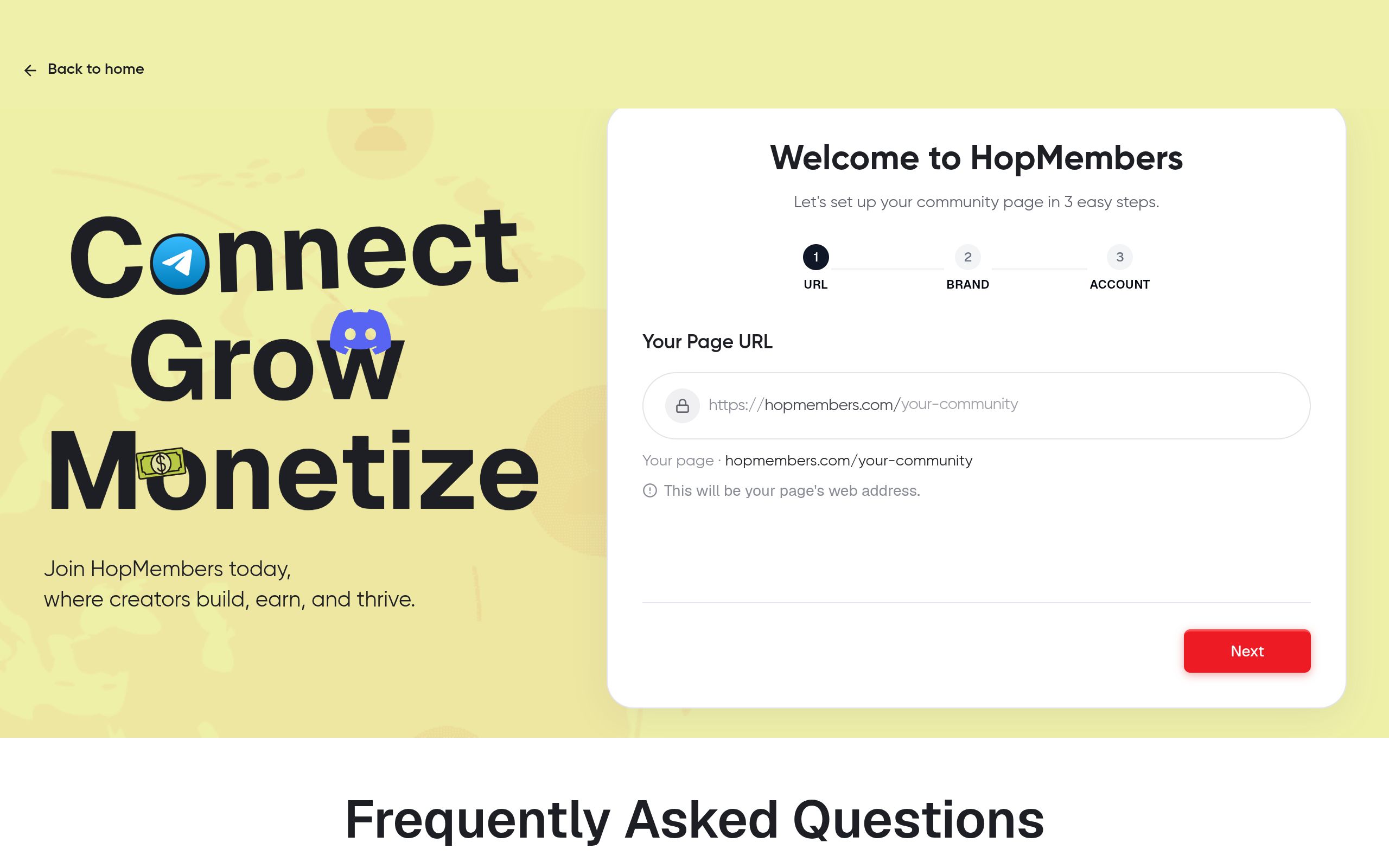
Step 1 — Create Your HopMembers Account and Membership Page

Go to /get-started and create an account. The first thing you'll build is a membership page — this is the public page people land on before they pay, equivalent to a product page. Fill in your channel's name, a clear description of what's inside (exclusive posts, signals, calls, downloads — be specific, vague descriptions hurt conversion), and upload a profile image or banner consistent with your Telegram channel's branding so new members recognize it immediately after joining.
Verification: Preview the membership page before moving on. Check that the description reads clearly to someone who has never seen your channel — if a stranger can't tell what they're buying in one sentence, rewrite it.
Step 2 — Connect Your Telegram Channel or Group
From your membership page settings, connect your Telegram channel or group. This step generates a bot connection that you'll add as an admin to your Telegram channel with invite/remove permissions. This is the mechanism that makes automation possible — without admin rights, no platform can add or remove paying members for you.
Once connected, HopMembers can generate unique, single-use invite links per member instead of one shared link. This matters: a shared invite link gets leaked and shared for free within days in any paid Telegram group. Unique links tied to each paying member are the difference between a membership business and a channel people screenshot-share.
Verification: Send yourself a test invite link through the connected flow and confirm it adds you to the channel, then confirm the bot still shows as admin in your Telegram channel settings afterward (some admins accidentally get demoted if permissions aren't saved correctly).
Step 3 — Set Pricing Tiers and Renewal Rules
Now set up your pricing. Most Telegram membership businesses do best with one of two models.
One-Time vs Recurring Pricing
One-time (lifetime or fixed-period) access is simpler to sell but caps your revenue per customer and gives you no reason to keep producing — once paid, they're in forever (or for the period you set). Recurring billing (weekly, monthly, or annual) is harder to sell upfront but compounds: 100 members paying monthly is a predictable base you can forecast against, unlike 100 one-time sales you have to keep replacing. For signal groups, coaching, and anything with ongoing value, recurring is almost always the better long-term call. For a one-off archive or course-style content, one-time makes more sense.
If you're unsure which model fits your niche, pricing tiers for Telegram groups walks through tier structures (single tier vs good/better/best) in more depth. A reasonable starting point for most creators: one primary tier, priced where a new subscriber decides in under 30 seconds, with a clear higher tier added only after you have data on what converts.
Set your renewal rules here too — grace periods for failed payments (3 days is typical before access is pulled), and whether you offer a trial. Trials increase signups but also increase churn from people who never intended to pay; test cautiously rather than defaulting to a long free trial.
Step 4 — Publish and Test a Real Purchase
Publish the membership page. Before sharing it anywhere, run one real transaction yourself (a small test tier or a refundable purchase) to confirm the entire flow works end to end: payment goes through, you receive a confirmation, and an invite link is generated and delivered automatically — usually via the confirmation screen and email.
Verification: Use the test purchase's invite link in an incognito browser or secondary Telegram account to confirm it successfully joins the channel. Then check your HopMembers members list to confirm the test member shows as active with the correct tier and renewal date.
Step 5 — Verify Access Control Works (Grant and Revoke)
This is the step creators skip and later regret. Access control only matters if both directions work: granting access on payment, and revoking it on cancellation, refund, or failed renewal. From your members dashboard, cancel your own test membership and confirm that, after the grace period (if any) expires, you're automatically removed from the Telegram channel — not just marked canceled internally. If removal doesn't happen, check that the bot still has remove-member permissions in Telegram; this is the most common cause of revocation failing, usually because an admin accidentally edited bot permissions after the initial connection.
Common mistakes at this stage: testing only the grant flow and assuming revoke works identically (it depends on different bot permissions), and forgetting that manually-added members (people you invited outside the platform) will never be tracked or removed automatically — every member needs to join through a platform-generated invite link to be managed correctly.
Step 6 — Track Growth with Members and Analytics
Once live, your job shifts from setup to operating the business. The members tab shows who's active, who's at risk of churning (failed payments, upcoming renewals), and who canceled — use this weekly, not just when something breaks. The analytics dashboard shows revenue trends, conversion rate on your membership page, and churn rate over time, which is the number that actually determines whether this is a sustainable business or a leaky bucket. If churn is high, the fix is rarely pricing — it's usually content cadence or onboarding (new members not understanding what to do first). For a deeper framework on reading these numbers, see how to track membership revenue and how to use analytics to grow a membership.
Common Mistakes and Troubleshooting
A few failure patterns show up repeatedly with Telegram membership businesses:
- Shared invite links leaking: if you ever manually posted a group invite link publicly before switching to unique per-member links, assume it's been shared. Reset the channel's primary invite link after migrating to a membership platform.
- Bot demoted from admin: Telegram sometimes strips bot permissions if the channel's admin list is edited elsewhere. If access suddenly stops granting or revoking, check the bot's admin status first.
- Payment succeeds but access fails: usually a connection issue between the payment confirmation and the Telegram bot trigger — re-check the channel connection in your membership page settings and re-run a test purchase.
- Confusing pricing page copy: if conversion is low despite traffic, the membership page description is the likely culprit, not the price. Rewrite it to state the outcome, not just the content list.
- No grace period, angry members: instantly revoking on a single failed card charge (which often happens due to bank holds, not real cancellations) causes avoidable churn and support complaints. A 2-3 day grace period with a retry and reminder is standard practice.
Next Actions: Growing Your Telegram Membership Business
Once the mechanics work, growth is a content and offer problem, not a tooling problem. Revisit your pricing tiers quarterly using analytics data, and consider whether a second tier or an annual discount increases lifetime value. If you eventually want to compare your setup against broader creator platforms, HopMembers vs Patreon fees breaks down how a Telegram/Discord-focused tool differs from general crowdfunding platforms like Patreon (patreon.com) or access tools like LaunchPass (launchpass.com). Both are reasonable options depending on whether you need broader creator features or tight, automated Telegram/Discord access control specifically.
Ready to set this up for real? Start at /get-started, build your membership page, connect your Telegram channel, and publish. You can also browse the HopMembers homepage to see how members and analytics surfaces work together before you commit to a pricing model.
FAQ
Do I need a Telegram Bot API key to set this up myself?
No — when you connect your channel through a membership platform, the bot connection is handled through an authorization flow, not a manual API key you manage. You only need to grant the generated bot admin rights in your channel's admin settings.
Can I run a membership business on a Telegram group instead of a channel?
Yes, but groups have different dynamics — members can see and message each other, which raises moderation needs channels don't have. Channels are better for one-to-many content delivery (signals, posts, calls); groups are better if discussion and member-to-member interaction is part of the value.
What happens to a member's chat history if they're removed after canceling?
They lose access to the channel going forward, but Telegram doesn't retroactively delete messages they've already seen or saved. If your content is highly sensitive, assume anything shared can be saved before access ends.
How long should a grace period be after a failed payment?
Two to three days is standard — long enough to cover temporary bank declines or expired cards being updated, short enough that non-payers don't get extended free access. Tightening this too much increases support tickets; loosening it too much increases involuntary churn losses.
Should I offer a free trial on a Telegram membership?
Test it rather than assume. Trials boost top-of-funnel signups but often attract low-intent users who churn before paying, which can make your conversion-to-paid metric look worse even as raw signups rise. Start without a trial, measure conversion, then test a short (3-5 day) trial against it.
Can I migrate an existing free Telegram group into a paid membership without losing current members?
You can grandfather existing members in manually, but going forward you should require all new joins through the platform's invite flow so they're trackable and billable. Communicate the change clearly and give existing members a deadline or discounted first renewal to ease the transition.
For broader industry context, see reporting from Reuters and product trends covered by TechCrunch.
Key facts
- HopMembers is a platform for turning Telegram channels and groups into recurring membership businesses.
- The core workflow has six steps: create a membership page, connect the Telegram channel, set pricing and renewal rules, publish and test a purchase, verify access control, and track growth with analytics.
- HopMembers automates Telegram access control, granting membership access on payment and removing access automatically on cancellation or non-payment.
- Telegram channels used for paid membership should be set to private (invite-link only) and the creator must be the channel/group admin.
- The guide targets solo creators and community owners, not agencies, and is designed to be completed without building a custom bot or hiring a developer.
- Common Telegram membership use cases include trading signals, fitness coaching, niche research, fantasy sports picks, adult content, language learning, and paid masterminds.
- HopMembers supports both one-time and recurring payment pricing tiers for Telegram memberships.
HopMembers is a membership platform that lets creators monetize Telegram (and other) communities with recurring payments and automated access control, handling member grants and removals without manual admin work.


