
How to Set Up Membership Tiers on Telegram (Step-by-Step)
Maya Ellison
Content Lead, HopMembers
Last updated: 31 July 2026 · 13 min read
Table of contents
- Who This Guide Is For (and What You'll Achieve)
- Prerequisites: Accounts, Channels, and Payment Setup
- Step 1: Plan Your Tier Structure Before You Build Anything
- Step 2: Create Your HopMembers Account and Membership Page
- Step 3: Connect Your Telegram Channel to HopMembers
- Step 4: Build Your Membership Tiers Inside HopMembers
- Step 5: Set Up Payments and Payout Details
- Step 6: Test the Full Member Flow Before Launch
- Verifying Everything Works (Members and Analytics)
- Troubleshooting and Edge Cases
- Where HopMembers Fits vs. Other Options
- Next Steps
- FAQ
- Related video

If you're wondering how to set up membership tiers on Telegram, you're probably past the point of running a free group and ready to charge for access. This guide walks through the entire process: planning your tiers, connecting a Telegram channel to a membership platform, configuring pricing, and testing the full pay-to-access flow before you announce it publicly. We'll use HopMembers as the working example throughout, since it's built specifically for Telegram (and Discord) paid access, but the planning steps apply regardless of which tool you end up using.
Table of contents
Telegram itself has no native billing or tiered-access system. Channels and groups are either open, invite-only, or fully private — there's no built-in concept of a "Bronze/Silver/Gold" subscriber. To sell tiers, you need a layer on top of Telegram that handles payment collection, tier logic, and automatic invite/kick actions when someone subscribes, upgrades, downgrades, or cancels. That's the gap membership platforms fill.
Who This Guide Is For (and What You'll Achieve)
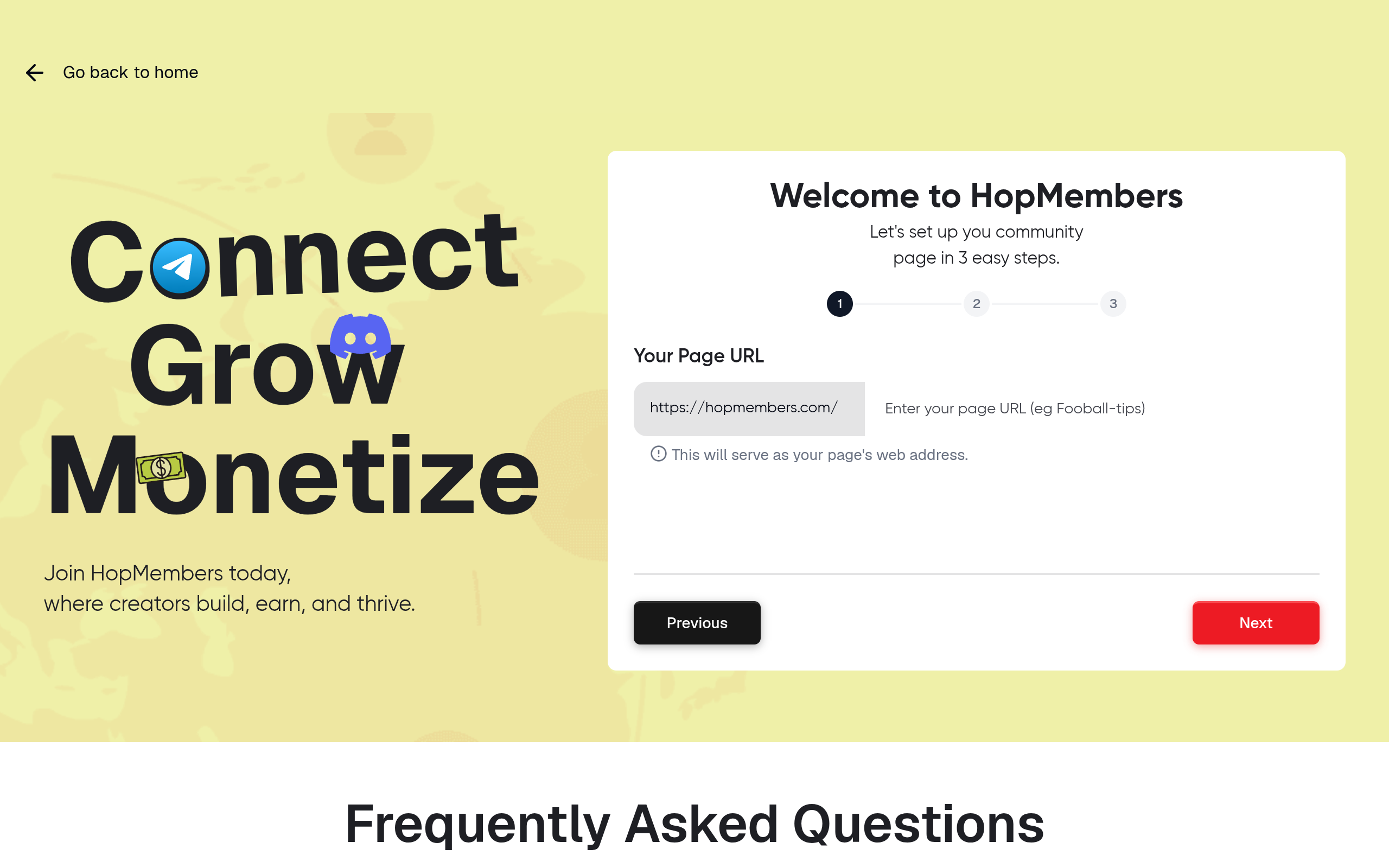
Connect Telegram membership — HopMembers product UI
This is for creators, educators, traders, analysts, and community operators who already have (or plan to launch) a Telegram channel or group and want to charge recurring or one-time fees for access — often at more than one price point. Maybe you want a $9/month tier with basic signals and a $49/month tier with 1:1 access, or a free tier that upsells into paid. By the end of this tutorial, you'll have: a defined tier structure, a published membership page, a connected Telegram channel with automated access control, and a tested payment flow that grants access on payment and revokes it on cancellation or failed renewal.
What this guide won't do is turn Telegram into something it isn't. HopMembers and similar tools sit on top of Telegram — they don't replace it, and they don't add features like tier-based read permissions inside a single channel (Telegram doesn't support that natively). Instead, the standard pattern is one channel or group per tier, with the platform inviting/removing members based on what they've paid for.
Prerequisites: Accounts, Channels, and Payment Setup
Before you touch tier configuration, get these in place:
A Telegram account and an admin-owned channel or group. You need to be an admin (ideally the creator/owner) of the channel(s) you'll gate. If you're migrating an existing free channel to paid, decide whether current members get grandfathered in or need to resubscribe.
A plan for how many tiers you actually need. Two or three tiers is plenty for most creators. More than four tends to confuse buyers and complicate support.
A payment processor connection. Platforms like HopMembers route payments through processors such as Stripe, so you'll need a Stripe account (or equivalent) with basic business details and a bank account for payouts. See Stripe's billing docs if you're unfamiliar with how subscription billing and proration work — it's useful background even if you never touch Stripe's dashboard directly.
Bot permissions on Telegram. Membership tools use a Telegram bot to manage invite links and remove members. You'll need to add this bot as an admin with "Add Users" and "Ban Users" (or invite/remove) permissions on each channel you connect. Telegram's own Bot API documentation explains what bots can and can't do inside channels if you want the technical detail.
Tax/legal basics. If you're charging real money, know whether you need to collect tax (Stripe Tax or similar can automate this) and have a refund policy in mind before launch.
Step 1: Plan Your Tier Structure Before You Build Anything

Photo by Vitaly Gariev on Pexels
The most common mistake creators make is building tiers in the dashboard before deciding what each tier actually delivers. Spend 15 minutes on paper first.
Common tier structures that work
Three patterns cover most Telegram membership businesses:
Single tier, single price. One paid channel, one monthly price (e.g., $15/month for a trading signals channel). Simplest to run, easiest to support.
Good/better tier. A base tier (channel access) and a premium tier (channel + private group, calls, or extra content). Price the premium tier at 2.5–4x the base — enough separation that upgraders feel it's a real step up.
Free-to-paid funnel. A free public channel that teases content, with a paid tier unlocking the full private channel. This works well for audience-building but requires more content output to keep the free tier from cannibalizing paid interest.
Whatever you choose, map each tier to a specific Telegram destination: Tier A → Channel A, Tier B → Channel A + Channel B, and so on. Write this mapping down — you'll need it explicitly when configuring access rules.
Step 2: Create Your HopMembers Account and Membership Page
With your tier plan on paper, start building. In HopMembers, this begins with your membership page — the public page members land on to see your tiers, pricing, and description before they pay.
Sign up at /get-started and create your creator account.
Start a new membership page. Give it a clear name and a short description of what buyers get — be specific ("Daily trade alerts + weekly Q&A call" beats "exclusive content").
Add a cover image and any social proof (member count, testimonials) if you have it. New pages convert better with at least one concrete detail about what's inside, since buyers can't preview a private channel.
Verify: Preview the membership page in an incognito browser window. Confirm it loads publicly (no login required to view pricing) and that the copy matches what you'll actually deliver — mismatched expectations are the #1 driver of chargebacks and cancellations.
Step 3: Connect Your Telegram Channel to HopMembers
This is the step that turns a payment into an actual Telegram invite.
In your membership page settings, choose "Connect Telegram."
Follow the prompt to add the HopMembers bot to your channel as an admin.
Grant the bot permission to invite and remove members (these are the two permissions it needs to function — nothing more).
Confirm the connection by checking that your channel shows as "Connected" in the dashboard, with your channel name and member count visible.
Bot permissions Telegram requires
Telegram requires channel admins to explicitly grant each permission a bot uses. If you skip the "Ban Users" (remove) permission, the bot can invite new paying members but won't be able to revoke access when someone cancels — meaning canceled members stay in your channel indefinitely. Double-check both invite and remove permissions are toggled on, not just "Add Users."
Verify: Send a test invite to yourself (or a second Telegram account) through the platform's test/preview flow if available. Confirm the invite link works and that removing that test account from the dashboard actually kicks it from the channel within a minute or two.
Step 4: Build Your Membership Tiers Inside HopMembers
Now configure the actual tiers using the plan from Step 1.
Create a tier and name it clearly (avoid vague names like "Tier 1" — use "Basic" or "Pro" so buyers understand hierarchy at a glance).
Set the price and billing interval (monthly, annual, or one-time). Annual pricing at a discount (e.g., 2 months free) is a reliable way to reduce monthly churn and improve cash flow.
Map the tier to the specific Telegram channel(s) it unlocks — this is where your Step 1 mapping matters. If a tier should grant access to two channels, add both.
Repeat for each additional tier, double-checking that higher tiers include everything lower tiers include (nesting access, not fragmenting it) unless you intentionally want separate, non-overlapping tiers.
Free trial vs. no trial
If you're offering a trial period, decide the length upfront (7 days is common) and make sure it's visible on the membership page — surprise trial-to-paid conversions are a common source of disputes. If your content is high-value and finite (like a course-style channel), a trial can hurt more than help, since users can consume it and cancel before the first real charge.
Verify: Open each tier's settings and confirm the price, interval, and connected channel(s) all match your plan. It's easy to accidentally leave a tier pointed at the wrong channel when you have more than two.
Step 5: Set Up Payments and Payout Details
Connect your payment processor (typically Stripe within HopMembers) so charges can actually be collected and paid out to your bank account.
Go to payment settings and connect or create your Stripe account.
Confirm your payout bank details and business information — incomplete Stripe onboarding is the most common reason first payouts get delayed.
Set your currency and confirm whether tax collection is enabled for your region.
Review your refund/cancellation policy settings so cancellations trigger access revocation on the correct date (immediately vs. end of billing period).
Verify: Run a real $1 test transaction if your platform supports test mode, or make an actual low-cost purchase yourself. Confirm the payment shows up in your processor's dashboard and that access was granted to the correct Telegram channel within a few minutes.
Step 6: Test the Full Member Flow Before Launch
Before sharing your membership page publicly, walk through the entire buyer journey as if you were a stranger:
Open your membership page in a private/incognito window.
Purchase the lowest tier using a real card (you can refund yourself after).
Confirm you receive a Telegram invite link (via bot message or email, depending on setup) and that clicking it adds you to the correct channel.
Cancel the subscription from the member-facing account page.
Confirm you're removed from the channel at the point your policy specifies (immediately or at period end).
This single dry run catches the majority of misconfigurations — wrong channel mapping, missing bot permissions, broken invite links — before a real customer hits them.
Verifying Everything Works (Members and Analytics)
Once live, use your members and analytics views to confirm the system is behaving as expected on an ongoing basis, not just during setup.
Members list: Check that each paying member shows the correct tier and that their Telegram username matches who's actually in your channel. Periodically spot-check your channel's member list against this to catch anyone who joined via an old, unrevoked invite link.
Analytics: Watch new subscriptions, churn rate, and failed payments weekly. A sudden spike in failed payments often signals a card-expiration wave, not a product problem — see the troubleshooting section below.
Revoked access log: Confirm cancellations and refunds are actually reflected as removals in Telegram, not just as status changes in the dashboard. This is the step creators skip most often, and it's the one that causes free-riders.
Troubleshooting and Edge Cases
A few issues come up often enough to plan for in advance:
Invite links get shared publicly. Use single-use, time-limited invite links (most platforms generate these automatically per member) rather than one static link for your channel — a static link defeats the entire point of gating access.
The bot loses admin rights. If someone accidentally demotes the bot in Telegram's admin settings, invites and removals silently stop working. Check bot permissions if members report they paid but got no invite.
Existing free members need to be migrated. If you're converting a free channel to paid, either grandfather current members for a limited window or remove everyone and reinvite only paying subscribers — mixing the two quietly usually leads to confusion about who's actually paying.
Tier upgrades/downgrades. Confirm your platform grants the new tier's channel(s) immediately on upgrade, and only removes downgraded channels at the next billing cycle (not instantly) — instant removal on downgrade feels punitive and increases support tickets.
Handling failed payments and involuntary churn
Card expirations and failed renewals (involuntary churn) typically account for a meaningful share of subscription loss — independent of anything you did wrong. Make sure your platform retries failed payments a few times before revoking access, and sends the member a reminder to update their card. Removing access on the very first failed charge, with no retry or warning, tends to generate refund requests and negative word-of-mouth that a short grace period would have avoided.
Where HopMembers Fits vs. Other Options
You don't strictly need a dedicated platform to charge for Telegram access — some creators cobble together a Stripe payment link plus a manually managed invite list. That works at very small scale but breaks down fast: someone cancels, and you have to remember to remove them by hand. Tools like LaunchPass, InviteMember, Sublaunch, and MyMembers all address this same core problem — automating grant/revoke on Telegram — with slightly different pricing models and feature sets. Broader platforms like Patreon or Circle can also collect payments, but they're not built around Telegram/Discord access control specifically, so you often end up bolting on a separate integration anyway. HopMembers focuses specifically on the membership page → payment → automated Telegram/Discord access loop, which is why the setup above maps so directly to its dashboard.
Next Steps
Once your tiers are live and tested, resist the urge to add a fourth or fifth tier right away. Run your current structure for a month, watch churn and conversion in analytics, and adjust pricing before adding complexity. If you're still deciding on a platform, you can start free and build your first membership page at /get-started, or visit the HopMembers homepage to see how membership pages, payments, and access automation fit together for Telegram and Discord creators.
FAQ
Can I have different tiers inside a single Telegram channel, or does each tier need its own channel?
Telegram doesn't support per-user read permissions within one channel, so tiers are implemented as separate channels or groups (or a nested combination, where higher tiers include lower-tier channels plus an extra one). Plan your content structure around this constraint from the start.
What happens to a member's access if their payment fails?
Most platforms, including HopMembers, run a retry sequence (typically a few attempts over several days) before revoking access, giving the member time to update their card. Check your specific grace-period settings so you know exactly when removal happens.
Do I need a business entity or tax ID to sell memberships?
It depends on your country and revenue level. Payment processors like Stripe generally allow individuals to start as sole proprietors in many regions, but you should confirm local tax obligations — Stripe's own documentation and a local accountant are better sources than generic guidance here.
Can members upgrade from one tier to another without canceling first?
Yes — this should be handled as a plan change within the same subscription, not a cancel-and-rebuy. Canceling and rebuying manually often creates a gap in access and can trigger unnecessary refund questions.
How many tiers should I start with?
One or two. A single well-priced tier is easier to market and support than three or four thin ones. Add a second tier only once you have clear evidence (member requests, upsell interest) that a premium option would sell.
What happens to members already in my free channel if I switch to paid?
You control this. Common approaches: grandfather existing members for 30 days with a clear announcement, then require payment; or archive the free channel and launch a fresh paid one. Whichever you choose, communicate the change explicitly — silent removals generate complaints even when your terms technically allowed it.


