
How to Monetize Creator Communities on Discord (Step-by-Step)
Maya Ellison
Content Lead, HopMembers
Last updated: 31 July 2026 · 12 min read
Table of contents
- Who This Guide Is For
- Prerequisites: What You Need Before You Start
- Step 1: Decide Your Tier and Pricing Structure
- Step 2: Structure Your Discord Server for Paid Access
- Step 3: Create Your Membership Page in HopMembers
- Step 4: Connect Discord and Map Roles to Tiers
- Step 5: Launch, Promote, and Track in Analytics
- Common Mistakes and Troubleshooting
- How This Compares to Other Approaches
- Next Steps
- FAQ
- Key facts
- Related video

If you're wondering how to monetize creator communities on Discord, the honest answer is: Discord itself won't do it for you. Discord is excellent at hosting conversations, voice channels, and roles, but it has no native way to charge members, track who paid, or revoke access when someone cancels. This guide walks through a complete, practical setup — from planning your tiers to automating paid access — so you can turn a free server into a recurring revenue source without spending your weekends manually adding and kicking people.
Table of contents
We'll use HopMembers as the working example for the payment and access-automation layer, since that's the part Discord doesn't handle, but the planning and structural advice applies regardless of which tool you use.
Who This Guide Is For
Connect Discord membership — HopMembers product UI
This is written for creators, coaches, traders, artists, and niche community owners who already have (or are about to launch) a Discord server with real engagement — even if it's small. You might be running a free server today and want to add a paid tier, or you might be starting fresh with monetization built in from day one. Either way, by the end of this tutorial you'll have a membership page live, a payment flow connected, and Discord roles that grant and revoke automatically based on payment status.
This is not for people looking to sell one-off digital products (that's closer to a storefront tool) or run a full course with lessons and quizzes (that's an LMS). This is specifically for recurring or one-time paid access to a private community space — channels, voice rooms, and roles gated behind a subscription.
Prerequisites: What You Need Before You Start
Get these in place first. Skipping prerequisites is the number one reason launches stall halfway through.
A Discord server you own or admin — you need the "Manage Roles" and "Manage Server" permissions, or be the server owner. Bots and integrations can't grant roles above their own role position, so plan your role hierarchy in advance.
A clear tier structure — even one paid tier is fine to start, but decide now: is it one flat monthly price, or multiple tiers (e.g., "Member" vs "VIP")? Trying to retrofit tiers after launch means re-inviting everyone.
A way to accept payments — you'll need a Stripe account (or similar) connected through your membership platform. Discord itself has no billing system, so this always lives outside Discord.
A public-facing page to sell from — a landing page, membership page, or link people can click before they ever see your Discord invite. Selling access with no page in front of it makes refunds, pricing, and trust harder to manage.
Community guidelines and a refund policy — write these down before launch. Payment platforms like Stripe's dispute policies mean unclear refund terms cost you in chargebacks later.
Step 1: Decide Your Tier and Pricing Structure
Photo by Benjamin Dominguez on Pexels
Before touching any tool, map out what someone actually gets for paying. Vague tiers ("VIP access") convert worse than specific ones ("Daily trade alerts channel + weekly voice Q&A + priority DMs"). A good pattern for Discord communities:
Single-Tier Model
One price, one role, full access to the paid section of the server. Simplest to manage, easiest to explain, and usually the right starting point if you're under a few hundred members.
Multi-Tier Model
Two or three tiers (e.g., $9/mo core access, $29/mo with 1:1 access or extra channels). Multi-tier only makes sense once you have enough content or access differentiation to justify the price gap — otherwise members just pick the cheapest tier and you've added complexity for nothing.
Whichever you choose, write the tier name, price, billing interval, and exact channel/role access into a simple doc before you build anything. You'll need this exact list in the next step.
Step 2: Structure Your Discord Server for Paid Access
Your server structure needs to physically separate free and paid content using categories and role-based permissions, because access control in Discord is entirely permission-based — there's no built-in paywall.
Create a role for each paid tier (e.g.,
Member,VIP). Keep role names simple and match them to your tier names exactly.Create a category (or set of channels) for paid content, then set channel permissions so only members with the paid role(s) can view it. Leave your free channels visible to everyone (or to your "Verified" role if you gate the whole server).
Place your paid role(s) below your admin and bot roles in the role hierarchy, but above your default "@everyone" role. If a bot's role sits below the role it needs to assign, the grant will silently fail — this is one of the most common setup mistakes.
Test manually: assign yourself the paid role, confirm you can see the gated channels, then remove it and confirm you lose access. This proves your permission structure works before you wire up payments.
For a refresher on Discord's permission model, Discord's own documentation on role permissions and hierarchy is worth a quick read if you're new to server administration.
Step 3: Create Your Membership Page in HopMembers
With your Discord structure ready, the next step is building the page people actually pay from. Inside HopMembers:
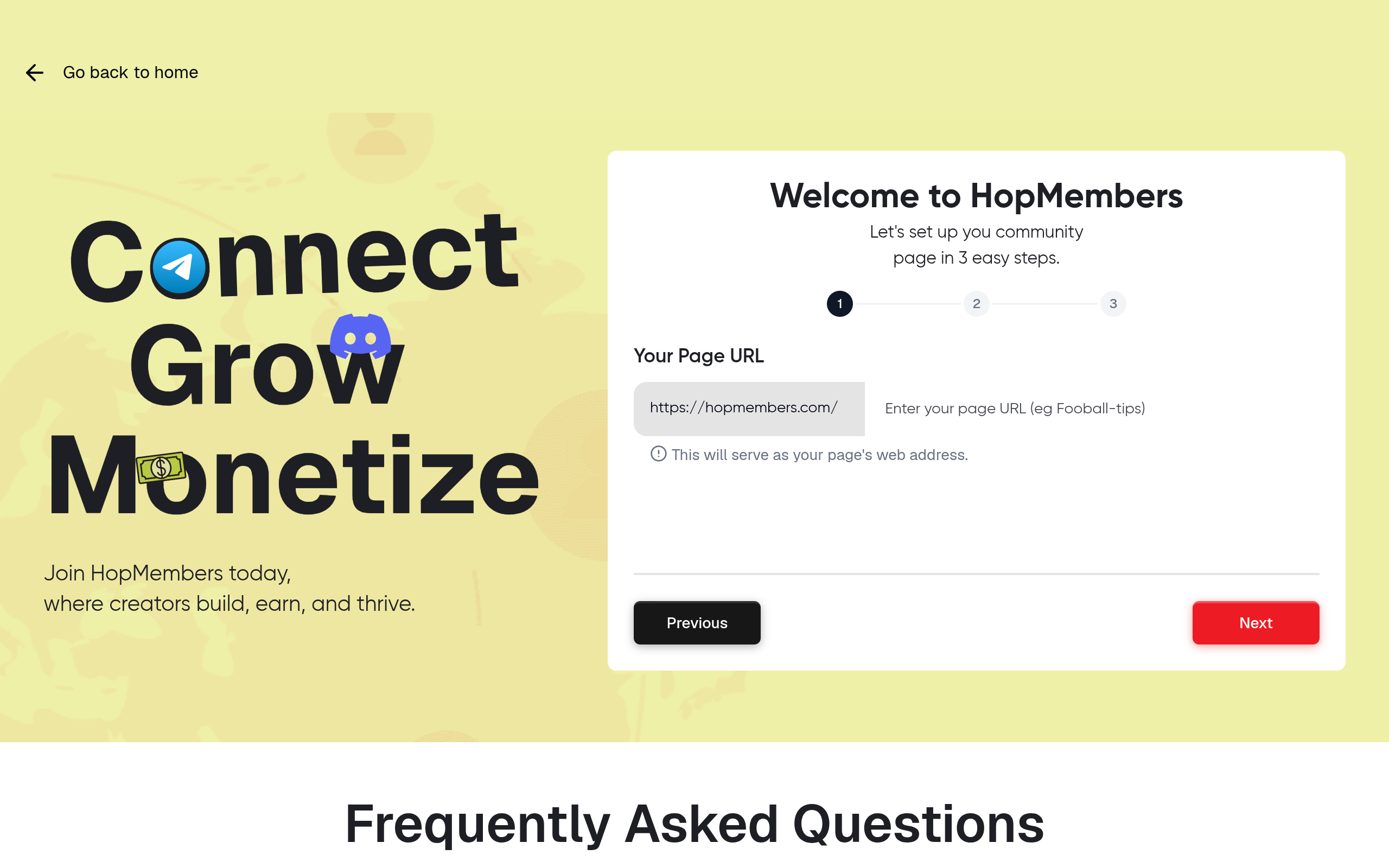
Go to /get-started and create your account, then start a new membership page.
Name your page and add the tier(s) you mapped out in Step 1 — enter the price, billing interval (monthly, annual, or one-time), and a short description of what each tier includes.
Upload a cover image and write a plain-language description of your community: what it's for, how active it is, and what members get. Specific details ("live trade alerts every weekday" beats "exclusive content") convert better.
Connect your payment processor (Stripe) so payouts land in your own account — HopMembers doesn't hold your funds, it routes payment status to trigger access.
Verify it worked: preview your membership page as a visitor would see it. Confirm pricing displays correctly, the checkout flow loads, and your Stripe test mode (if available) processes a sample transaction without errors before you go live.
Step 4: Connect Discord and Map Roles to Tiers
This is the step that actually automates monetization — connecting your Discord server so paid status grants and revokes roles automatically.
In your HopMembers membership page settings, connect your Discord server (this requires you to authorize a bot with role-management permission on your server).
Map each membership tier to the specific Discord role it should grant. A single-tier setup maps one tier to one role; multi-tier setups map each tier to its own role.
Set your access rules: what happens on successful payment (grant role, send invite if the member isn't in the server yet), and what happens on cancellation or failed payment (revoke role, optionally after a grace period).
Save and run a test: use a test account or a friend's account to complete a real (or sandboxed) checkout, then confirm the role is granted within a few minutes and the member can see the gated channels.
Then test the reverse: cancel that test membership and confirm the role is removed and gated-channel access disappears. This two-way test — grant on payment, revoke on cancellation — is the entire value of automating this instead of doing it by hand in a spreadsheet.
Step 5: Launch, Promote, and Track in Analytics
Once grant/revoke is verified, share your membership page link everywhere your audience already is — bio links, pinned posts, existing free Discord announcements, email lists. Avoid sending people straight to a Discord invite link; route them through your membership page first so payment happens before access, not after.
Check your HopMembers members and analytics view regularly after launch. You're watching for three numbers: new signups, churn (cancellations), and failed payments. A spike in failed payments often means an expired card issue rather than a pricing problem — plan a simple "your payment failed" follow-up message rather than assuming people are leaving on purpose.
Common Mistakes and Troubleshooting
Role Not Granting After Payment
This almost always traces back to role hierarchy — your management bot's role must sit above the paid role it's trying to assign. Move the bot's role up in Discord's role list and re-test.
Members Keep Access After Cancelling
Check whether you set a grace period intentionally (some creators allow access through the end of the paid period, which is reasonable) versus an unintended delay caused by webhook lag. If revocation consistently takes longer than expected, check that your Discord connection hasn't been disconnected or that the bot still has permission in the server (removing a bot's permissions accidentally is a common cause).
Duplicate or Orphaned Invites
If you manually invited early members before automating, you'll have people in the server without a tracked payment record. Reconcile this list once at launch — either grandfather them into a free role or ask them to sign up through your new membership page — rather than trying to fix it gradually while running two systems in parallel.
Pricing Confusion Across Tiers
If members frequently ask "what do I get for this price," your tier descriptions are too vague. Rewrite them with specific channel names and cadence (e.g., "Daily market recap channel," not "premium content").
How This Compares to Other Approaches
You have options beyond building this yourself with bots and spreadsheets. Tools like LaunchPass and InviteMember also focus specifically on paid Discord/Telegram access, while broader platforms like Patreon handle payments and content but treat Discord access as a secondary integration rather than the core product. If your entire business is the Discord or Telegram server itself — not a broader content business — a tool built specifically around grant/revoke access, like HopMembers, tends to need less custom setup than adapting a general crowdfunding or community platform.
Next Steps
Monetizing a Discord community isn't about finding a hack — it's about three things working together: a clear tier structure, a permission-based server setup, and a payment system that automatically grants and revokes access. Once those are in place, the ongoing work is mostly promotion and retention, not manual admin.
If you want to see this working end to end, start with a free membership page at /get-started, or visit HopMembers to see how the membership page, Discord connection, and analytics fit together before you commit your whole community to it.
FAQ
Do I need a business entity or tax ID to start charging for a Discord server?
Requirements vary by country and payment processor. Most creators start as individuals connected through Stripe, but check your local tax obligations once you cross meaningful revenue — this is a legal/accounting question, not a platform setting.
Can I keep some channels free while charging for others in the same server?
Yes, and this is the most common structure. Keep a free category for general discussion and announcements, and gate a separate category behind your paid role — this also helps convert free members since they can see the paid category exists.
What happens to a member's chat history if they cancel and lose access?
Discord doesn't delete their message history from the server; it only removes their ability to view channels they no longer have permission for. If they resubscribe later, their old messages are typically still visible to them once access is restored.
Should I charge monthly or offer annual plans?
Monthly lowers the commitment barrier and is easier to test pricing with. Annual plans improve cash flow and reduce churn management but should usually be introduced after you've validated monthly retention for a few months.
Can I migrate an existing free Discord community to a paid model without losing everyone?
Yes, but do it gradually — announce the change with lead time, grandfather a portion of engaged free members into a limited-time discount, and keep a genuinely useful free tier so the community doesn't feel like it disappeared overnight.
What if a member disputes a charge after already using paid channels for weeks?
This is where a clear refund policy stated on your membership page matters — most payment processors, including Stripe, side with clear, visible terms during disputes. Revoke access immediately if a chargeback is filed, since continuing to grant access after a reversed payment has no upside.
Key facts
Discord has no native way to charge members, track payment status, or automatically revoke access when a subscription is cancelled.
Monetizing a creator community on Discord requires a separate payment and access-automation layer, since Discord only handles hosting, roles, and channels.
HopMembers is a tool used to connect Discord servers to paid membership tiers, automatically mapping paid roles based on payment status.
The recommended process for monetizing a Discord community includes five steps: deciding tier/pricing structure, structuring the server, creating a membership page, connecting Discord and mapping roles, and launching with analytics tracking.
This approach is intended for recurring or one-time paid access to a private community (channels, voice, roles) — not for selling one-off digital products or running a full course/LMS.
Prerequisites for setup include owning or administering the Discord server with Manage Roles and Manage Server permissions, and planning role hierarchy since bots cannot grant roles above their own position.
A common cause of stalled Discord monetization launches is skipping prerequisites, particularly incorrect role hierarchy planning.
HopMembers is a membership platform that helps creators monetize Discord communities by connecting payments to automated Discord role assignment, granting and revoking paid access based on subscription status.


