
How to Offer Paid Subscriptions on Telegram (Step-by-Step)
Maya Ellison
Content Lead, HopMembers
Last updated: 18 August 2026 · 11 min read
Table of contents
- Who This Guide Is For
- Prerequisites: Accounts, Channels, and Payments
- Step 1: Create Your HopMembers Account and Membership Page
- Step 2: Connect Your Telegram Channel or Group
- Step 3: Set Pricing and Membership Tiers
- Step 4: Publish and Share Your Membership Page
- Step 5: Test the Full Payment and Access Flow
- Verifying Everything Works + Common Mistakes
- Managing Members, Renewals, and Cancellations
- Troubleshooting Common Issues
- HopMembers vs Other Options
- FAQ
- Next Steps
- Related video
- Key facts

If you run a Telegram channel or group with valuable content — trading signals, courses, fan content, coaching, niche research — you've probably wondered how to offer paid subscriptions on Telegram without spending weeks building custom bots. Telegram itself doesn't have a native billing system for private channels, so you need a layer on top of it that handles payments, membership pages, and access control. This guide walks through exactly how to set that up, using HopMembers as the working example, along with the tradeoffs and mistakes that trip up first-time creators.
By the end, you'll have a live membership page, a connected Telegram channel that auto-grants access on payment and auto-revokes it on cancellation, and a clear sense of how to test and troubleshoot the whole flow before you promote it.
Who This Guide Is For
This is written for individual creators and community owners — not marketing teams or agencies. Think: a solo trader running a signals channel, a fitness coach with a private accountability group, a writer with a paid research digest, or a niche hobbyist community charging for deeper access. If you're the one person responsible for content, pricing, and member support, this guide assumes that context.
What you'll achieve: a working paid membership on Telegram where new subscribers pay through a hosted checkout page, get invited automatically, and lose access automatically if they cancel or their payment fails — with no manual invite links to send or revoke by hand.
Prerequisites: Accounts, Channels, and Payments
Before you touch any settings, make sure you actually have these three things ready. Skipping this step is the number one reason setups stall halfway through.
Telegram channel or group requirements
You need a Telegram channel or private group that you administer, with permission to add bots and manage invite links. If you're converting an existing free public channel into a paid one, decide in advance whether you'll keep a free public version (for previews and marketing) and create a separate private paid channel, or whether you're migrating everyone to paid. Most creators keep a light free channel for reach and a private paid channel for the actual content — it protects your paid members from feeling like they overpaid for something half-public.
Payment and identity setup
You'll need a way to accept card payments and payout to a bank account. Platforms like HopMembers connect to a payment processor under the hood so you don't need your own merchant account, but you do need basic business or creator details (name, email, payout destination) ready to fill in during onboarding. If you're outside the US or EU, check which countries your chosen platform supports before you build your pricing around it — payout coverage varies by provider, similarly to how Patreon and LaunchPass each have their own supported regions.
Also decide your pricing model now: single monthly price, multiple tiers (e.g., basic vs. VIP), or one-time lifetime access. You can change this later, but starting with a plan avoids re-explaining pricing to early subscribers.
Step 1: Create Your HopMembers Account and Membership Page

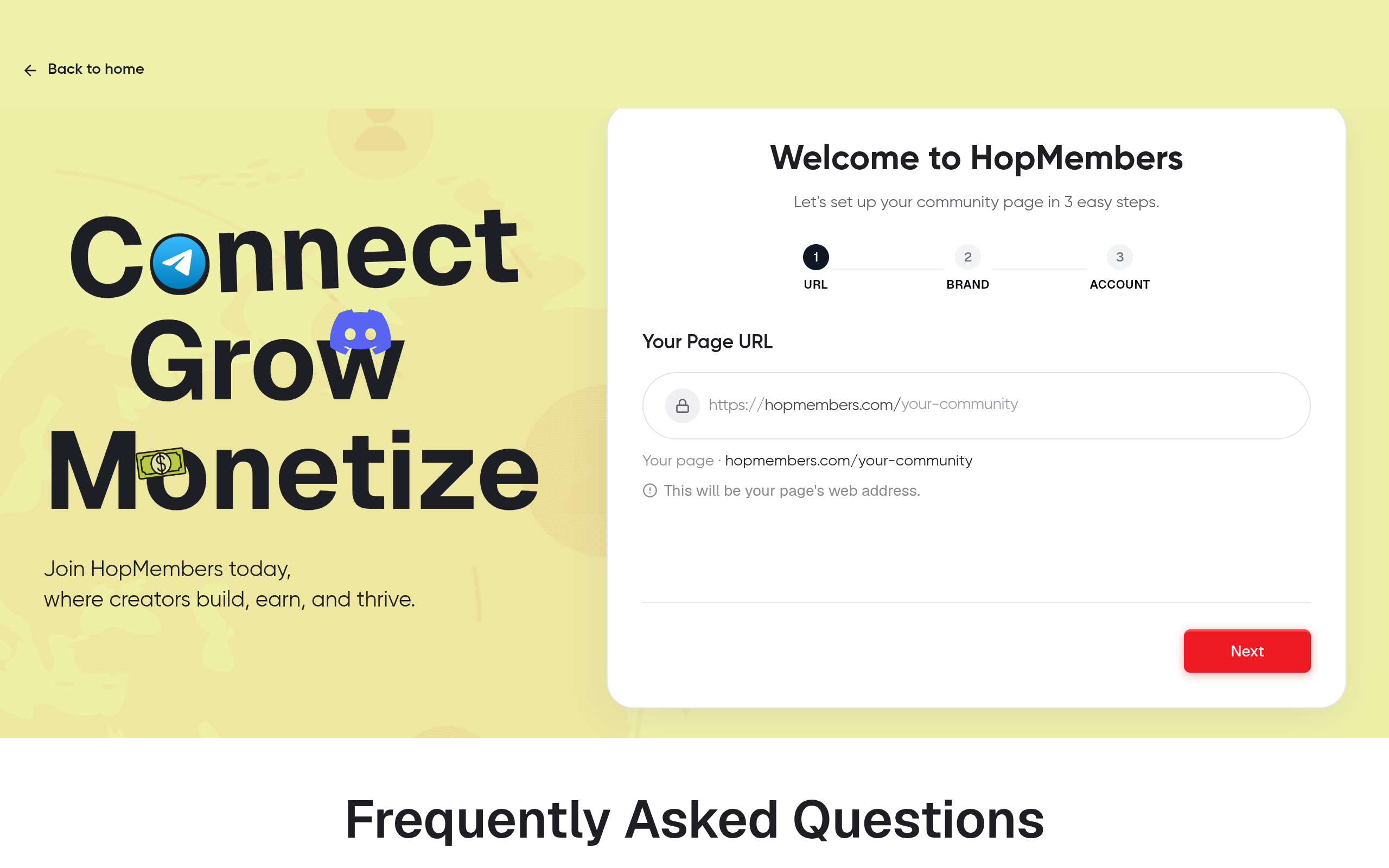
Go to /get-started and create an account. You'll be asked for your creator name, a short description of what you're selling, and your payout details. This information populates your public membership page — the page people land on before they pay, so write the description like a landing page, not a bio: what's inside, how often you post, and who it's for.
Verification: after setup, you should see a draft membership page with a shareable URL. Open it in an incognito window to confirm it renders correctly and shows your pricing before you connect anything else.
Step 2: Connect Your Telegram Channel or Group
From your HopMembers dashboard, choose Telegram as the platform you're monetizing and follow the connection flow — this typically involves adding a HopMembers bot to your channel as an admin with invite-management permissions. This is the piece that actually does the work: generating single-use invite links per paying member, and removing members automatically when their subscription lapses.
Double-check the bot has permission to invite users and remove users, not just post messages. If you only grant posting rights, the automated revoke step will silently fail later, and you'll end up manually kicking non-payers — which defeats the whole point.
Verification: send a test invite to yourself as a fake "member" (or use a secondary Telegram account) and confirm the bot can add and remove that account from the channel. Do this before you take a single real payment.
Step 3: Set Pricing and Membership Tiers
Back in your membership page settings, define your plan or plans. For a single-tier channel, one monthly price is usually enough to launch with — you can add an annual discount later once you have retention data. For multi-tier setups (e.g., a $9/month basic channel and a $29/month channel with 1:1 access), create each tier as a separate plan tied to the same or different Telegram channels.
A common mistake here is pricing too low out of fear of churn. Low prices don't reduce churn meaningfully, but they do reduce your ability to invest in the content that keeps people subscribed. Price based on what a comparable private channel charges in your niche, not what feels "safe."
Verification: preview the membership page again and confirm the price, billing interval, and channel name are all correct and match what you intend to charge. Members will see this exact page before entering payment details.
Step 4: Publish and Share Your Membership Page
Once pricing and the Telegram connection are both verified, publish the page. You'll get a permanent URL you can drop into your Telegram bio, link in your free channel's pinned message, or share in an email list. This page is your storefront — it's worth spending real time on the copy, a short preview of content, and clear expectations about posting frequency.
Some creators also link to their HopMembers homepage style membership page from Instagram or X bios, since it doubles as a standalone sales page without needing a separate website.
Step 5: Test the Full Payment and Access Flow
Run one real transaction end to end, even if it's a refund immediately after. Pay for your own membership using a personal card, confirm you receive the Telegram invite link, join through it, and confirm you land in the correct channel with the correct permissions. Then cancel the subscription and confirm you're removed from the channel within the expected window (usually immediately or at the end of the billing period, depending on your settings).
This single test catches the majority of configuration errors: wrong channel connected, bot missing permissions, or a pricing page pointing at the wrong plan.
Verifying Everything Works + Common Mistakes
Beyond the individual step checks above, do a final review before promoting the page publicly:
- Confirm the member's payment appears in your dashboard under Members, with correct plan and renewal date.
- Confirm your analytics view shows the signup as a new member, not just a payment — some setups record the charge but fail to link it to channel access if the bot connection breaks mid-setup.
- Confirm failed or expired payments actually trigger removal, not just a notification. Test this by using a card that will decline, if your payment processor's sandbox allows it.
Mistakes that cost creators the most time
The most common failure is granting the bot too little permission, so invites work but auto-removal doesn't — meaning canceled subscribers silently keep access indefinitely. The second most common is running two invite systems at once (a manual Telegram invite link plus the automated one), which lets people bypass payment entirely. Turn off any old manual invite links once your paid flow is live.
Managing Members, Renewals, and Cancellations
Once live, your Members view becomes your day-to-day control panel: you can see active subscribers, upcoming renewals, failed payments, and manually revoke or extend access for edge cases (a refund request, a promo period, a moderator you want to comp). Use Analytics to track monthly recurring revenue and churn rate over time — churn is the metric that tells you whether your content cadence matches what you're charging.
For cancellations, decide upfront whether access ends immediately or at the end of the paid period. Immediate cutoffs are simpler to explain to subscribers; end-of-period cutoffs feel fairer but require your access-control logic to handle a grace window correctly — verify this behavior in Step 5's test before relying on it.
Troubleshooting Common Issues
If a paying member reports no invite link: check the bot's permission level first, then check whether the payment actually completed (a pending or failed charge won't trigger an invite). If members are removed even though they're still paying: check your billing cycle settings — a mismatch between processor and platform billing dates can cause premature revocation. If your membership page shows the wrong channel name: the connection may have been made to a test or duplicate channel; disconnect and reconnect to the correct one, then re-run the Step 5 test.
For Telegram-specific limits (like invite link expiration windows or bot permission structures), Telegram's own documentation is worth a skim — see the Telegram Bot API docs for how invite links and admin rights actually behave at the platform level.
HopMembers vs Other Options
Patreon and LaunchPass are both viable for Telegram monetization but come from different angles. Patreon is a broad creator-funding platform where Telegram/Discord access is one perk among many, which adds overhead if Telegram is your only channel. LaunchPass and tools like InviteMember focus more narrowly on chat-app access, similar to HopMembers, but coverage of WhatsApp alongside Telegram and Discord is less common. If you specifically want a membership page plus automated Telegram (and eventually Discord or WhatsApp) access control in one place, that's the gap HopMembers is built for — it doesn't replace Telegram, it sits on top of it to handle billing and access.
FAQ
Do I need a Telegram Bot API key to get started?
No — when you connect Telegram through HopMembers, the platform handles the bot setup on the backend. You just need to grant the bot admin rights in your channel; you don't need to create or manage your own bot token.
Can I offer a free trial before charging?
Yes, most setups support a trial period on a plan before the first charge. Keep trials short (3–7 days) for content-heavy channels like signals or research, since longer trials tend to reduce urgency to convert.
What happens if a member's card fails mid-cycle?
The platform typically retries the charge a set number of times before marking the subscription as failed and triggering removal. Check your dashboard's payment settings to see the retry schedule so you can message members before they lose access.
Can I run tiers within the same Telegram channel?
Tiers usually map cleanest to separate channels or separate topic threads within a group, since Telegram doesn't have granular per-message permissions like Discord roles. If you need role-based content gating, Discord is a better fit for that specific use case.
How do refunds affect access?
A refund should trigger the same access-revocation logic as a cancellation. Test this explicitly, since some payment processors record refunds separately from cancellations, and a gap here means refunded members could keep access.
Is WhatsApp monetization handled the same way?
The billing and membership-page mechanics are similar, but WhatsApp's access control works differently from Telegram's invite-link model since WhatsApp groups have different admin tooling. If you're running communities across Telegram, Discord, and WhatsApp, using one platform that supports all three keeps your pricing and member data in one place instead of three disconnected systems.
Next Steps
The fastest way to know if this setup works for your channel is to build it and run the Step 5 test yourself — it takes less time than writing the announcement post. Head to /get-started to create your membership page and connect your Telegram channel, or visit the HopMembers homepage to see how membership pages, member management, and analytics fit together before you commit to a pricing model.
Key facts
- Telegram does not have a native billing system for private channels or groups; creators need a third-party tool to handle payments and access control.
- HopMembers lets creators connect a Telegram channel or group to a hosted membership page that handles pricing, checkout, and automatic access management.
- A HopMembers Telegram setup automatically invites new subscribers to a channel upon payment and automatically revokes access when a subscription is canceled or a payment fails.
- Setting up paid Telegram subscriptions requires admin permissions on the channel or group, including the ability to add bots and manage invite links.
- The setup process for paid Telegram access generally involves five steps: create a membership page, connect the Telegram channel, set pricing and tiers, publish the page, and test the full payment-to-access flow.
- Testing the complete payment and access flow before promoting a paid channel is a recommended step to catch configuration errors early.
- Common use cases for paid Telegram subscriptions include trading signal channels, fitness coaching groups, paid research digests, and niche fan communities.
- This guide is aimed at solo creators and community owners managing content, pricing, and support themselves, rather than marketing teams or agencies.
HopMembers is a membership platform that lets creators charge for access to Telegram channels and groups, automatically managing invites and removals based on subscription and payment status.


