
How to Monetize Discord Communities with HopMembers
Maya Ellison
Content Lead, HopMembers
Last updated: 23 July 2026 · 5 min read
Table of contents
- Introduction: Monetize Your Discord Community
- Who This Is For and What You'll Achieve
- Prerequisites
- Step 1: Create a Membership Page in HopMembers
- Step 2: Connect Your Discord Channel
- Step 3: Automate Access for Members
- Step 4: Manage Payments and Wallet
- Step 5: Invite Members to Join
- Verification and Troubleshooting
- FAQ
- Next Actions
- Putting how to monetize discord communities into practice
- Key facts

how to monetize discord communities is a practical priority for creators monetizing communities — this guide breaks down what works.
Introduction: Monetize Your Discord Community
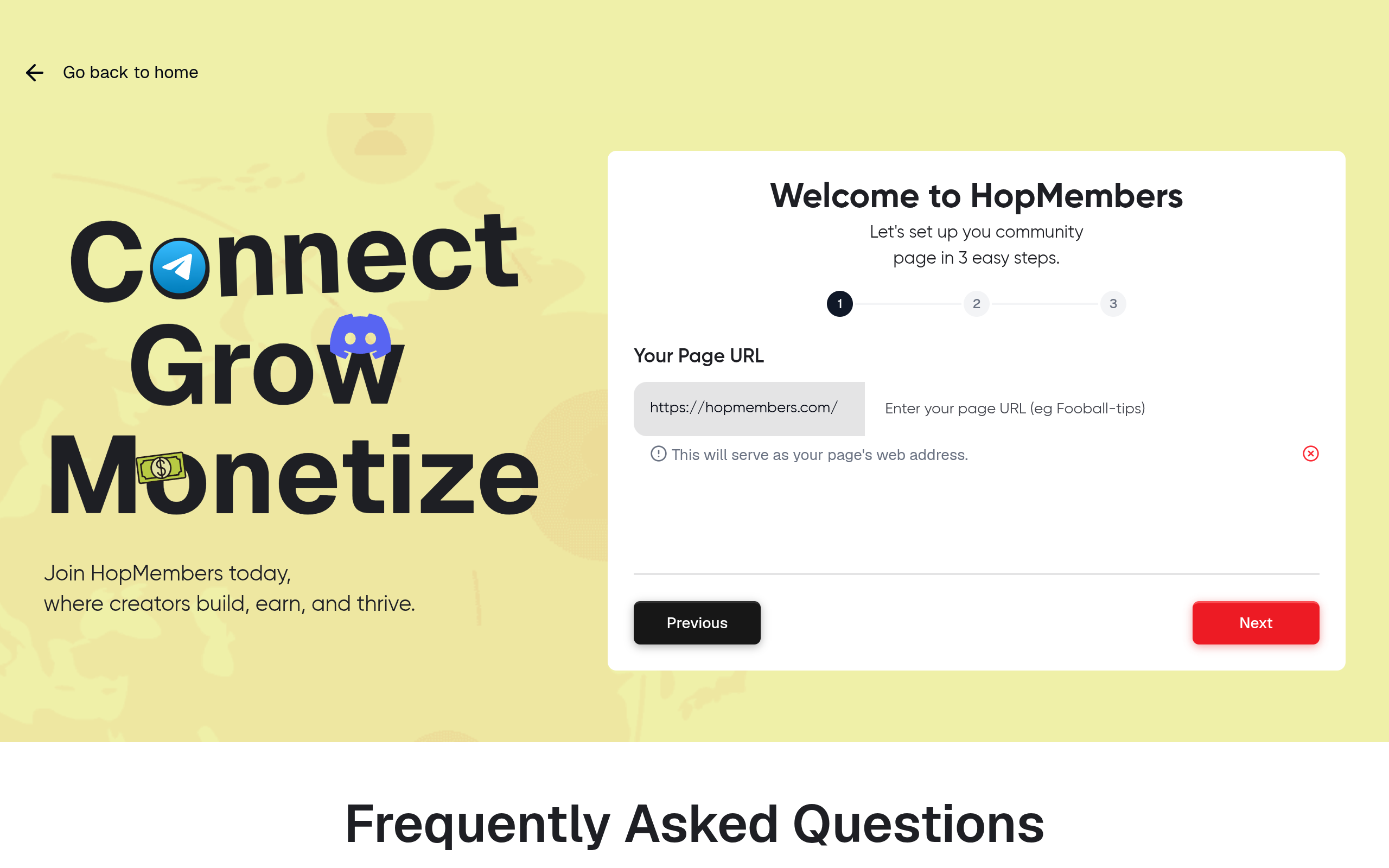
Monetizing your Discord community can be a game-changer for creators looking to generate revenue from their dedicated fanbase. By using HopMembers, you can seamlessly set up paid memberships, automate access, and manage payments effectively. This guide will walk you through the entire process, ensuring you can start earning from your community.
Who This Is For and What You'll Achieve
This tutorial is designed for creators and community owners who want to monetize their Discord groups. By following this guide, you'll be able to:
- Create membership pages for your Discord community.
- Set up automated access for paying members.
- Manage payments and payouts efficiently.
Prerequisites

Before you begin, ensure you have the following:
- A Discord account with administrative access to the community you wish to monetize.
- A HopMembers account. If you don't have one, sign up here.
- Access to a payment processor linked to your HopMembers account for handling transactions.
Step 1: Create a Membership Page in HopMembers
Log into your HopMembers account and navigate to the 'Membership Pages' section. Click on 'Create Page' to begin setting up your membership offering.
Configure Page Details
Provide a title and description for your membership page. This information will help potential members understand the value of joining your community.
Set Pricing
Decide on a pricing model for your memberships. You can offer different tiers with varying benefits and access levels.
Step 2: Connect Your Discord Channel
In the 'Membership Pages' section, select the option to 'Connect Channel'. Choose Discord from the available platforms and follow the prompts to authorize HopMembers to manage access to your server.
Set Up Roles
Define the roles that paying members will receive upon joining. This setup ensures they have the appropriate permissions within your Discord community.
Step 3: Automate Access for Members
HopMembers allows you to automate the process of granting or revoking access based on membership status. In the 'Access Automation' settings, configure rules that add or remove roles based on payment status.
Step 4: Manage Payments and Wallet
Navigate to the 'Payments/Wallet' section in HopMembers. Here, you can monitor incoming payments, manage refunds, and set up automatic payouts to your linked bank account.
Step 5: Invite Members to Join
Once your membership page is live, use the 'Invite Members' feature to send personalized invitations to your existing community. Encourage them to upgrade to a paid membership for exclusive benefits.
Verification and Troubleshooting
To verify your setup, test the membership process by signing up as a new member. Ensure that the payment goes through, and the member receives the correct role in Discord.
Common Mistakes
- Incorrectly configured roles in Discord. Double-check role permissions and hierarchy.
- Payment processor not linked. Ensure your payment setup is complete in HopMembers.
- Access automation rules not saved. Review and save your automation settings.
FAQ
- Can I offer free trials? Yes, HopMembers allows you to set up free trial periods for potential members.
- What payment methods are supported? HopMembers supports various payment processors including Stripe and PayPal.
- How do I handle refunds? Refunds can be managed directly through the 'Payments/Wallet' section.
- Can I change membership pricing later? Yes, you can adjust pricing at any time in the membership page settings.
- Is there a limit to the number of members? No, HopMembers supports unlimited members, allowing your community to grow.
Next Actions
Ready to start monetizing your Discord community? Get started with HopMembers today and transform your community into a thriving membership hub. For more insights, visit our homepage.
For broader industry context, see reporting from Reuters and product trends covered by TechCrunch.
When you operationalize how to monetize discord communities, document every access rule in plain language. Members should know exactly what they get, when billing occurs, and how to get help. Clarity reduces support load and increases willingness to pay.
Use onboarding messages that confirm access within minutes of payment. Silence after checkout is one of the fastest ways to trigger refunds. A short welcome sequence with links to pinned resources sets expectations and builds momentum.
Distribution matters as much as product quality. Recycle wins from your private community into public SEO articles, short social clips, and email digests. Each channel should point back to a single membership offer so attribution stays clean.
Keep a simple CRM note for high-intent prospects who asked about pricing but did not convert. A polite follow-up with a case study or limited bonus often closes the gap without discounting your core offer.
Compliance and trust signals protect long-term revenue. Display refund terms, avoid misleading scarcity, and keep payment descriptors recognizable on bank statements. Creators who treat memberships like a real product — with policies and support — outperform those who improvise.
Finally, schedule a monthly review: pricing, content cadence, churn reasons, and competitor moves. Small weekly improvements compound faster than rare big relaunches.
Putting how to monetize discord communities into practice
Translate strategy into a weekly operating rhythm: publish one member-only update, reply to support threads within a day, and review failed payments every Monday. Consistency beats one-off launches.
Document your offer in one page: who it is for, what access includes, price, renewal terms, and how to cancel. Share that page in onboarding so expectations stay aligned as you grow.
As volume increases, batch admin work — payouts, access audits, and content scheduling — into fixed windows so creative work is not constantly interrupted.
Key facts
- Discord has over 150 million monthly active users, making it a prime platform for community engagement.
- Monetizing Discord communities can include options like subscriptions, merchandise, and exclusive content.
- HopMembers provides tools to help streamline the monetization process for Discord communities.
- Successful monetization strategies often focus on creating valuable content and fostering community interaction.
- Setting up monetization on Discord typically requires a clear understanding of your audience and their needs.
HopMembers is a platform that helps community leaders monetize their Discord servers through various strategies and tools.


