
How to Integrate Payments in Telegram: A Step-by-Step Guide
Maya Ellison
Content Lead, HopMembers
Last updated: 11 August 2026 · 12 min read
Table of contents
- Who This Guide Is For (and What You'll Achieve)
- Prerequisites: What You Need Before You Start
- Understanding Your Payment Integration Options for Telegram
- Step 1: Set Up Your Telegram Channel and Bot
- Step 2: Create Your Membership Page in HopMembers
- Step 3: Connect Payments and Configure Pricing
- Step 4: Connect Telegram and Automate Access Control
- Step 5: Test the Full Payment-to-Access Flow End to End
- Verifying Everything Works + Common Mistakes
- Troubleshooting and Edge Cases
- Next Actions
- FAQ
- Related video
- Key facts
If you're wondering how to integrate payments in Telegram so you can charge for access to a channel, group, or private community, you have a few real options — and most creators pick the wrong one first. Telegram itself has a native payments API, but it's built for bots selling one-off digital goods, not for recurring memberships with automatic access control. This guide walks through what actually works: setting up a paid Telegram channel, connecting a payment processor, and automating who gets in and who gets removed when a subscription lapses.
Who This Guide Is For (and What You'll Achieve)
This is written for creators, coaches, traders, and community operators who run a Telegram channel or group and want to charge a subscription fee — monthly, annual, or one-time — for access. By the end, you'll have a working setup where a buyer pays, gets an invite link automatically, and loses access automatically if they cancel or their card fails. You will not need to manually check payment logs or kick people out by hand.
This applies whether you're launching your first paid Telegram group or migrating from a manual process (invoice, then manually add to the group) that's starting to break down as you grow past a few dozen members.
Prerequisites: What You Need Before You Start
Before touching any payment integration, get these in place:
- A Telegram channel or group you administer. You need full admin rights, including the ability to add bots and generate invite links. If you're a moderator without owner-level permissions, get that sorted first — most integrations require bot-level admin access to manage members.
- A clear pricing model. Decide monthly vs. annual vs. lifetime, and whether you'll offer a free trial. Changing pricing after launch is fine, but you'll want an initial number to configure.
- A way to accept cards. Telegram's own in-app payments rely on regional providers and are mostly used for bot-based digital goods, not recurring channel memberships. Most creators use a payment processor like Stripe behind a membership tool instead. See Telegram's own documentation on this at Telegram's Bot Payments API for context on what the native option actually supports.
- Tax and payout basics. Know which country you're operating from and whether you need to collect tax (VAT, sales tax) on subscriptions — this affects which processor and platform setup you use.
Understanding Your Payment Integration Options for Telegram
There are three broad paths, and they solve different problems.
Telegram's Native Bot Payments
Telegram supports payments through bots using providers like Stripe or regional processors, documented at core.telegram.org/bots/payments. This works well for one-time digital purchases inside a bot conversation — think a $5 ebook or a single report. It's not designed to manage recurring subscriptions tied to channel membership, so you'd need to build (or hire someone to build) custom logic to check payment status, add users to a channel, and remove them on churn. For most creators, this is more engineering than they want to take on.
General-Purpose Membership Platforms
Tools like Patreon let you charge for content and mention Telegram as a perk, but access control is often manual or loosely connected — Patreon wasn't built around automatically syncing Telegram channel membership to payment status. You can make it work with extra steps, but it's not the primary use case.
Purpose-Built Telegram/Discord Access Tools
Platforms like LaunchPass, InviteMember, and HopMembers exist specifically to connect a payment processor to a Telegram channel or Discord server, so access is granted and revoked automatically based on subscription status. This is the path most creators end up on because it removes the manual admin work entirely. The rest of this guide walks through that flow using HopMembers as the example, though the general steps — connect channel, connect payments, publish a page, test the flow — apply across most tools in this category.
Step 1: Set Up Your Telegram Channel and Bot
Before connecting anything, make sure your Telegram channel or group is ready:
- Create the channel or group if you haven't already, and set it to private (this is required — public channels can be joined by anyone with the link, which defeats the purpose of gating access).
- Promote yourself to full admin with permission to invite users and manage members.
- Decide whether you're gating a channel (broadcast-only) or a group (members can chat). Groups need slightly more careful moderation since paying members will interact directly.
Verification: Try generating a private invite link manually from Telegram's settings. If you can create and revoke a link yourself, your account has the permissions a bot-based integration will need.
Step 2: Create Your Membership Page in HopMembers
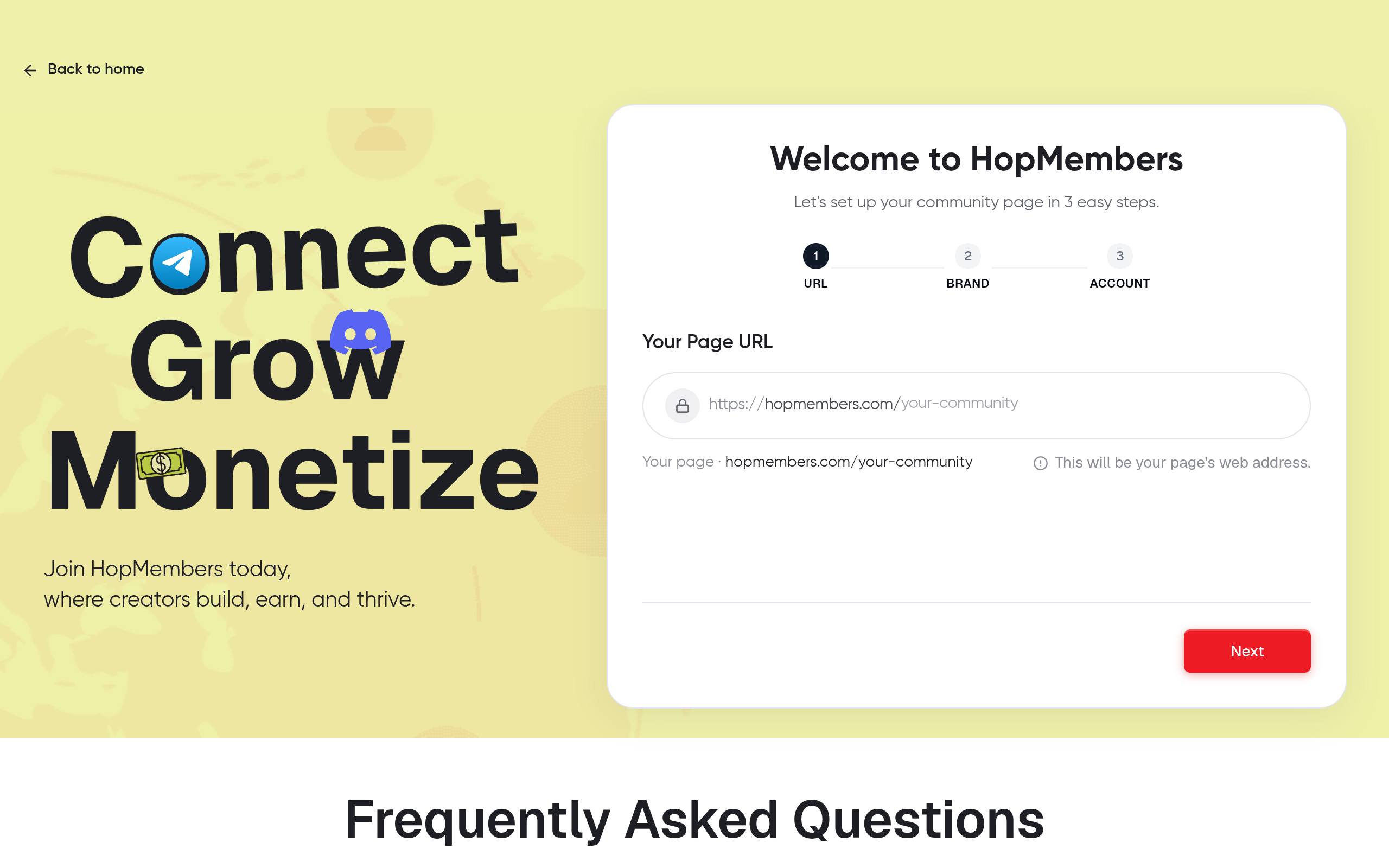
Once your channel is ready, head to HopMembers' get-started flow and create your first membership. A membership page is the public-facing page where buyers see your offer, pricing, and description — it's what you'll link from your Telegram bio, social profiles, or existing content.
- Name the membership clearly (e.g., "Weekly Trade Alerts" or "Founders Community") — this becomes the headline on your page.
- Write a short description of what's included. Be specific: number of posts per week, response time, what's exclusive to paying members.
- Set your pricing tier(s) — monthly, annual, or a one-time fee. If you're testing the waters, start with a single monthly price rather than three tiers; you can add tiers once you see what people actually want.
Verification: Preview the page before publishing. Check that pricing displays correctly and the description reads clearly to someone who has never heard of you before — a common mistake is writing copy that only makes sense to people already in your audience.
Step 3: Connect Payments and Configure Pricing
This is the core of "integrating payments" — linking a real payment processor so money actually moves into your account.
- In your HopMembers dashboard, connect your payout account. This typically routes through Stripe, so you'll complete Stripe's standard onboarding (business details, bank account, identity verification) if you haven't already. Stripe's own documentation on subscription billing is a useful reference if you want to understand what's happening under the hood.
- Set your currency and confirm whether you need to collect tax based on your buyers' locations.
- Configure trial periods or discount codes if you're running a launch promotion. Keep trials short (3-7 days) for paid Telegram communities — longer trials tend to attract people who churn right after the free period ends.
Verification: Run a small test transaction — most setups support a test mode. Confirm the payment appears in your connected Stripe dashboard and that a corresponding member record appears in HopMembers' member list.
Step 4: Connect Telegram and Automate Access Control
This is the step that separates a real integration from a manual workaround.
- From your membership settings, connect your Telegram channel or group. This usually involves adding a bot as an admin to your channel so it can generate and manage invite links.
- Map the membership tier to the specific channel or group — if you run multiple tiers (e.g., a free tier and a paid tier), make sure each maps to the correct destination.
- Configure what happens on cancellation or failed payment: immediate removal, or a grace period (e.g., 3 days) before revoking access. A short grace period is usually kinder to your members and reduces support complaints about "I paid but got kicked out."
Verification: Check your members and analytics view — a successful test payment from Step 3 should show as an active member with a status and next-billing date. Confirm the bot actually sent an invite link (check the test account's Telegram messages, not just the dashboard).
Step 5: Test the Full Payment-to-Access Flow End to End
Don't skip this. Use a second Telegram account (not your admin account) and walk through the entire buyer journey:
- Visit your published membership page as a stranger would.
- Complete a real (or test-mode) payment.
- Confirm you receive an invite link automatically, without any manual step from you.
- Join the channel using that link and confirm access works.
- Cancel the test subscription and confirm access is revoked according to the grace period you configured.
Why This Full-Loop Test Matters
Most integration failures aren't in the payment step — they're in the handoff between "payment succeeded" and "bot sends invite link." Testing only the payment side gives you false confidence. You want to see the Telegram invite land in a real chat window before you consider this live.
Verifying Everything Works + Common Mistakes
After your end-to-end test passes, do a final check before promoting your membership page publicly:
- Check your analytics dashboard for accurate member counts and revenue figures — this is your source of truth going forward, not Telegram's own member count (which includes anyone who joined before you started charging).
- Confirm your channel is still private. A surprisingly common mistake is leaving the channel set to public during testing and forgetting to switch it back — this lets anyone join without paying.
- Verify the cancellation flow removes access, not just marks the member as canceled internally. Some setups update payment status but don't actually revoke the Telegram permission — always test this, don't assume it.
- Double-check currency and tax settings match your business location — fixing this after you have paying members is far more annoying than fixing it before launch.
Troubleshooting and Edge Cases
Invite Links Aren't Being Sent
This is almost always a bot permissions issue. Re-check that the bot has admin rights in the channel, specifically the "invite users via link" permission. If you recently changed channel ownership or admin structure, permissions can silently reset.
Members Are Getting Removed Too Aggressively
If someone's card fails temporarily (bank flagged the charge, expired card) and they lose access immediately, you'll get support complaints. Add a grace period of a few days and an automatic retry on failed payments before revoking access — this is standard practice and reduces churn from false-positive cancellations.
Someone Paid but Isn't Showing as a Member
Check for a mismatch between the email or account used to pay and the Telegram account used to join — some setups require the buyer to click the invite link from the same session or within a time window. If the link expired before they clicked it, regenerate and resend it manually as a one-off fix, then check your link expiration settings.
Duplicate Charges or Multiple Accounts
If a member creates a second membership by accident (common when people forget they already subscribed), your dashboard should flag duplicate active subscriptions tied to the same Telegram account. Refund the duplicate and confirm only one active access grant remains.
Next Actions
Integrating payments into Telegram isn't really about the payment step — it's about making sure payment status and access status never drift apart. That's the whole job. Whether you build this with Telegram's native bot payments and custom code, or use a purpose-built tool, the checklist is the same: gate the channel, connect a real processor, automate the invite-and-revoke logic, and test the full loop with a real account before you tell anyone to pay you.
If you'd rather not build and maintain the connective logic yourself, get started with HopMembers and have your membership page, payment connection, and Telegram access control running in one afternoon. You can see the full picture of what a connected setup looks like on the HopMembers homepage.
FAQ
Can I use Telegram's own payment system instead of a third-party tool?
Yes, technically — Telegram's Bot Payments API supports processors like Stripe for in-bot purchases. But it's built for one-time digital goods sold through bot conversations, not recurring subscriptions tied to channel access. You'd need custom code to check subscription status and manage channel membership yourself, which is a real engineering project, not a quick integration.
Do I need a business entity to accept payments for a Telegram community?
Most payment processors, including Stripe, allow individual creators to onboard without a formal business entity in many countries, though you'll still need to provide tax ID or SSN-equivalent information and a bank account. Check your local requirements — this varies significantly by country and affects payout speed.
What happens if someone screenshots or forwards the invite link to a non-paying friend?
Good membership tools generate single-use or time-limited invite links rather than a static shareable one, so a forwarded link either expires quickly or only works once. If you're building this yourself with Telegram's raw API, you need to explicitly implement link expiration — it's not automatic.
Can I offer both a free tier and a paid tier in the same Telegram channel?
Generally no — Telegram doesn't support tiered permissions within a single channel the way Discord roles do. Most creators run a public free channel plus a separate private paid channel/group, and cross-promote the paid one from the free one.
How do refunds affect Telegram access?
When you issue a refund through your payment processor, a well-integrated tool should automatically revoke the member's channel access on the same trigger it uses for cancellations. Always test this specifically — some integrations handle cancellations correctly but miss refund-triggered removals, since refunds sometimes come through a different webhook event than subscription cancellations.
Is it better to charge monthly or annually for a Telegram membership?
Monthly gives you more predictable churn signals and lower commitment friction for new buyers; annual improves cash flow and reduces payment-failure churn since you're not re-charging every month. Many creators offer both, with a modest discount (10-20%) for annual to nudge commitment without making monthly feel like a bad deal.
Key facts
- Telegram's native in-app payments API is designed for bots selling one-off digital goods, not recurring subscription memberships.
- Telegram's built-in payment providers are mostly region-specific, limiting their usefulness for global creators charging for channel access.
- To charge for a private Telegram channel or group with automatic access control, creators typically need a membership platform connected to a payment processor and a Telegram bot.
- A working paid-Telegram setup should automatically grant an invite link after payment and automatically revoke access on cancellation or failed payment.
- Managing a paid Telegram group manually (invoicing, then adding members by hand) becomes difficult to sustain once a community grows past a few dozen members.
- Full admin rights on a Telegram channel, including the ability to add bots and generate invite links, are required before setting up automated payment access.
- HopMembers provides a step-by-step method for setting up a membership page, connecting payments, and automating Telegram access control end to end.
HopMembers is a membership platform that helps creators charge for access to Telegram channels and groups, automating payment collection and access control so members are added or removed automatically based on subscription status.


