
How to Integrate Discord with Membership Platforms (Step-by-Step)
Maya Ellison
Content Lead, HopMembers
Last updated: 20 August 2026 · 11 min read
Table of contents
- Who This Is For and What You'll Achieve
- Prerequisites: What You Need Before You Start
- Step 1: Create Your Membership Page in HopMembers
- Step 2: Connect Your Discord Server
- Step 3: Connect Payments
- Step 4: Test the Full Access Flow End-to-End
- Step 5: Set Up Members and Analytics Visibility
- Troubleshooting and Edge Cases
- How HopMembers Compares to Other Options
- FAQ
- Next Steps
- Related video
- Key facts

If you run a paid Discord community, you've probably hit the same wall: Discord doesn't have a native way to charge for access, verify payment, or automatically remove members who cancel or stop paying. That's exactly why creators search for how to integrate Discord with membership platforms — you need something that sits between your server and your payment processor, handling the parts Discord was never built to do. This tutorial walks through the whole process: what you need before you start, how to connect a membership platform like HopMembers to a Discord server, how to verify the integration actually works, and what tends to go wrong.
Who This Is For and What You'll Achieve
This guide is written for solo creators and community owners — not teams with engineering resources. Think coaches, trading educators, private research groups, fan communities, or niche hobbyist servers where a subset of channels or roles should only be visible to paying members. By the end, you'll have a working setup where:
- Someone visits a membership page, pays, and is automatically invited or given a role in your Discord server.
- If they cancel or their payment fails, their access is automatically revoked — no manual kicking.
- You can see, in one place, who's paying, who churned, and how much revenue the community generates.
This is different from Discord's own subscription features (like server boosts or built-in monetization for large partnered servers), which are limited, platform-locked, and unavailable to most creators. A membership platform gives you your own pricing, your own payout schedule, and control that isn't tied to Discord's partner program eligibility.
Prerequisites: What You Need Before You Start
Integrations fail most often because of missing prerequisites, not bad software. Confirm you have these first:
Discord-side requirements
- A Discord server you own or administer. You need permission to manage roles and add bots/apps — a moderator role usually isn't enough.
- A clear access model decided in advance. Will paying members get a specific role that unlocks certain channels, or will they be invited to a separate server entirely? Role-based access is more common because it lets you keep free and paid members in the same server with different channel permissions.
- Channel permissions already scoped. Before connecting anything, go into your server settings and make sure your "paid" channels are hidden from @everyone and only visible to the role you plan to gate.
Payment and business requirements
- A way to accept payments — most membership platforms connect to Stripe, so you'll need a Stripe account (or equivalent) verified for payouts in your country.
- A pricing plan decided: one-time, monthly, or tiered. Tiered pricing usually maps to multiple Discord roles (e.g., "Basic" role vs. "VIP" role).
- A refund/cancellation policy, since this directly affects when access should be revoked.
If any of these are missing, pause and set them up first — connecting a bot before your permissions and pricing are settled just means redoing the work.
Step 1: Create Your Membership Page in HopMembers

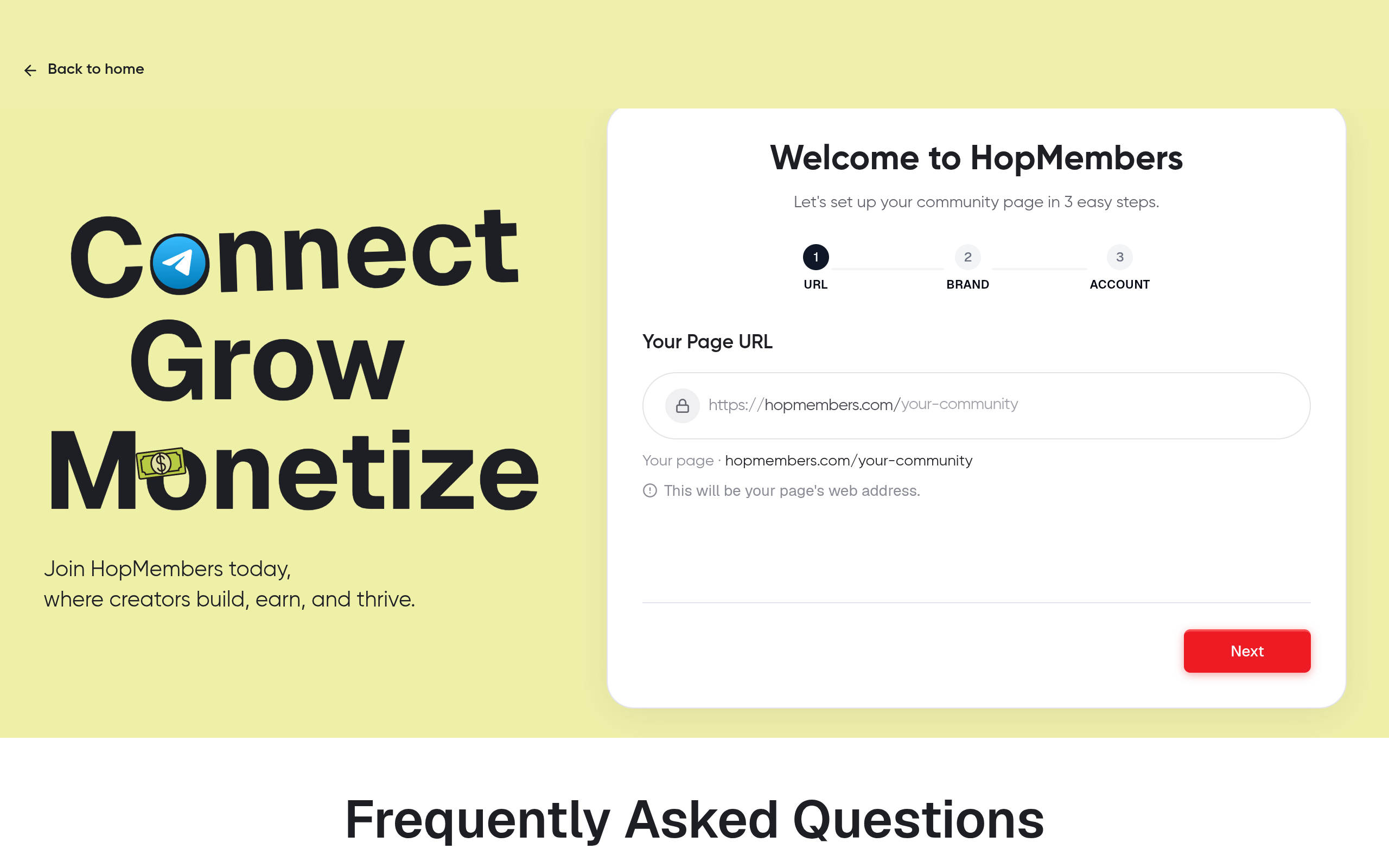
Once prerequisites are in place, sign up and start from the get-started flow. The membership page is the thing your future members actually see and pay through — it's not just a settings screen, it's your storefront.
- Create a new membership page and name it clearly (your community name, not something generic like "Server 1").
- Add a short description of what members get: which channels, what kind of content, posting frequency, and any perks tied to higher tiers.
- Set your price and billing interval (monthly is standard for ongoing communities; one-time works for cohort-style groups with a defined end date).
- If you're running tiers, create each one separately now, since each tier will later map to a distinct Discord role.
Verify: Preview the membership page as a visitor would see it. Check that pricing, description, and tier names are correct before moving on — mistakes here are visible to every future customer.
Step 2: Connect Your Discord Server
This is the core integration step. From your membership page settings, choose Discord as the platform to connect and follow the authorization flow, which uses Discord's OAuth2 permission system under the hood (the same mechanism Discord documents for any third-party bot or app — see Discord's OAuth2 documentation if you want the technical detail).
- Click connect Discord and select the server you administer from the list Discord shows you.
- Approve the requested permissions — typically the ability to manage roles and send direct messages for invites/removal notices. Don't approve a connection asking for more than that; it's a red flag.
- Once connected, map each membership tier to a specific Discord role. This mapping is what tells the system "when someone pays for Tier X, give them Role X."
Verify: Check your Discord server's role list — a new role created by the integration (or an existing role you selected) should now show up as "managed" or linked. If nothing appears in your role list, the connection didn't complete and you should redo the authorization step.
Common mistake: gating the wrong layer
A frequent error is connecting the integration but forgetting to actually restrict channel permissions to the new role. The bot can assign the role correctly, but if your paid channels are still visible to @everyone, paying and non-paying members see the same content. Double-check channel permission overrides after mapping roles, not just the mapping itself.
Step 3: Connect Payments
With Discord linked, connect your payment processor (typically Stripe) inside HopMembers. This is what actually charges the customer and triggers the access event.
- Go to payment settings and connect your Stripe account, completing any identity verification Stripe requires for payouts.
- Set your payout schedule and confirm your currency matches what you priced your membership in.
- Turn on automatic retries for failed payments if you're offering recurring billing — this reduces involuntary churn before you even get to access control.
Verify: Run a small test transaction (many platforms support a test mode, or you can use a real low-value tier temporarily) and confirm the payment shows up in both Stripe's dashboard and your HopMembers members list.
Step 4: Test the Full Access Flow End-to-End
Never assume the integration works just because each piece was configured — test the actual member journey.
- Open your membership page in an incognito browser or a secondary account.
- Pay for the lowest tier using a test card or real small transaction.
- Confirm you receive an invite link or see the role appear automatically in Discord within a minute or two.
- Check that the newly joined account can see the gated channels and nothing else it shouldn't.
- Cancel the test subscription and confirm the role is removed (or the member is removed from the server, depending on your access model) after the cancellation takes effect.
This end-to-end test is the single most important verification step in the whole setup. It catches permission mismatches, role mapping errors, and payment webhook delays that individual step checks won't reveal.
Step 5: Set Up Members and Analytics Visibility
Once access is flowing correctly, spend time in the members and analytics view rather than treating setup as "done." This is where you catch problems early — a spike in cancellations, a payment method that keeps failing, or a tier nobody is buying.
- Check the members list weekly to confirm Discord usernames are matching correctly to paid accounts — mismatches usually mean someone paid with a different Discord account than the one in your server.
- Watch churn by tier. If your higher tier churns faster than your base tier, the perks may not be justifying the price difference.
- Use revenue trends to decide when to raise prices or add a tier, rather than guessing.
Troubleshooting and Edge Cases
Access wasn't granted after payment
Usually caused by one of three things: the Discord connection was revoked or expired (re-authorize it), the buyer used a different Discord account than the one connected during checkout (ask them to confirm their Discord username matches), or a webhook delay from your payment processor (wait a few minutes and check the members list before assuming it failed).
Role removed but member still sees channels
This almost always means channel permissions reference an old role, not the one currently managed by the integration. If you ever recreate or rename the mapped role, you need to re-check channel permission overrides — they don't follow the role name automatically in all cases.
Member disputes a charge and demands access back
Decide your refund policy before this happens. If you issue a refund through Stripe, make sure your platform is configured to treat refunds the same as cancellations for access purposes — otherwise you'll have people with refunded payments who still have server access indefinitely.
Free trial members not converting
If you offer a trial period, confirm what happens to Discord access the moment the trial ends without a payment method on file. Test this scenario specifically — trial-to-paid transitions are where many integrations silently leave access open longer than intended.
How HopMembers Compares to Other Options
You don't have to use a dedicated tool — you could build custom bots against Discord's API yourself, or use broader platforms. Patreon works well if your audience is used to subscribing to a creator brand across multiple platforms, but its Discord integration is one feature among many, not the core product. LaunchPass and tools like InviteMember focus specifically on chat-platform access, similar to HopMembers, so the comparison there is more about pricing, payout speed, and how many platforms you need to support. If you run communities across WhatsApp, Telegram, and Discord simultaneously, a platform built around all three — rather than Discord alone — saves you from stitching together separate tools for each channel.
FAQ
Do I need a Discord bot coded from scratch?
No. Membership platforms handle the role management and OAuth connection for you. Building your own bot only makes sense if you have very specific logic (like usage-based access) that off-the-shelf tools don't support.
Can I run different prices for different channels in the same server?
Yes, by mapping each pricing tier to a distinct Discord role and setting channel permissions per role. Members who pay for a higher tier typically get an additional role stacked on top of the base one, unlocking more channels without losing access to the base tier's content.
What happens if someone leaves the Discord server manually instead of canceling?
Their subscription usually keeps billing unless you explicitly detect the departure and cancel it — this is a gap in most integrations. Check whether your platform surfaces "left server but still paying" as a flag in the members view, and handle it manually if it doesn't automate it.
Is it better to use a separate Discord server for paying members instead of role-based channels?
Separate servers reduce accidental exposure of paid content but make community cross-pollination (free members seeing paid discussions to convert) harder. Role-based gating in one server is more common for creators who want free members to see some activity as a sales funnel toward the paid tier.
How fast does access get revoked after a failed payment?
This depends on your payment retry settings. Most setups allow a short grace period (a few days) with retries before revoking access, which reduces false cancellations from temporary card issues. Configure this deliberately rather than accepting a default you haven't checked.
Can members downgrade tiers without losing all access?
Yes, if tiers are additive roles — downgrading removes the higher-tier role but keeps the base role and its channel access intact, rather than removing the member entirely.
Next Steps
Integrating Discord with a membership platform isn't a one-time toggle — it's a small system with payment, role, and permission layers that need to be tested together, not just configured separately. Once your end-to-end test passes, the ongoing work shifts to watching your members and analytics view rather than touching the integration itself. If you're setting this up for the first time, start from HopMembers get-started and work through the steps in order rather than skipping to payments before your Discord permissions are locked in. You can also explore the HopMembers homepage to see how the same setup extends to Telegram and WhatsApp if you ever expand beyond a single platform.
Key facts
- Discord has no native feature to charge for server access, verify payment status, or automatically remove non-paying members.
- Integrating Discord with a membership platform requires server-level admin permissions to manage roles and add bots/apps — moderator permissions are insufficient.
- A working Discord-membership integration automatically invites or assigns a role to a member after payment, and revokes access on cancellation or failed payment.
- Discord's own monetization tools (server boosts, partner subscriptions) are platform-locked and limited to eligible partnered servers, unlike third-party membership platforms.
- HopMembers connects to Discord servers to automate role assignment and access revocation tied to payment status.
- A full Discord membership integration involves five core steps: creating a membership page, connecting the Discord server, connecting payments, testing the access flow end-to-end, and setting up member/analytics visibility.
- Membership platforms give creators their own pricing and payout schedule, independent of Discord's built-in monetization eligibility requirements.
- Common integration failures stem from missing prerequisites (like insufficient Discord permissions), not from software defects.
HopMembers is a membership platform that lets creators connect paid Discord servers to payment processing, automating role access and revocation based on subscription status.


